









































Our playlists are the best entertainment, but there are days when you want to skip the usual playlist. You might have heard those tracks multiple times, and you want to hear something different. How about music from another country that you’ve never visited? Ever wondered what people are listening to in Tokyo right now? Or what podcast are people listening to in London? Your iPhone can take you there.
How to Listen to Radio Stations from Around the World on Your iPhone
That’s where Boom iOS can be of great help. You can listen to radio stations on iPhone; Boom offers nearly 40,000 radio stations and podcasts worldwide. You can also discover stations through RadioGarden, which is available right inside Boom, or add stations using StreamURL links. Explore a new way to enjoy radio stations and podcasts through Boom for free.
Get more out of radio on your iPhone
Radio is not outdated; it is still popular. Deloitte’s 2024 media predictions estimated that around 4 billion people worldwide would listen to radio each month in 2024.
Radio is very comfortable. It doesn’t require you to pick an artist, build a playlist, or decide what to play next. You tune in and enjoy the tracks being played. The actual fun is when you can listen to music from another country. You can even listen to podcasts and improve your knowledge. So, how do you find these radio apps? Let’s look at the options available in Boom.
Open Boom and explore its radio Stations
Want to explore international radio stations on iPhone? Start by downloading Boom from the Apple App Store. Boom brings together music playback, radio stations, and podcasts. As mentioned above, you can explore nearly 40,000 radio stations and podcasts.
You could look for a station that plays rap, switch to jazz later, or explore broadcasts from another country. You don’t need a particular station in mind to get started. If you want to hear something specific to your choice, you can try RadioGarden through Boom.
Readers may find this blog informative: Voice recorder vs voice editor: Which to use?
Discover stations with RadioGarden inside Boom
RadioGarden is an interactive globe that lets you explore broadcasters by location. You can move from one city to another and see what’s interesting. The best part is that RadioGarden is available within the Boom app itself. You can treat this as a worldwide radio app available for free on Boom. You can listen to the radio online on iPhone without needing a separate app just for the radio feature.
Here’s how to try it:
- Open Boom on your iPhone.
- Go to the RadioGarden feature.
- Explore the available locations and radio stations.
- Select a station and start listening.
If you’re unsure about where to start, choose a city at random or pick a country you’ve always wanted to visit. You might find an amazing station, or you may hear something unfamiliar. It’s a great option to ditch the monotonous playlist and try something new.
Read this blog for interesting details: How to remove dog barking from a voice recording.
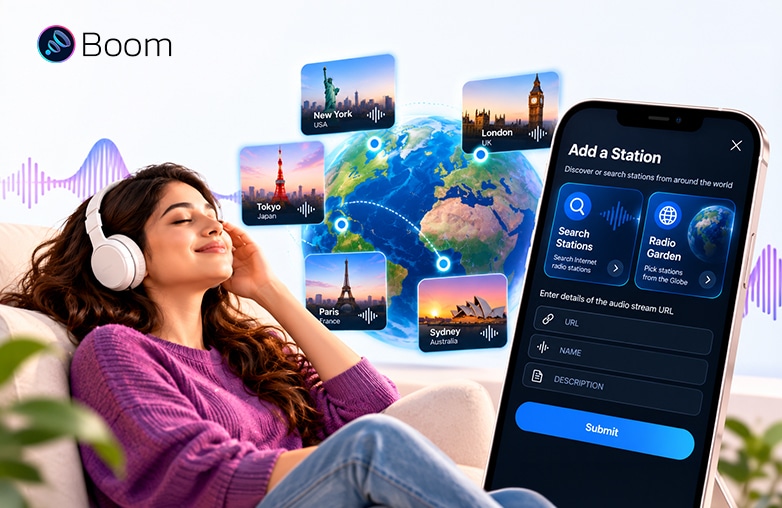
Add an internet radio station to Boom iOS using a StreamURL link
Already have a station in mind? Use StreamURL
Want to listen to radio stations on iPhone? Sometimes discovering a station isn’t a problem, but finding a way to play it is. If you enjoy internet radio on iPhone, Boom lets you add compatible direct audio streams; use its StreamURL to add it to Boom.
This is how you can enjoy your favourite radio station:
- Find the station’s direct streaming link.
- Copy the URL.
- Open Boom and look for the option to add a station using StreamURL.
- Paste the link and follow the instructions to add it.
- Play the station once it has been added successfully.
If Boom doesn’t recognize the URL, check the broadcaster’s website for a supported streaming link.
RadioGarden is useful when you want to explore. StreamURL is useful when you already know which station you want to hear. Having both options gives you more control to find radio beyond the ordinary selection.
This blog might just be what you’re looking for: How to organize music on iPhone and create playlists easily.
RadioGarden or StreamURL: Which one should you use?
Both options are great for global radio streaming. You can explore local and international stations. However, they are useful in different situations.
| What you’re looking for | Best option |
| Discovering stations in different countries | RadioGarden |
| Exploring broadcasts by location | RadioGarden |
| Adding a station when you have its streaming link | StreamURL |
| Listening to something you’ve never heard | RadioGarden |
| Accessing a specific online radio stream | StreamURL |
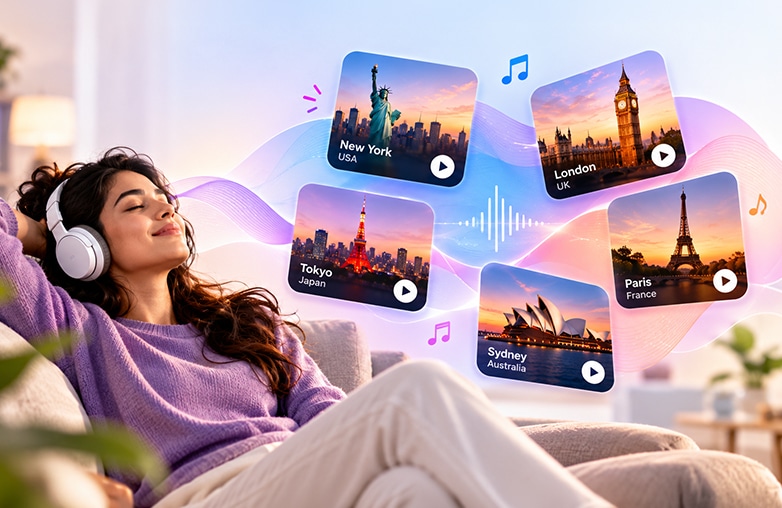
Discover international radio stations with RadioGarden in Boom iOS
Bottom Line
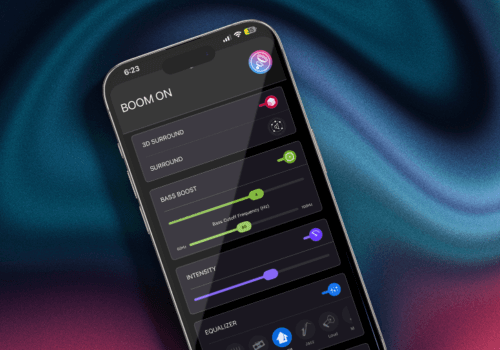
Radio discovery is just one reason to try Boom; it also has 3D surround sound, bass boost, 8 or 16-band equalizer, presets, Headphone EQ, transcendence mode, visualizer, lyrics, pitch effects, tempo effects, reverb effects, CarPlay Support, and more. It helps personalize sound and take your music listening to the next level.
It is also an offline music player for iPhone. You can use the app for your regular music listening and turn to its radio collections when you want something different. Boom is an all-in-one music player app for your iPhone. Download Boom and listen to radio stations on Boom for free.
FAQs
How can I listen to radio stations from around the world on my iPhone?
You can use Boom iOS to explore nearly 40,000 radio stations and podcasts worldwide. Discover stations through RadioGarden or add them using StreamURL links.
Is RadioGarden available in Boom iOS?
Yes, RadioGarden is available in the Boom app; you can discover radio stations from around the world.
What is a StreamURL link?
A StreamURL is a direct link to a radio station’s audio stream. You can use a compatible link to add a station to Boom iOS.
Can I listen to radio stations from other countries on my iPhone?
Yes, Boom iOS lets you explore stations from different countries, discover music, podcasts, and other broadcasts.
Can I listen to international radio stations for free?
Yes, you can listen to radio stations through Boom for free.









Leave a Reply
You must be logged in to post a comment.