








































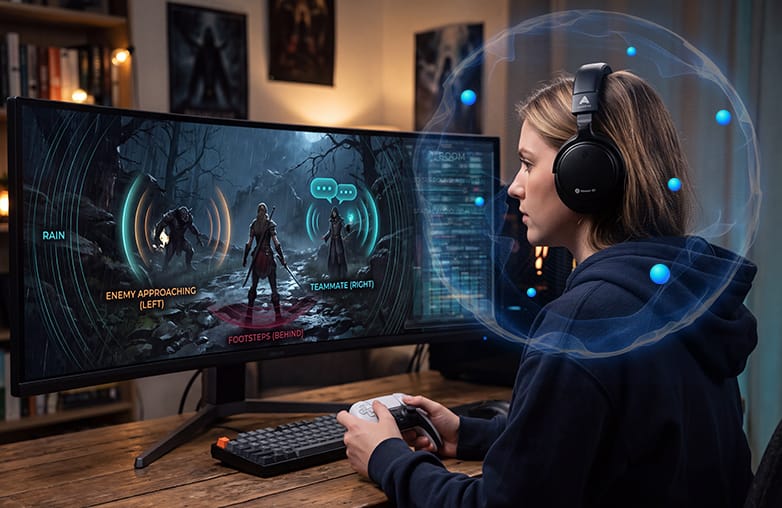
What’s your favorite RPG game? Is it The Witcher 3: Wild Hunt, The Elder Scrolls V, Elden Ring, or something else? No matter which game you choose, imagine it without any music. There is no excitement, right?
Why RPG Sound Design Matters
Music adds excitement; it makes your gameplay more interesting. Moreover, it sets the atmosphere, mood, and ambience. Visuals make the gameplay interesting, but RPG game sound adds life to it. If you enjoy RPG games on Mac or Windows, this blog is for you. Learn how to get the most from RPG sound design with sound booster and equalizer software.
RPG Sound Effects That Bring the Game to Life
Immersive RPG audio can change how you interact. Imagine these sounds while playing games:
- Weapons hitting armor
- Fire crackling
- Doors opening and closing
- Rain and thunder
- Animals and creatures
Each of these sounds makes you feel present in the action. However, you need the right sound to really experience a game. For example, rain and thunder should make you feel as if it’s happening around you. These small differences can make a huge impact in gaming.
According to a study published in JMIR Publications, 71.6% of surveyed gamers rated sound as very or extremely important.
Since sound in RPG games is so important, gamers should try volume booster apps like Boom 3D. It can boost your system’s volume beyond regular limits and personalize sound with an equalizer and other features. It works with ANY headphones and works system-wide. Boom 3D can enhance the sound of music, movies, and games. It is a one-stop solution to experience excellent sound without burning a hole in your pocket.
Give this blog a read: How Boom 3D Enhances Mac Games.
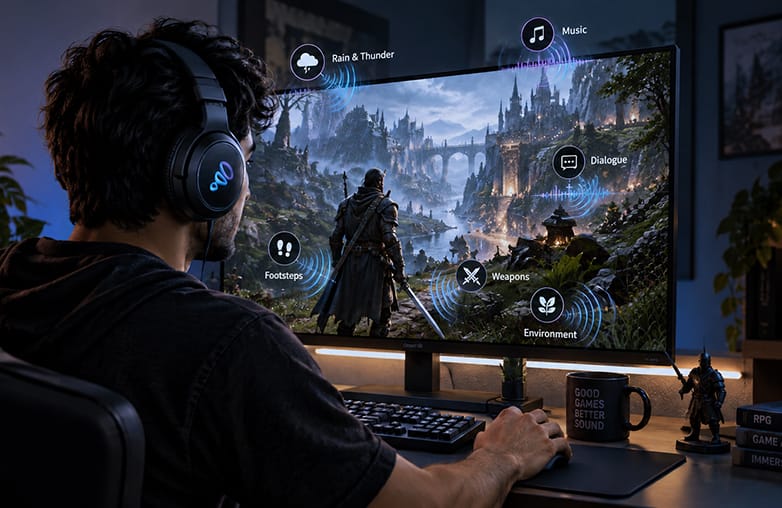
RPG sound design creating immersive gaming audio
What Do RPG Sound Effects Do?
From footsteps to environmental sounds, RPG audio helps players react and understand what’s happening around them. Alongside RPG music, these sounds add realism, turning a video game into a truly immersive game world.
| Sound Effect | Function in the Game | Example |
| Footsteps | Sense of movement and environment | Walking on stone or grass |
| Enemy sounds | Awareness of nearby threats | Attack cues or growls |
| Environmental sounds | Build atmosphere | Wildlife, wind, and rain |
| Door and object sounds | Add realism | Opening a door |
| Character sounds | Gives physical feedback | Jumps and attacks |
Why Dialogue Matters in RPG Games
RPGs are story-driven and involve various characters. Players spend a good amount of time communicating with other characters. That makes RPG dialogue audio an important aspect of storytelling.
Clear dialogue makes listening easy. If voices are difficult to hear because of background ambience, music, or other effects, players may miss out on important details. This is where thoughtful RPG sound design can make a difference.
You can use Boom 3D’s 3D surround sound, 31-band equalizer, audio effects, bass boost, and more to adjust sound and improve dialogue.
You may find this blog informative: What is spatial surround sound: How it works for games.
How an Equalizer Can Improve RPG Audio
RPG soundtracks occupy different frequency ranges, and each one contributes to the overall experience. Low frequencies can make cinematic moments heavier. Mid frequencies can bring out dialogue clarity. Higher frequencies add clarity to footsteps, musical instruments, and ambient details. This is where an equalizer for gaming can make a difference. You can customize sound and enjoy a personalized experience with an equalizer. You can enjoy clear dialogue and balanced music. This highlights the importance of sound in RPGs, from environmental details to dramatic moments; storytelling through game audio helps players create engagement and draws them deeper into the experience.
Boom 3D includes a 10-band or 31-band equalizer; it helps fine-tune different frequency ranges to personalize your audio experience. You can also make use of ready-to-use equalizer presets.
How Directional Audio Helps in RPGs
If you play RPGs, you already know that they contain multiple sounds at the same time. An enemy may be approaching you, your teammate may be speaking from another direction, while there’s background music as well. Directional gaming audio can make these different sounds easier to perceive.
This is where Boom 3D for gaming can enhance the way game audio is experienced through headphones. Its 3D surround sound is designed to create a virtual surround sound experience, while its equalizer gives you control over the sound. It also offers headphone EQ for Mac users to enjoy balanced sound on your headphones. Boom 3D for Mac offers 5.1 multichannel audio, which further enhances your gaming experience. Gamers can also use audio effects and combine them to add excitement and experiment with sound.
Boom 3D doesn’t just make sound louder; it’s about enjoying personalized and extraordinary sound that matches your taste.
You may find this blog interesting: Why immersive audio matters in multiplayer games.
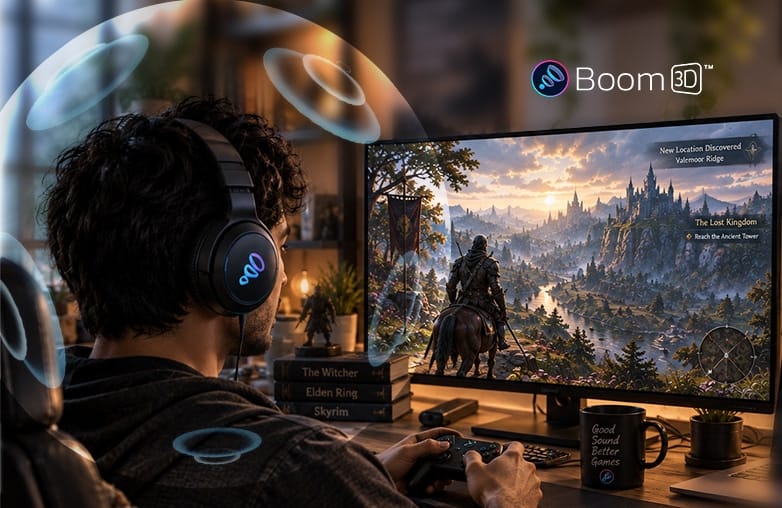
RPG game sound effects for immersive gameplay
Bottom Line
Great RPG sound design brings games to life. Sound effects add realism to every move. The right audio effects, equalizer settings, and tools like Boom 3D can help players enjoy RPGs better. For an immersive sound experience, download Boom 3D. You can also get a 30-day free trial without providing payment details.
FAQs
Which sound is best for gaming?
Clear 3D surround sound and 5.1 multichannel audio are excellent for gaming. They highlight positional cues and make the gameplay experience more immersive.
What Hz is best for gaming sound?
It comes down to your preference. You can try 48,000Hz (48kHz) at 24-bit depth, as it avoids resampling and preserves directional cues.
Which sound mode is best for gaming?
There is no single best sound mode for gaming. For gaming, use game mode for a better experience.
Which app is best for sound effects?
Boom 3D offers the best audio effects. You can also combine these audio effects.
Does Boom 3D work with RPG games?
Boom 3D works system-wide, letting users personalize sound from games, music, movies, and other applications.










Pingback: Boom 3D for Strategy Games: Immersive Audio - Global Delight