







































How often do you listen to your favourite song? Do you feel something is missing? The bass is not as expected, the vocals sound distant, or the treble is too sharp. Well, then you need to change your EQ settings.
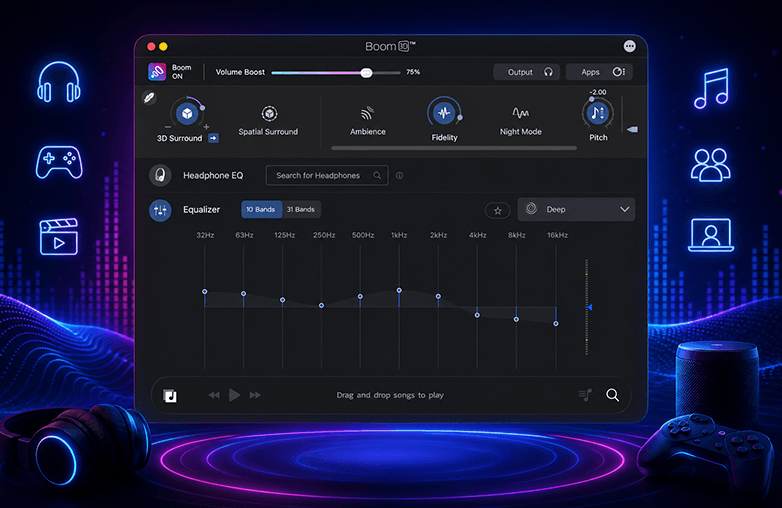
An Equalizer (EQ) can help you personalize sound. Whether you’re listening to movies, music, or playing games, sound quality matters; the right EQ settings can make everything sound clear and balanced. In this blog, learn why choosing the right EQ matters and how software like Boom 3D can help personalize sound with EQ settings and other powerful features.
What is an Equalizer?
An EQ, or Equalizer, helps you adjust different frequencies in an audio signal. It gives you control over sound; you can boost the frequencies you want to hear clearly or reduce the ones that feel too overpowering.
The audio frequency is generally divided into:
- 20 Hz–60 Hz: Deep sub-bass
- 60 Hz–250 Hz: Bass
- 250 Hz–500 Hz: Low mids
- 500 Hz–2 kHz: Midrange
- 2 kHz–6 kHz: Presence
- 6 kHz–20 kHz: Treble and air
Adjusting these frequencies can change the way you hear. You can change frequencies based on your listening preference. This is why EQ settings, sound customization, and audio equalizer are given priority in audio enhancement software. They give you the control to customize sound based on your headphones and the content you’re enjoying.
Why The Right EQ Matters
If you think turning up the volume can help, no, it doesn’t. Clear sound is not about loud sound; it’s all about balanced and accurate sound. With the right EQ settings, you can hear details in the sound and enjoy a personalized listening experience. Here are some of the reasons why the right EQ matters:
Every Headphone is Different
No two headphones sound the same. Each headphone has its own characteristics. The sound you hear can vary even when you’re listening to the same song. For instance, gaming headsets often boost bass to make explosions and effects sound more powerful; budget earbuds may miss some of the details in music.
So, due to these differences, using the same EQ settings for different content isn’t a good idea. You can even choose the Headphone EQ feature if you want to skip manually fine-tuning the equalizer settings. Headphone EQ will deliver balanced, accurate sound through your headphones.
Your Listening Preference is Different
Two people can have completely different listening preferences. Some prefer high bass, and others may be sensitive to sharp treble. Listening preference also depends on hearing sensitivity, age, and even genetics, which play a crucial role in how you perceive sound. Using a Graphic equalizer, especially a 31-band equalizer can help you personalize sound to your choice.
Every Music Genre Needs Different EQ
Perfect EQ depends on your choice. Every song is different. Custom EQ will let you personalize sound. For example: To enjoy rock music to the best, boost midrange and presence to make guitars and vocals stand out. If you’re listening to EDM, increase bass and sub-bass for deeper impact. Are you a fan of hip-hop? If yes, enhance bass while keeping vocals clear. Using the best EQ settings for each genre makes music feel immersive.
Clearer Virtual Meetings
EQ is not just about making movies, music, and gaming sound perfect. If you attend Zoom meetings, webinars, online classes, or podcasts, proper EQ will make voices clear. There is speech clarity; you can understand better. You can reduce bass while boosting vocal frequencies to improve speech clarity.
Prevents Listening Fatigue
Most of us remove headphones when sound gets uncomfortable; this is ear fatigue. This usually happens when bass overpowers everything, treble is sharp, or midrange feels harsh. You need to choose the right audio equalizer to reduce ear fatigue and make listening enjoyable.
If you’re a beginner to equalizers, you need to avoid common mistakes that can make audio worse. Avoid boosting every slider. If your frequency is boosted, nothing will improve. Instead, audio becomes distorted.
Too much bass hides instruments and vocals; balanced bass sounds cleaner. Never ignore mid frequencies; reducing mids too much makes music sound hollow. If you’re confused about how to use an equalizer, you can use ready-to-use presets to match your listening preferences.
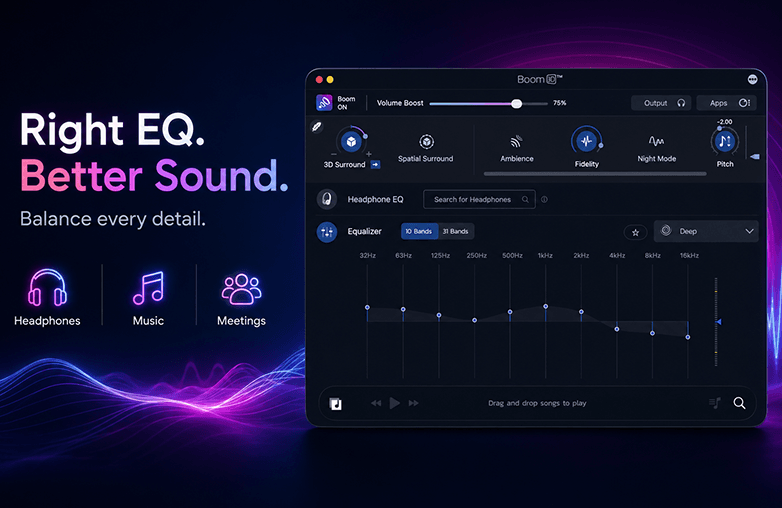
Right Eq Settings Guide
Does Boom 3D Help Find the Right EQ?
The right EQ depends on personal preference. Finding the perfect EQ tailored to your preference may take time; that’s where Boom 3D helps you. Boom 3D is an audio enhancement app for daily listening. It is used by casual listeners and audiophiles alike.
You do not need advanced technical knowledge to use Boom 3D. It offers powerful, easy-to-use features. It is best for beginners and experienced users. Some of its best features are:
31-Band Equalizer
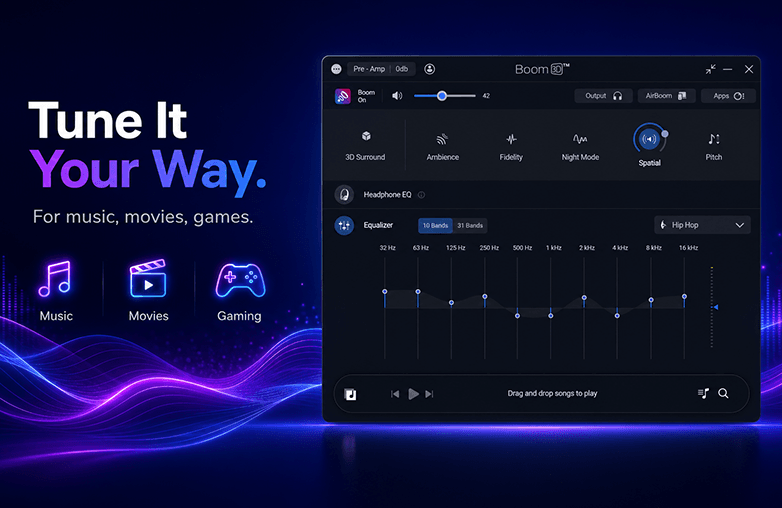
Boom 3D offers a 10- or 31-band equalizer. It gives you precise control over the entire frequency spectrum. You can fine-tune everything from deep bass to crisp highs with greater accuracy.
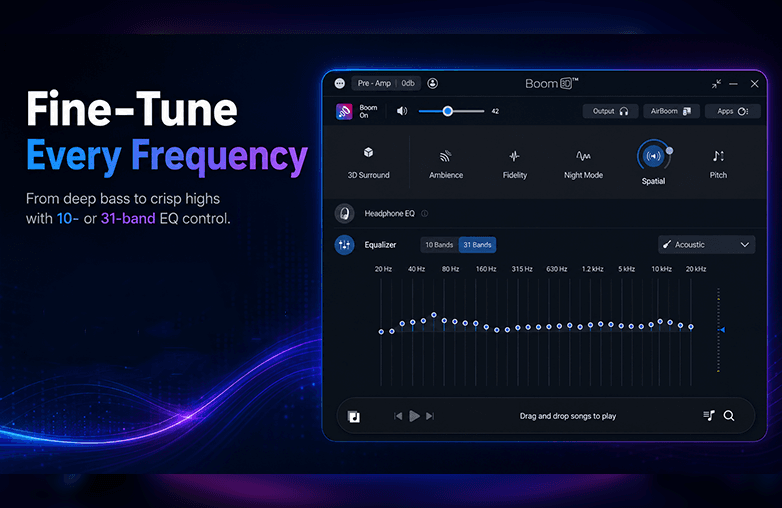
Audio Frequency Spectrum
Ready-to-Use EQ Presets
If you don’t want to spend time adjusting sliders. Boom 3D offers various ready-to-use presets for different music genres and listening styles. This will make it easy to switch between sound profiles.
System-Wide Audio Enhancement
Boom 3D enhances audio across your entire system. Whether you’re streaming music, watching movies, or playing games, your customized sound settings remain active.
For those who want all-in-one audio enhancement software with advanced features, Boom 3D is the best bet.
Bottom Line
Expensive headphones are not the solution to enjoy great sound. It’s about making them sound their best for your ears and the content you enjoy. The right EQ can improve the way you listen. Audio enhancement software like Boom 3D makes the process simple by offering a powerful 31-band equalizer, Headphone EQ, and other features. Why settle for default sound when you can customize sound to match your preferences? Download Boom 3D for Mac and Windows.
FAQs
What are the best EQ settings for music?
The best EQ settings depend on your headphones and the content you are listening to. It all comes down to your personal listening preferences.
Can EQ make gaming better?
A well-tuned gaming EQ enhances footsteps, dialogue, and directional audio, helping create a more immersive and competitive gaming experience.
Why is the right EQ important?
The right EQ settings balance different frequencies, improving bass, vocals, clarity, and overall sound quality while making audio more enjoyable and personalized.
Is a 31-band EQ better than a 10-band EQ?
A 31-band EQ offers much finer frequency control, allowing more precise adjustments than a standard 10-band equalizer.
Can Boom 3D improve the audio of all applications?
Yes. Boom 3D provides system-wide audio enhancement, so your customized EQ and surround sound settings work across music streaming apps, movies, games, browsers, and video conferencing applications.
Can using the wrong EQ damage my headphones?
No, EQ itself won’t damage your headphones. However, excessive boosting combined with very high volume may introduce distortion and could strain your hearing over time.
Is Boom 3D good for beginners?
Yes. Boom 3D includes ready-made EQ presets, an intuitive interface, and advanced customization options, making it suitable for both beginners and audiophiles.








Pingback: Graphic EQ vs Headphone EQ: Which is Better? - GD
Pingback: Boom 3D vs SoundSource: Which one to pick? - Global Delight
Pingback: Boom iOS 3.3.0: New Visualizer & Lyrics Features - GD