







































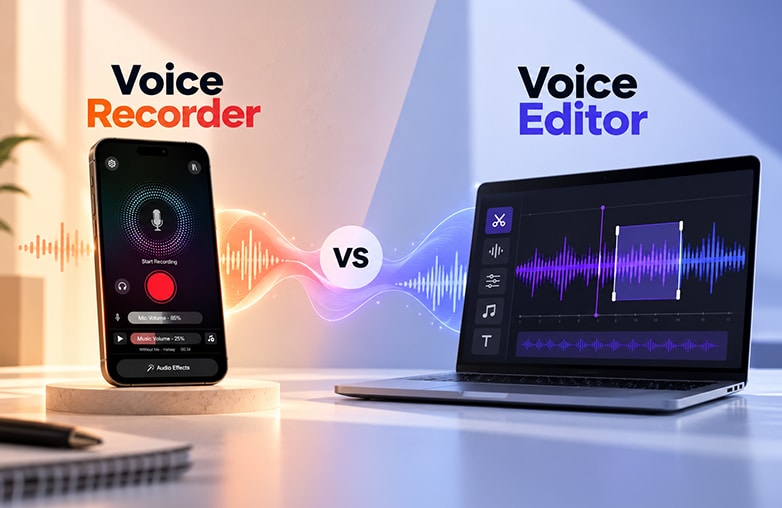
A Voice recorder and a voice editor are two different tools. The question is whether you actually need both. You need a voice recorder to record podcasts, interviews, lectures, or voiceovers, but your work is not yet complete without editing your recording. Editing can add a professional touch to your recordings and make them engaging. So, in the competition between Voice recorder vs voice editor, which one to choose?
It’s better to have both features in one app. Additionally, voice recorder apps for phones combine both features. You can organize your workflow without switching between multiple apps. Read on to discover the app!
Voice Recorder vs Voice Editor: What’s the difference?
Here’s the simplest way to understand the difference between the two tools.
| Feature | Voice Recorder | Voice Editor |
| Recording Voice | Yes | Sometimes |
| Trim unwanted section | Basic/Sometimes | Yes |
| Save audio clips | Yes | Yes |
| Background Noise Removal | Sometimes | Yes |
| Adjust EQ | No/ Sometimes | Yes |
| Change Pitch or Speed | No/Sometimes | Yes |
| Add Effects | Limited | Yes |
| Merge multiple clips | Sometimes | Yes |
| Transcription | Sometimes | Often |
| Adding Music | Limited | Often |
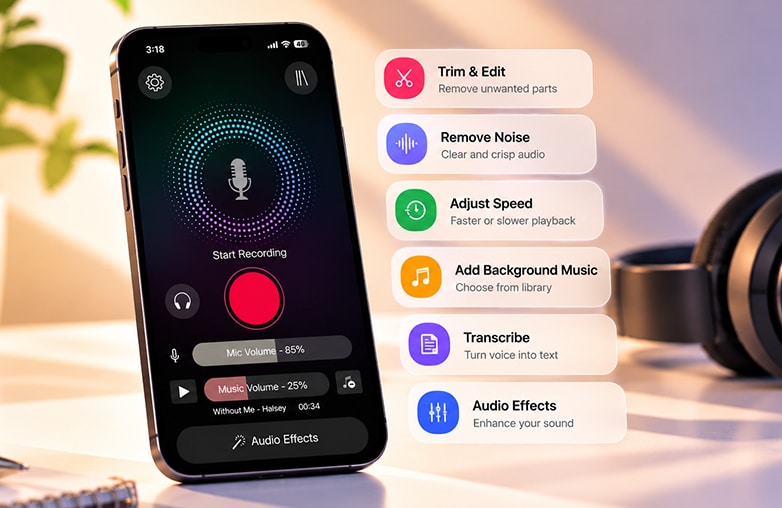
Audio editing interface with waveform trimming and voice enhancement tools
A voice recorder app is fine if you just want to record voice. However, if you want to make your voice recordings flawless and add a professional touch, a voice editing app is a must. It ensures your voice is perfect before you share your recordings with your audience.
For everyday users, podcasters, content creators, students, and professionals, using two different apps can make the process complicated.
This blog might catch your interest: How to start a podcast on Spotify.
Why Use a Voice Recorder and Editor in One App?
Let’s take a context: a podcaster records an interview and then notices background noise. With separate apps, they need to record the audio, save it, open an editor, import the file, remove background noise, and then export it. That sounds like an unnecessary extra step, doesn’t it? With a combined voice recording and editing app, the voice recording and editing process can be much easier.
When you have a voice recording and editing app, you can record, enhance, edit, transcribe, and share your content with your audience. This is much simpler than switching between two different apps. Such apps can be useful for podcasts, meetings, lectures, interviews, social media content, voiceovers, and even personal voice notes.
Voice recorders vs voice editors: there’s no need to choose one over the other; the real benefit is when these two features are combined in one app. AudiOn is a voice recorder app and voice editing app that can manage your complete workflow.
What Makes a Good Voice Recorder and Editor App?
If you want powerful audio recording and editing in one app, you should look for apps with the following features:
Simple Interface
The app should offer easy and quick ways to record without complicated settings. Look for an app that has a simple recording interface.
Noise reduction
Background sounds such as fan hiss, static, room noise, and traffic can affect the quality of your recordings. Noise reduction can help reduce unwanted background distractions and make your voice noticeable.
Voice Isolation
For podcasts, interviews, and voiceovers, isolating the speaker’s voice can be useful when there are unwanted distractions around the recording. You can reduce ambient and background noise.
Audio Enhancement
Enhancing audio is equally important to give that perfect touch to your recordings. Features such as Mic Boost, EQ presets, reverb, and audio effects can help adjust the sound based on your preference.
Transcription
If you record interviews, meetings, lectures, or podcast episodes, transcription can save time by turning spoken audio into text.
This blog could provide valuable insights: How to transcribe a podcast.
Skip Silence
Skip Silence automatically identifies silent parts of your recordings and removes unnecessary pauses. It helps your recording sound more focused and confident.
Geo Tagging
Geo Tagging helps you find recordings associated with a specific location. It makes it easier to organize and remember where an important interview, meeting, idea, podcast, or voice note was recorded.
Easy Editing
Editing tools like trim, merge, and split are useful for editing unnecessary sections and mistakes. You can edit your recordings in a snap without any complicated editing software.
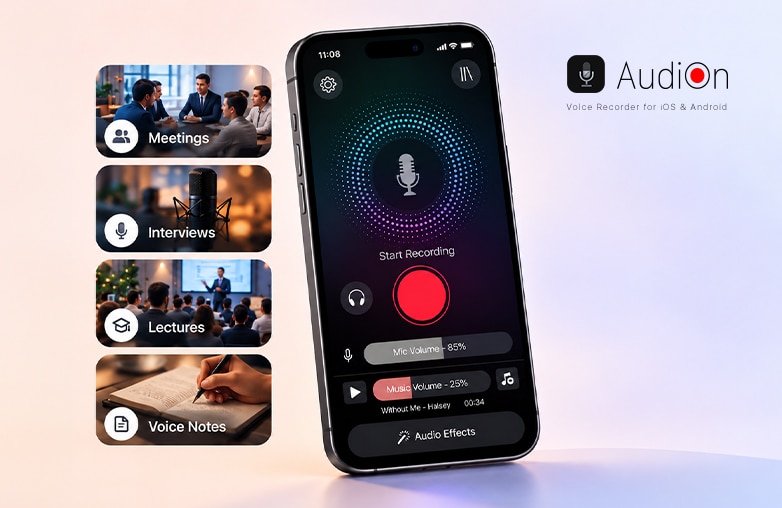
Voice recorder and editor app
Voice Recorder vs Voice Editor: Which Should You Choose?
A voice recorder can help record voice, and a voice editor can make the recordings sound clear and professional. Instead of choosing two separate apps, download a voice recorder and editor in one app. So the debate Voice Recorder vs Voice Editor comes to an end with an all-in-one voice recording and editing app, AudiOn, for your phone. Download the app on iOS or Android.
FAQs
Is it better to have a voice recorder and editor in one app?
Yes, a combined app lets you record, edit, enhance, and manage recordings without switching between apps.
Can AudiOn record and edit voice recordings?
Yes, AudiOn combines voice recording and editing features in one app.
Can a voice editor remove background noise?
Yes, audio editing apps with noise reduction features can reduce background noise.
Can I edit a recording after saving it?
Yes, you can open a saved recording and edit it. You can trim, split, merge, enhance, or make other changes to your saved recordings.
Is a voice recorder enough for podcasting?
A voice recorder app is important, but a voice editing app with voice enhancement tools can level up your recordings.











Leave a Reply
You must be logged in to post a comment.