
































Boom 3D ensures every audiophile benefits from excellent audio. Now it’s time for Windows ARM users to enjoy this award-winning audio enhancement app. The Windows ecosystem changes with time, and many users are choosing Windows ARM64 laptops.
Whether you’re attending virtual meetings, listening to music, watching movies, or playing games, great sound can change how you listen to and enjoy your media content. That’s where Boom 3D Win ARM support comes in. You can have complete control over sound and get a theatre-like experience on ANY headphones. You can experience system-wide audio enhancement, immersive 3D surround sound, Headphone EQ, audio effects, and advanced equalizers. Read on to get all the deets.
What is Windows ARM64
Before understanding ARM64, it’s important to understand the basics of ARM. It stands for Advanced RISC Machine; it is a processor architecture built around the concept of Reduced Instruction Set Computing (RISC). Unlike traditional processor designs that rely on a large number of complex instructions, RISC uses a smaller, more efficient instruction set. This reduces power consumption, keeps chip design compact, and delivers excellent performance, making ARM processors a perfect choice for smartphones, tablets, and other portable devices where battery life is the priority.
Earlier ARM processors primarily ran in 32-bit mode, which restricted the amount of memory they could access and limited the size of data they could process. That’s where ARM64 brought a major advancement. They are best known for
- Lower power usage
- Better battery life
- Improved AI capabilities on newer Snapdragon devices
- Instant wake functionality
- Cooler performance.
What is Windows ARM64
Audio Enhancement Software, Boom 3D supports Windows ARM64
The wait for ARM users has finally come to an end. Boom 3D now supports Windows ARM64; you can enjoy immersive sound even with the latest Windows PCs. Now, your device is compatible to enjoy the sound your ears truly deserve.
When you visit the Boom 3D page and download the software, it will automatically detect an ARM-based Windows PC. Instead of showing the standard installer, you’ll see Download for Windows ARM. You don’t have to manually determine the right installer. The automatic detection simplifies the entire installation process and ensures you download the correct version for your device.
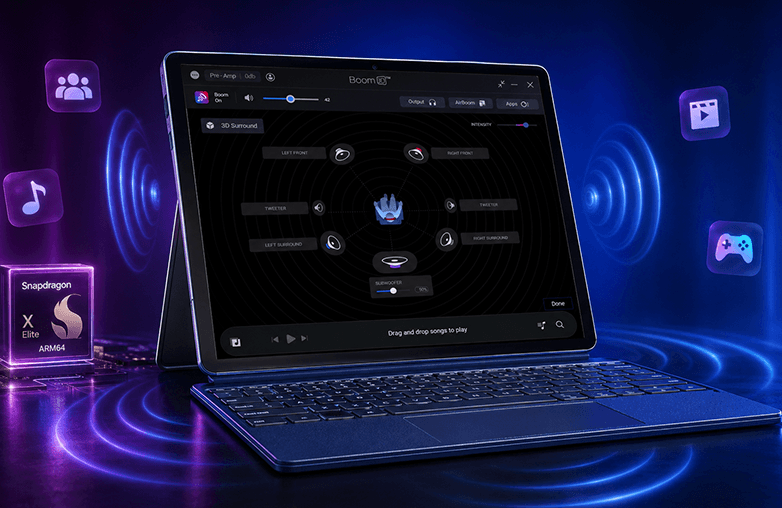
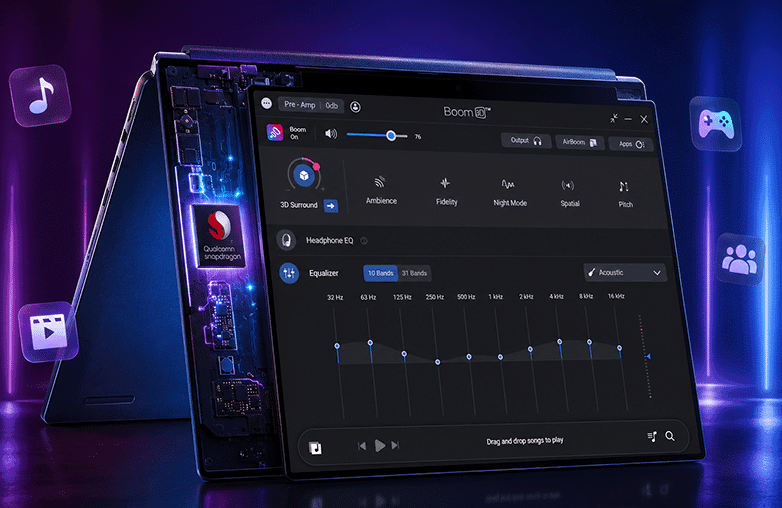
Boom 3D running on Windows ARM64 laptop
Boom 3D Features You Can Enjoy on Windows ARM
Installing Boom 3D on a Windows ARM gives you access to the extraordinary features of Boom 3D. Here are some of the features that you’re surely gonna love:
System-Wide Audio Enhancement
You may find software that works only inside a media player, but Boom 3D works system-wide. Whether you’re in a virtual meeting, listening to music, or playing games, Boom 3D can enhance audio across your system.
This is just the tip of the iceberg; Boom 3D has many more features like audio effects, Headphone EQ, preamp, and more.
3D Surround Sound
Want to experience theatre-like sound at home? You should start experimenting with 3D surround sound. Boom 3D offers 3D surround sound that will help you experience theatre-like sound at home. Whether you’re watching movies, listening to music, or playing games, you can be sure to experience sound that feels real and immersive. Another great thing about using Boom 3D is that it is compatible with ANY headphones. You can have regular headphones and still enjoy 3D surround sound and other features.
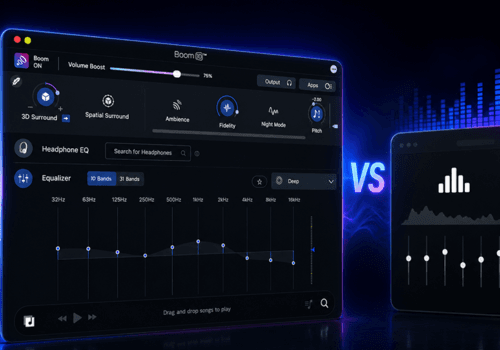
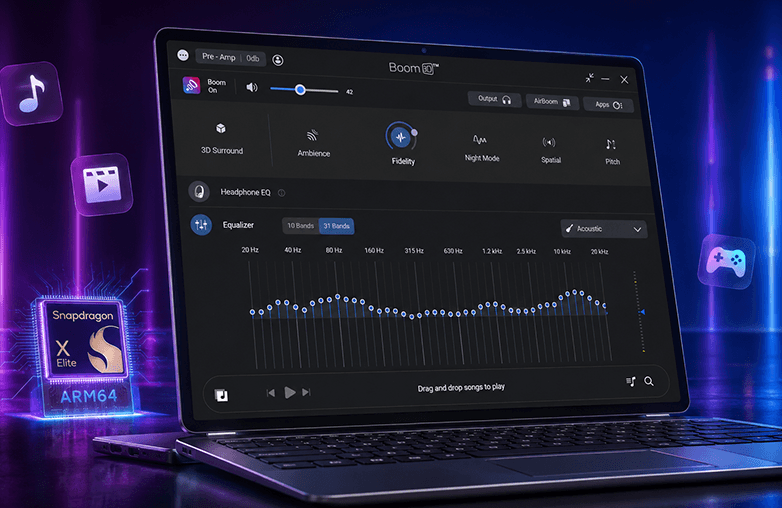
10 or 31-Band Equalizer
Want to personalize sound? You can use a 31-band equalizer to fine-tune the sound to your preference. You can have complete control over each frequency. While most audio enhancer software has limited equalizer bands, you can explore your creativity with a 31-band graphic equalizer.
You can fine-tune bass, improve vocals, reduce harsh frequencies, boost clarity, and customize sound for your headphone type or model. If you’re new to equalizers, you can also go for ready-to-use presets. Boom 3D offers a list of presets to match different kinds of media content or music genre.
Headphone EQ
Boom 3D’s Headphone EQ feature lets you enjoy balanced and accurate sound without requiring manual audio tuning. It automatically adjusts the frequency response to offer you balanced, natural sound on your headphones. It supports over 5,000 headphone models. Headphone EQ makes it easy for anyone to enjoy balanced sound with minimal effort.
You may find this blog informative: Auto EQ vs Manual EQ: Which Equalizer Is Better?
Apps Volume Control
You can adjust volume levels individually for different applications. You can lower browser volume, increase the volume of virtual meetings, and more. This feature will give you control over your listening experience.
Bottom Line
If you have an ARM-powered Windows laptop, you can make your listening experience immersive with Boom 3D Win ARM Support. Once installed, you will be able to enjoy a range of powerful features in Boom 3D. Click Download for Windows ARM64, and enjoy great sound on your PC.
FAQs
Does Boom 3D support Windows ARM64?
Yes, it supports Windows ARM64. Download it now to enjoy an enhanced, immersive audio experience with all your media content.
Does Boom 3D work on Snapdragon X Elite and Snapdragon X Plus PCs?
Yes, Boom 3D supports Windows ARM64 devices, including PCs powered by Qualcomm Snapdragon X Elite and Snapdragon X Plus processors.
Does Boom 3D work on Copilot+ PCs?
Yes, Boom 3D works on supported Copilot+ PCs running Windows ARM64.
Is Boom 3D native on Windows ARM64?
Yes, it is available as a native Windows ARM64 application, allowing it to run directly on supported ARM-based devices without relying on x64 emulation.
Can I use my existing Boom 3D licence on an ARM PC?
Yes, you can use it on a supported Windows ARM64 PC.
How do I download Boom 3D for Windows ARM?
Visit Boom 3D’s website. The website automatically detects your system and displays the ‘Download for Windows ARM’ option.
Are all Boom 3D features available on ARM64?
Yes, it includes all features of Boom 3D.
Does Boom 3D include a 31-band equalizer on Windows ARM?
Yes, you can get access to Boom 3D’s 31-band equalizer and other powerful features to personalize sound.
Does Boom 3D work with Bluetooth headphones on ARM PCs?
Yes, it works with Bluetooth headphones and wireless earbuds on supported Windows ARM64 PCs.
Can Boom 3D improve headphone quality?
Boom 3D works on ANY headphones, and it can improve the sound quality of your headphones.
Can Boom 3D enhance Spotify, YouTube, Netflix, and games on an ARM PC?
Yes, it is system-wide audio enhancement, and it works with streaming services.