




























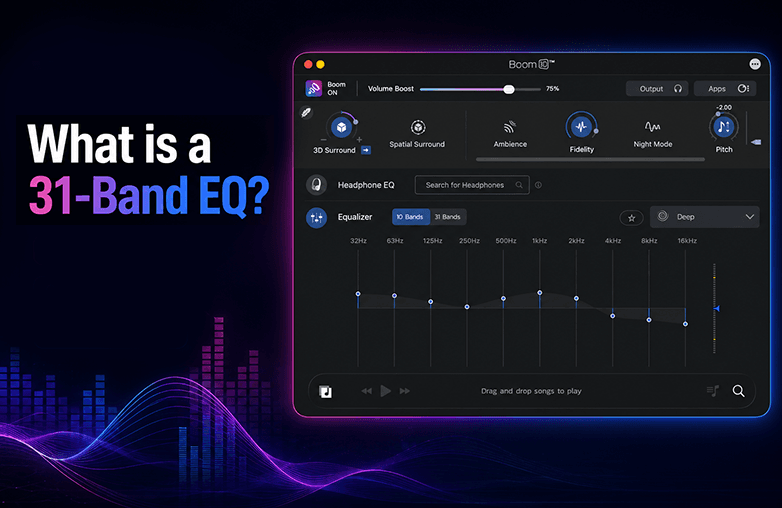
Customizing sound is one of the best ways to personalize it. Whether you’re watching a movie, listening to music, or playing games, if you ever feel something is missing, it could be the equaliser settings. We blame headphones or our system, but we do not address the actual problem.
If you want complete control over the sound, try a 31-band equalizer. We all have different preferences when it comes to sound, but the apps and built-in devices offer limited options for customization. Most of them offer a 5-band or a 10-band equalizer. So you have limited options to personalize sound. Let’s explore why a 31-band EQ works the best to improve sound quality.
What is a 31-Band EQ?
A 31-Band EQ is a graphic equalizer found in sound enhancement software like Boom 3D. It offers complete control over the sound. This is a professional equalizer that is preferred by both audiophiles and casual listeners to fine-tune sound to their personal preference. Instead of offering just a few frequency controls, it splits the entire audio spectrum into 31 separate frequency bands.
Each slider is responsible for a narrow frequency range, starting from deep bass at 20 Hz and extending to 20kHz. Common frequency points include 20 Hz, 25 Hz, 31.5 Hz, 40 Hz, 50 Hz, continuing through the midrange and ending with 10 kHz, 12.5 kHz, 16 kHz, and 20 kHz.
A 31-band equalizer allows you to fine-tune sound so that it is accurate and clear to your ears. Compared to a 5-band or 10-band equalizer, a 31-band graphic equalizer offers much more control. You can make detailed adjustments; the result you get is a balanced, clear, and natural sound.
A 31-band equalizer is also a choice for audiophiles and professionals to improve gaming setups; it can improve the entire gaming experience. While listening to music to correct bass, treble, and other settings. Movie buffs can change settings and make the sound more cinematic and crisp. Moreover, a 31-band EQ is also used in recording studios, home theater systems, broadcasting, live concerts, and professional audio setups.
Whether you’re watching movies, playing games, or listening to music, a simple way to personalize sound is by using a 31-band EQ. It offers the accuracy you need to shape the sound exactly to your personal taste.
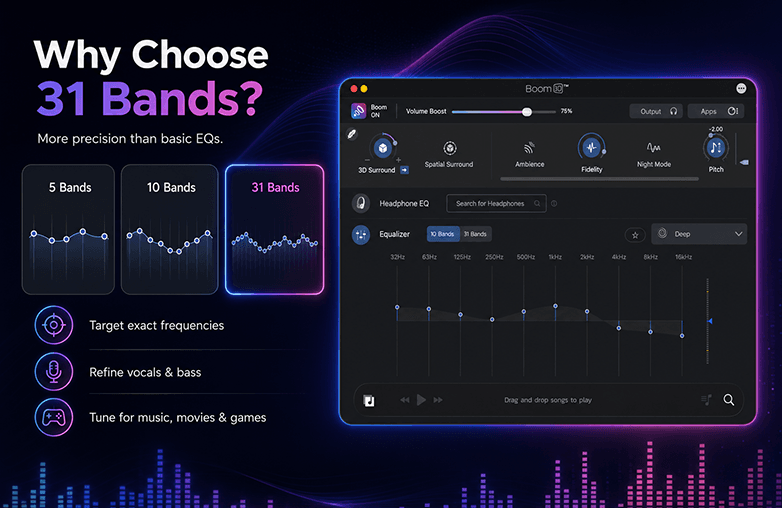
31-band equalizer for music
Why a 31-band Equalizer over others?
Do you also think about whether you need 31 bands? While a 5 or 10-band EQ can do the work, why a 31-band. It all comes down to how much control you want. A standard EQ lets you increase or reduce bass or treble, but it considers large portions of the frequency range as one, and that reduces the level of control.
EQ settings, when customized to your preference, can change the way you listen. A 31-band EQ setting works amazingly; instead of just increasing bass, you will have control over what you want to change. You can add deeper sub-bass, more punch, and kick drums. You can also change the settings of vocals, guitar, pianos, gaming sounds, and even podcasts. Every adjustment will stand out and improve your listening experience because you’re changing the frequencies that need attention.
Apps with 31-Band Equalizer
Boom 3D is one of the best apps to get the benefits of a 31-band EQ. It’s an excellent choice to enjoy studio-quality sound on ANY headphones. The best part about downloading this audio enhancement app is that it combines other powerful features to make sound extraordinary.
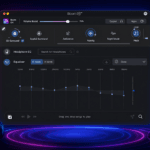
Boom 3D offers a 10-band or 31-band graphic equalizer that helps you personalize sound to your preference. It is the best music equalizer and also the perfect equalizer to fine-tune the sound of movies and games. It also offers various presets to match your listening preferences.
If you’re looking for a headphone equalizer, you can try the ‘Headphone EQ’ feature of Boom 3D. It will automatically offer balanced and accurate sound without manually fine-tuning the equalizer.
Some of the features of Boom 3D are:
- Choice of a 10 or 31-band equalizer to personalize sound.
- Custom EQ presets you can save and switch between.
- 3D Surround Sound, 5.1 multichannel audio, Spatial audio for an immersive listening experience.
- Volume booster for fuller audio.
- Audio Effects to personalize sound.
- Support for ANY headphones.
This is just the tip of the iceberg; Boom 3D has many more features to elevate your listening experience. Whether you’re listening to music, watching a movie, or playing games, Boom 3D will help personalize your listening experience to your music taste.
Tips for Using a 31-Band EQ
Are you new to equalizers? If yes, follow these tips:
Start Flat
Start with every slider at 0 dB.
Make Small Changes
Avoid unnecessary boosting.
Make small adjustments.
Cut Before Boosting
Instead of boosting audio, reduce unwanted frequencies.
Test Different Genres
Play songs from different genres to test settings.
Read this blog for more interesting details: Auto EQ vs Manual EQ: Which Equalizer Is Better?
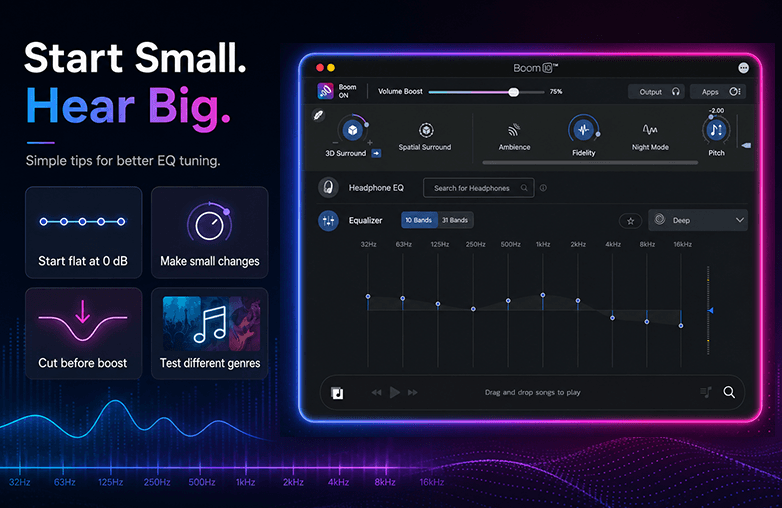
Boom 3D 31-band EQ controls
Bottom Line
A 31-band EQ gives you complete control over the sound, which cannot be matched with basic equalizers. Why settle for less when you can have a 31-band equalizer? You can adjust every frequency spectrum to match your headphones and listening preferences.
If you want to take your listening experience to a whole new level, try Boom 3D’s graphic equalizer. We bet you will fall in love with sound all over again. Download Boom 3D today!
FAQs
What is a 31-band EQ?
It’s a graphic equalizer with 31 individual frequency controls. You can have more control over sound and customize it to your preference.
Is a 31-band equalizer better than a 5-band equalizer?
Yes, because it offers a much higher level of control.
How can you find the best EQ setting?
You need to adjust individual frequencies and check what works best for your listening taste. However, there is no universal best equalizer setting; it comes down to your preference.
What are the four types of EQ?
The four types of equalizers are Parametric EQ, Graphic EQ, Shelving EQ, and Dynamic EQ.
Which type of equalizer is the best?
There is no single best equalizer; it all comes down to your preference.