


































That feeling after you’ve completed recording an interview or podcast is truly amazing. You preview your recording; your voice sounds perfect; you’re happy with the overall quality. However, you then start hearing a motorcycle pass by, a car honk, and other background noise. This can be frustrating, and you start searching for noise removal tools.
These tools can help reduce unwanted background distractions and make your voice clearer. If you are a podcaster, interviewer, student recording lectures, business person recording meetings, or someone who records on the go, you should bookmark this blog now. In this blog, we will learn to remove traffic noise from audio and make your voice shine. Continue reading!
Common Traffic Noise Problems That Can Affect Recordings
Not all traffic sounds the same. Some recordings have a steady road hum, while others are affected by sudden vehicle sounds. Some of the common sounds present in recordings are:
- Constant road noise: Ongoing sound from busy roads, highways, or nearby traffic.
- Vehicles passing by: Short bursts of noise as cars move close to the microphone.
- Heavy vehicles: Deep sounds from buses and trucks that can blend into the background of speech.
- Motorbike engines: Sudden engine noise that can make parts of a recording harder to hear.
- Horns and emergency sirens: Sharp, unexpected sounds that can interrupt clear speech.
- General outdoor noise: A combination of vehicles, pedestrians, and other sounds from the surrounding street.
Give this a read: How to remove mouth clicks from audio.
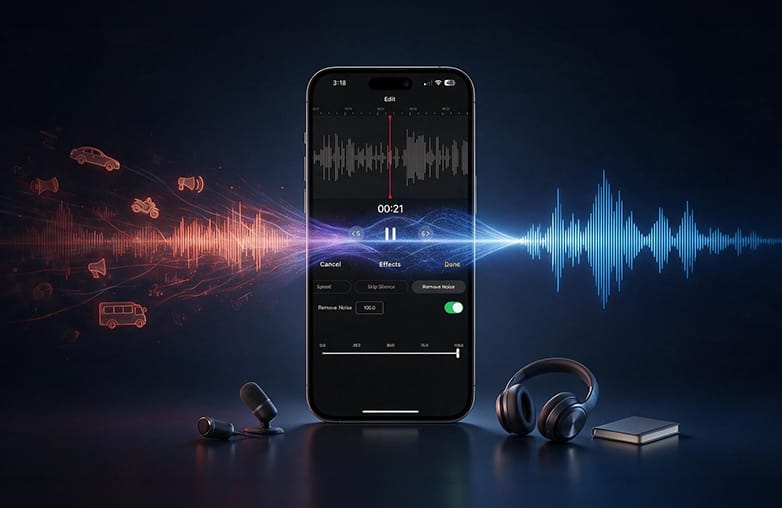
Remove traffic noise from audio recording
Remove Traffic Noise from Voice Recording App
Use Noise Reduction or Voice Recorder and Editing App
If you’re looking for a traffic noise removal app, look for software with features such as Denoise, background noise removal, or voice isolation. AudiOn offers these features. Download it on iOS or Android. However, the features may differ between the two platforms.
A noise removal tool is one of the quickest ways to remove unwanted background noise from your recordings. Noise reduction helps you save your original recording. Moreover, it avoids re-recording. You can remove background noise rather than recording everything again.
You might like what this blog has to offer: How to remove fan noise from a recording.
Try AudiOn to Reduce Traffic Noise
AudiOn can help reduce traffic noise. However, 100% background noise reduction isn’t possible. It can reduce background distraction and make your voice sound professional. As discussed above, Denoise can help reduce background noise. This is useful when background noise is overpowering your speech.
Denoise is a post-editing feature. You can import recordings or edit saved recordings in AudiOn. Remove street noise from a recording, reduce road noise, and more with AudiOn. It also offers features for reverb, pitch, speed controls, equalizer presets, trim, cut, and merge to make your recordings sound professional.
For someone capturing interviews while travelling, recording podcasts overlooking a busy street, AudiOn can help improve speech clarity and reduce background noise.
This blog might catch your interest: How to remove echo from audio recordings.
Use EQ to Improve Clarity
AudiOn offers EQ presets to improve speech clarity. If you have reduced background noise but still feel your voice isn’t sounding the way it should, give EQ presets a try. EQ presets are not a dedicated AI noise cancellation tool or background noise removal tool. It may help make your voice sound clearer. However, they won’t distinguish a car or bus honk from your voice.
This blog might just be what you’re looking for: Best AI audio enhancers.
Best Time To Record Voice
One of the best ways to remove traffic noise from audio is to avoid high-traffic times. Early mornings and late evenings are the best time; you may get a quieter environment. You can try this method if you record podcasts or record voice-overs. However, when it comes to interviews, your guests need to be comfortable with the timings. That’s where post-production editing will help.
You may find this blog informative: How to make a voice recording sound clear and professional.
Bottom Line
You need not re-record a perfect recording just because of unwanted traffic sound. You can remove traffic noise from audio with audio noise removal tools.
Unexpected background noise is a part of the recording. Improve your recording environment if possible. If you still hear unwanted noise, you can try AudiOn for iOS or Android. It is a voice recorder and editing app to quickly edit and reduce distracting background noise.

Reduce road noise from voice recording
FAQs
Can I remove traffic noise from a voice recording?
Yes, you can reduce traffic noise with features such as voice-isolation. You can use Denoise and noise reduction tools post-recording.
Can AudiOn remove traffic noise from recordings?
AudiOn can reduce unwanted sounds in voice recordings with its features.
What is the best way to remove traffic noise from audio?
Use background noise removal or the Denoise tool to reduce background distractions from audio.
Can I remove traffic noise without affecting my original voice?
Aggressive processing can sometimes change your voice and make it sound robotic. Apps like AudiOn have features to reduce traffic noise and improve your voice quality.
Can EQ remove traffic noise?
EQ is not a background noise removal tool. It can reduce certain frequency ranges where sound is prominent. You cannot rely on it alone.