




























The right AI audio enhancers can turn ordinary voice recordings into extraordinary ones. Nowadays, finding apps is easy, but finding the best AI audio enhancer is an arduous task. There are endless options on the App Store and the Play Store, but if you want to know the best ones, this blog is for you.
These tools can reduce unwanted noise, improve speech clarity, improve audio quality, and make imperfect recordings perfect. Whether you record podcasts, interviews, lectures, or meetings, you need the best recording app to add a professional touch to your recordings. Here are the best AI audio enhancement tools you must try.
AudiOn: Best AI Audio Enhancement Software
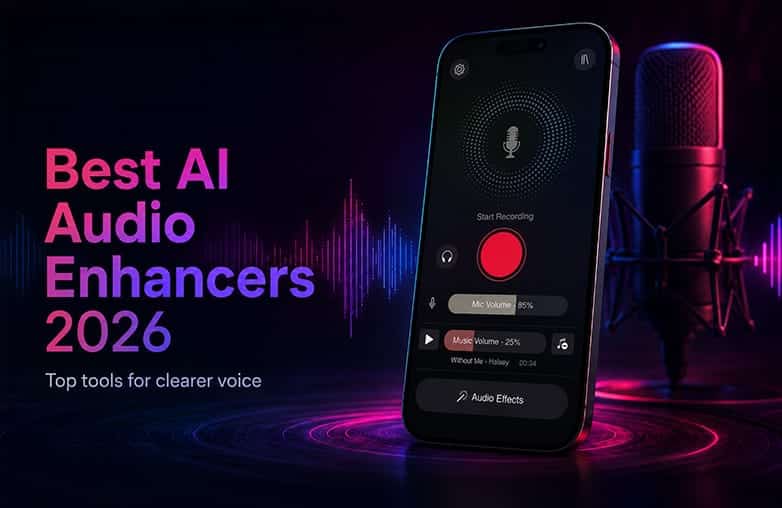
One of the best AI audio enhancers in 2026 is AudiOn. If you record on your phone, AudiOn is a great pick. You can record your voice and refine the recordings with audio enhancement features. It is the recording app of choice for journalists, students, corporate professionals, creators, and anyone who records audio on a phone.
It offers background noise removal, voice isolation, skip silence, reverb, transcription, equalisation, and audio editing. Additionally, it offers the ‘Mic Boost’ feature that boosts microphone sensitivity by up to 200%. This helps capture every nuance of your voice. One reason to download AudiOn is its convenience. Instead of recording and transferring the file to a computer/laptop for cleanup, you can do the entire process from your phone. If you want to enhance voice recordings on your phone, download AudiOn for iOS or Android.
Check out this interesting blog on this topic: How to make a voice recording sound clear and professional.
Best AI-Powered Voice Recorder Apps
Adobe Podcast Enhance Speech: AI Audio Enhancement Software
Adobe Podcast Enhance Speech is best for cleaning up voice audio. It can transform low-quality recordings into studio-quality voice. If your recordings lack clarity, you can use Adobe Podcast Enhance Speech to make them sound better. It is useful to remove unwanted background noise from wind, fans, traffic, noisy places, and background music.
It relies on voice synthesis. The AI can filter noise and generate a new voice that matches the original speaker’s voice. It focuses more on speech enhancement. It is good for podcasters and content creators who are looking for a quick AI voice enhancer without getting involved in technical complexity. It is a web-based tool; you can use it directly from your browser on desktop or mobile.
Auphonic: AI Sound Enhancer
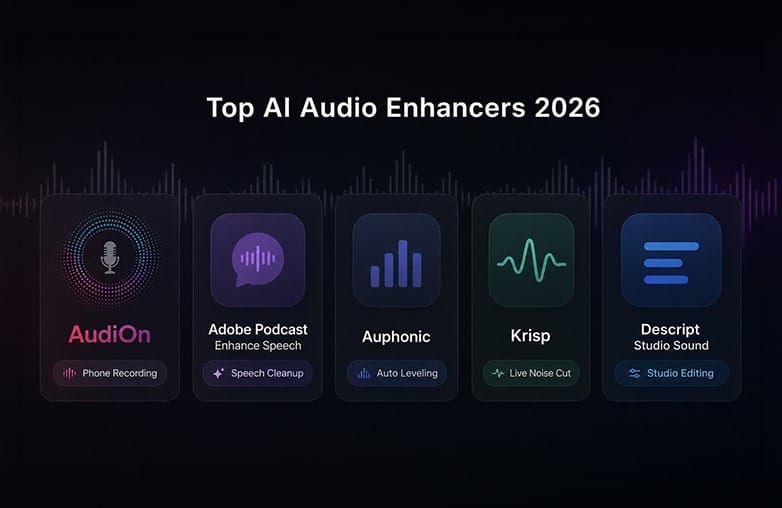
Auphonic is best for Automated Audio leveling. It is designed to automate sections of audio post-production. It is used for leveling across multiple speakers, loudness normalisation, filler-word handling, and noise reduction.
It is good for podcasters who prefer a natural voice rather than sounding like an AI robot. It helps maintain consistent volume, which is important for podcasts. It is also great for content creators who want a more automated workflow. It can save time if you have multiple recordings to process; it can adjust every track without manual effort. However, this AI sound improvement tool can be overwhelming for beginners. You need to give it some time to understand how it works. Auphonic is primarily a web-based audio post-production platform, with a CLI available for Mac, Windows, and Linux.
Give this blog a read: Best AI-Powered Voice Recorder Apps.
Krisp: Real-Time Noise Cancellation
Want clear sound while recording? Krisp can be the app that you’re looking for. Instead of focusing on post-production, Krisp offers real-time audio processing. It is great at removing background noise in real time during calls and recordings. It works between your microphone and recording or calling app to remove noise and echo as you speak.
Krisp is perfect for remote interviews, online meetings, and live streams. If you’re looking for a quick AI sound improvement tool, you know what to pick. Krisp is available for Mac and Windows.
This blog could provide valuable insights: Podcast recording Apps with best editing tools.
Descript Studio Sound: AI Sound Improvement Software
Descript Studio Sound has audio enhancement and editing features. It is an all-in-one app and is useful for editing podcasts and videos. It can reduce unwanted background sounds and make speech clear.
If you are a creator who frequently edits podcasts and videos, this recording cleanup and content-editing app can speed up your workflow. Your search for AI audio enhancers and AI audio cleanup solutions ends at Descript Studio Sound. It is available on Mac and Windows through the Descript app. You can also access Descript through a web browser.
Comparison Table
| App | Best For | Platform | Best Use Case |
| AudiOn | Recording and improving recorded audio | iOS and Android | Cleaning up voice recordings on phone |
| Adobe Podcast Enhance Speech | Improving voice quality | Web, desktop and mobile browsers | Podcasts, interviews, and recorded videos |
| Auphonic | Automated audio post-production | Web, API, Desktop/mobile integrations | Podcasts, interviews, and professional audio production |
| Krisp | Real-time noise cancellation | Mac and Windows | Online meetings, calls, interviews, and live communication |
| Descript Studio Sound | Enhancing recorded voice | Mac, Windows, Web | Podcasts, videos, interviews, and content creation |
How to Remove Background Noise from Audio Recordings
Bottom Line
These are some of the best AI audio enhancers that you must try. The right tool is the one that meets your requirements and saves time. These apps can make recordings much better; the best app depends on your preference. Additionally, make sure to record in a quiet environment, position the microphone correctly, and follow tried-and-tested recording tips to get professional-quality voice recordings.
FAQs
What is the best AI audio enhancer in 2026?
Some of the best AI audio enhancers are AudiOn, Adobe Podcast Enhance Speech, Auphonic, Krisp, and Descript Studio Sound.
Can AI remove background noise from audio?
Yes, many AI audio enhancement tools can reduce background noise while preserving speech.
Can AI improve poor-quality audio?
Yes, it can improve-quality audio to an extent. It can reduce background noise, balance volume, improve speech clarity, and remove unwanted ambient sounds.
Can AI audio enhancers remove echo?
Yes, many AI audio enhancers can reduce room echo and reverb.
Can I use an AI audio enhancer for podcast recordings?
Yes, you can record podcasts, improve voice clarity, reduce background noise, and do much more with an AI audio enhancer.