
































Adobe Podcast has features to remove background noise. However, when it comes to recording and cleaning up audio, everyone has different preferences. Some may prefer recording and editing in one app; others may want transcription, and the list goes on.
Whether you’re recording a podcast, interview, or lecture, audio quality matters. You should also have quick editing features to make your recordings shine. A common problem is background noise. The good news is you can find apps that enhance speech to help you record and edit. In this blog, we will discuss Adobe Podcast alternatives and give you options that match your needs.
AudiOn: Voice Recording and Editing App
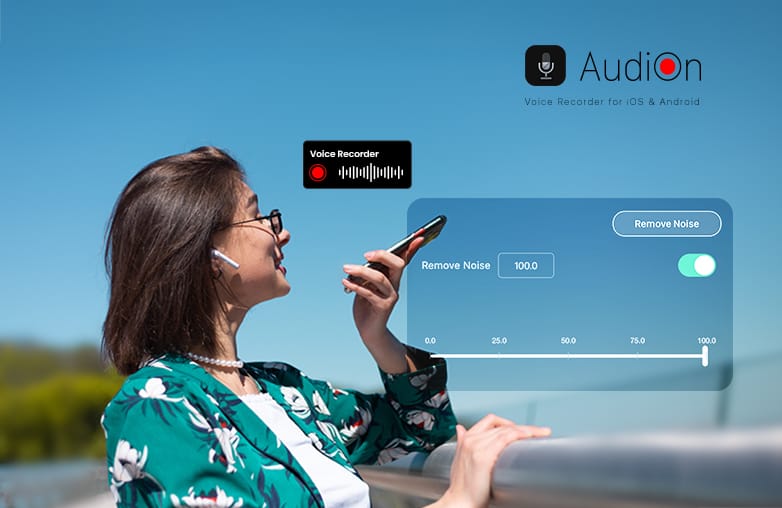
AudiOn helps you record and enhance your voice directly from your phone. It is one of the best Adobe Podcast alternatives worth trying.
AudiOn is more than just a simple recording app. It combines recording with tools to improve and edit the result. It offers lossless audio recording, background noise removal, denoise, EQ, reverb, Mic Boost, pitch and speed controls, transcription, trimming, cutting, merging, and more.
AudiOn also includes skip silence, which can remove unnecessary awkward pauses. This can save editing time. It offers geo-tagging; you can group recordings by geographical location.
Another plus of using AudiOn is that it doesn’t force you into an automatic workflow. You can use reverb and EQ presets to shape your voice instead of simply applying a one-click AI filter.
You can also use Teleprompter Support; it makes it easier to follow a script while recording voiceovers or podcasts. AudiOn is available on both iOS and Android.
Best For: Voice enhancement, Mobile recording, voiceovers, podcasts, interviews, lecture recording, and creators who want complete control over their recordings.
You may find this blog useful: Best Podcast Voice Enhancement Apps.
Best Adobe Podcast alternatives for better audio
Descript: AI-Powered Audio and Video Editor
Descript is one of the best Adobe Podcast alternatives to edit your recordings through its transcript. You can delete a sentence from the text, and the corresponding audio is removed. This is useful for someone who spends time removing mistakes, pauses, repetitions, and unwanted sections.
It is useful if your workflow involves both audio and video. It is good for interviews, podcasts, social clips, and YouTube videos. If you’re looking for text-based editing, Descript can be your right pick.
Best For: Video Podcasts, Podcast editing, Transcription-based workflows, and creators who want to edit audio like text.
Give this blog a read: How to remove hissing and static noise from audio.
Riverside: Studio-Quality Recording and Editing
Do you record remote podcasts or interviews? Well, Riverside could be your best bet. Riverside focuses on high-quality recordings. It is great for remote conversations and provides separate tracks for participants. This makes post-production editing easier. Riverside is one of the best remote recording platforms.
When you have one mixed recording with everyone’s voices, editing becomes difficult. Riverside offers more flexibility during editing; you can edit each speaker’s voice separately. It also offers video recording; it can be useful for publishing podcasts on YouTube and other podcast platforms. If you’re looking for an Adobe Podcast alternative app, you can try Riverside.
Best For: Video podcasts, remote interviews, guest recordings, and creators looking for high-quality video recording and editing tools.
Auphonic: Audio Editor and Recorder
Are you looking for automatic audio post-production? You can try Auphonic. It can also be a great podcast editing software. Auphonic focuses on processing audio. It can help with leveling, loudness, and other forms of automated audio processing.
For example, if you’re interviewing multiple guests, Auphonic’s automated leveling can help create a more balanced listening experience. It reduces background noise and reverb and can improve speech clarity. If you don’t want to spend time manually adjusting volume levels, try Auphonic.
Best For: Loudness, leveling, normalization, automated post-production, and podcast mastering.
Cleanvoice AI: AI Noise Remover
Cleanvoice is one of the best audio cleanup software options. It is designed for interviews, podcasts, spoken word recordings, and voiceovers. It can remove filler words such as “um, “uh”, “so”, etc. Cleanvoice also helps to remove mouth sounds and awkward pauses. It can be one of the best voice enhancement tools for your recordings. Cleanvoice can remove background noise such as hum, hiss, traffic, and other background sounds.
If you want to clean messy speech and unnecessary pauses, Cleanvoice is worth trying. It is best for filler-word removal; Cleanvoice can also transcribe and summarize recordings.
Best For: Removing filler words, reducing awkward pauses, and cleaning interviews.
You may find this blog informative: How to remove mouth clicks from audio.
Adobe Podcast Alternatives: Which is the best?
| Software | Best For |
| AudiOn | Mobile Recording and Editing |
| Descript | Podcast and Video Editing |
| Riverside | Remote Podcasts |
| Auphonic | Audio Mastering |
| Cleanvoice AI | Speech Cleanup |
Adobe Podcast alternatives comparison
Bottom Line
These are some Adobe Podcast alternatives that you can try. Each of these have varying uses; download the one that ticks all your boxes.
FAQs
What is the best Adobe Podcast alternative?
The best Adobe Podcast alternative comes down to what you need. Some of the best ones are AudiOn, Descript, Riverside, Auphonic, and Cleanvoice AI.
Does Adobe Podcast use AI?
Yes, it uses AI to clean and enhance audio recordings.
What is the best software for podcast editing?
Some of the best podcast editing software are AudiOn, Descript, Riverside, Auphonic, and Cleanvoice AI.
How can I improve my podcast?
Focus on audio quality, content structure, strategic promotion, and post-editing tools.
Should I record my voice in mono or stereo?
You can use mono if you are using a single microphone.