








































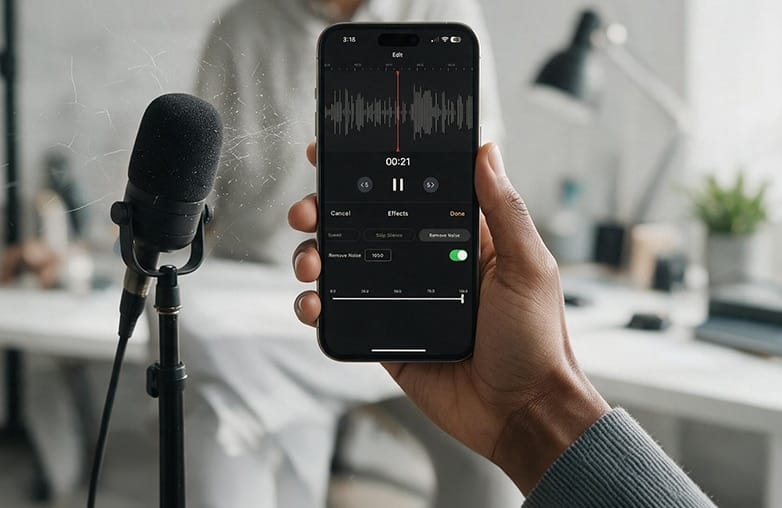
No matter how carefully you record, there is always a chance that hiss and static noise can affect the quality of your recordings. They can be annoying and distracting. Whether you record podcasts, interviews, or voiceovers, hissing and static noise in audio recordings are common problems.
The good news is you can remove hiss from audio and reduce unwanted static noise without affecting the quality of your recordings. A recurring hiss or static noise can be caused by multiple factors. Learn to remove hissing and static noise from audio using tools like AudiOn.
What Causes Hissing and Static Sounds
Not all unwanted sounds in a recording come from the same source. Hissing and static can creep in at different stages, from the equipment you’re using to the surroundings you’re recording in. Knowing what you’re dealing with can make it easier to remove static noise from recordings or hiss from audio.
How to Remove Hiss from Audio Recordings
Hissing is usually heard as a steady, sharp background sound. It can become more noticeable when you increase the volume of a recording or pause between words. Some of the common reasons behind it include:
- Microphone preamps: The preamp inside a low-quality or overloaded setup can add a constant electronic noise to your recording.
- Excessive gain: Increasing the gain too much can make the microphone pick up and amplify the noise from the recording chain.
- Poor cables: Worn-out or poorly shielded cables may allow electrical interference to make its way into the audio. Similar electrical problems can also result in buzzing or humming noise.
- Nearby equipment: Air conditioners, fluorescent lights, or other electrical devices can contribute unwanted background noise while you’re recording.
How to Remove Static Noise from Audio
Static tends to be less consistent than hiss. Instead of remaining in the background, it may appear as sudden crackles, pops, or bursts. This can happen because of:
- Loose connections: A cable that isn’t properly plugged in or has internal damage can cause intermittent crackling.
- Electrical interference: USB hubs, power cables, and other electronic devices positioned close to your setup may interfere with the audio signal.
- Damaged equipment: Problems with your microphone, audio interface, or cables can produce unpredictable static sounds.
- Wireless interference: Phones, Wi-Fi equipment, and other wireless devices can sometimes interfere with a recording, particularly when they are close to your microphone.
The Frequency range matters
Hiss is generally associated with the upper end of the frequency spectrum, commonly around 2kHz-8kHz and beyond. Static doesn’t follow the same pattern and can affect several parts of the frequency range. Understanding this difference is useful because the technique used to reduce high-frequency hiss may not be the best approach for dealing with broader, irregular static.
This blog is worth a read: How to make a voice recording sound clear.
How to Remove Hissing and Static Noise from Audio
Do you have a recording with unwanted noise? Well, you need not worry; before you start looking for audio hiss removal tools. Try these methods:
Use a noise reduction tool
If you record your voice frequently, you may most likely have a noise-reducing tool. Moreover, it is one of the best ways to remove background noise from audio. It offers features like Denoise to reduce unwanted background noise.
AudiOn offers Denoise; it is a voice recording and editing app that helps achieve high-quality recordings. However, it can’t eliminate background noise, but it can reduce it and make your voice stand out. Also, it doesn’t affect the quality of your original recordings.
This blog may be of interest to you: Best AI audio enhancers.
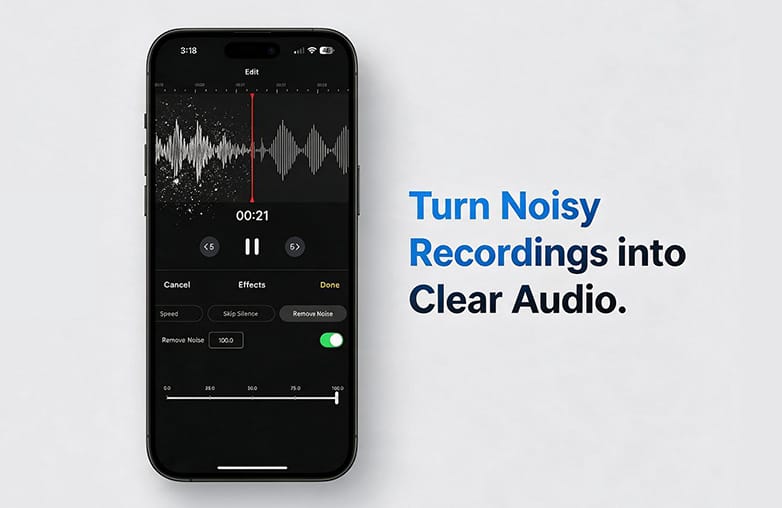
Try an audio editor with built-in ‘Denoise’
If you record audio on your phone, an audio noise removal app can be of great help. It can help with static noise reduction, microphone hiss, and recording noise removal.
AudiOn, for example, includes background-noise removal and audio editing features to help clean up recordings. It is also an audio cleanup tool. It can import audio recorded in other apps, allowing you to work on existing recordings rather than starting from scratch. This feature is helpful when you notice the background noise after you’re done recording.
Explore this blog for more interesting details: How to remove fan noise from a recording.
Use AudiOn to reduce unwanted noise
If you’re looking for audio cleanup software, AudiOn is the best bet. You can clean up noisy audio with its Denoise and background noise removal features.
How to Remove Hiss Without Losing Voice Quality
AudiOn is available as a voice recording and editing app with features for recording, importing, editing, and improving audio. It is designed to reduce unwanted sound and to make your original recording easier to hear. Here’s how you can get clean recordings:
Step 1: Open AudiOn and import your existing recording, or record directly in the app.
Step 2: Listen to the original clip and identify how noticeable the hiss or static is.
Step 3: Apply the noise removal or denoise feature.
Step 4: Listen to the processed version carefully. Make sure your voice still sounds natural.
Step 5: Use the editing tools to trim unwanted sections or pauses if necessary.
AudiOn also includes Equalizer presets. You can make tonal adjustments after reducing the noise.
Give this blog a read: How to remove traffic noise from audio recordings.
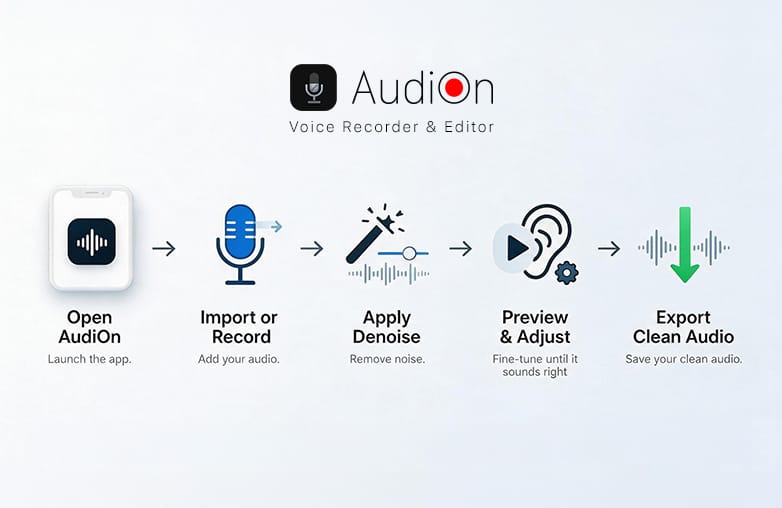
AudiOn denoise tool for removing hiss from audio recordings
Bottom Line
This is how you can remove hissing and static noise from audio. Start by finding the cause of the noise. If it’s a steady hiss or background sound, a Denoise tool can make a difference. If you regularly record audio on your iOS or Android phone, you should download AudiOn today.
FAQs
Can static be removed from an audio file online?
Yes, AI audio cleaners can reduce static when the voice is clear enough. They can be useful for removing hiss, buzz, hum, room noise, and other background sounds.
Why does my voice sound watery after static removal?
A watery or distorted voice usually happens when too much noise reduction is applied. The tool may start removing parts of the voice along with the unwanted noise. Try reducing the cleanup intensity and listen to the result before exporting.
Can I remove hiss from an audio recording
You can reduce hiss from audio recordings. However, reducing it completely can affect the quality of your recording.
Can I remove hiss without losing voice quality?
If you use noise reduction carefully, you can remove hiss without losing voice quality.
Can I remove crackle from audio?
Noise reduction apps are useful when crackling occurs alongside an otherwise clear voice recording. However, individual clicks or severely clipped audio may require manual editing or more advanced restoration.












Leave a Reply
You must be logged in to post a comment.