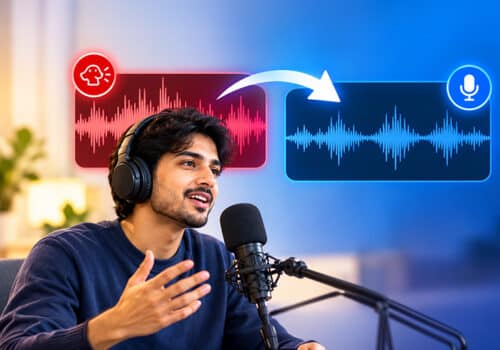

































Podcasts are episodes that include interviews, brand promotion, educational content and more. Podcasters are looking for various ways to make their content look professional, and one such way is to convert the podcast from audio to text.
There are podcast transcription apps that can convert speech to text in real time. A podcast transcript can make your content engaging. Your audience can read along with an episode, revisit important points, and search for specific information. Additionally, it can save time and reduce the effort of manually transcribing the episode. You no longer need to transcribe a podcast word for word. Learn how to transcribe a podcast using AudiOn.
To transcribe a podcast, record your audio using a transcription app such as AudiOn, enable live transcription or open a saved recording, and convert speech into text. Review the transcript for names, technical terms, and errors, then edit it before publishing or repurposing the content.
Why Should You Use Transcription Tools?
A speech-to-text audio transcription is more than just a written copy of your content. Here is why you should consider podcast transcription:
| Benefit | How it helps |
| Quick reference | You can quickly find important information |
| Content repurposing | Turn conversations into blog posts, captions, or quotes |
| Better accessibility | Listeners who prefer reading can follow the episode |
| Easier editing | Edit or review what was said without repeatedly listening |
| Searchability | Find names, topics, and important points in written form |
How to Transcribe a Podcast Using AudiOn
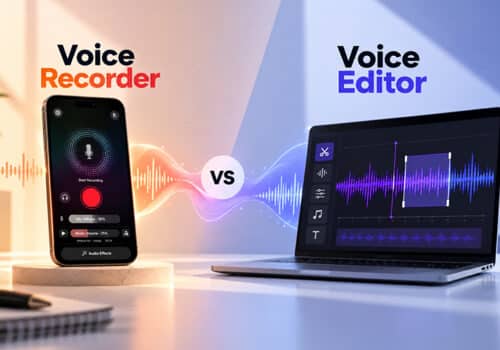
It’s better to record and edit podcasts on one app than to move files between different tools. AudiOn lets you record, edit, and enhance recordings to make your podcast stand out. It offers a built-in transcription feature that converts speech into editable text.
AudiOn is the best way to record a podcast on your phone. It’s quick, easy, and effective. Here is AudiOn’s podcast transcription workflow.
Start Recording a Podcast in AudiOn
Hit the record button and start recording. You should choose a quiet environment for recording. Clear audio makes it easy to transcribe easily. Transcription technology can identify spoken words clearly. AudiOn iOS also offers access to different mic modes; you can use voice isolation to record your voice without background distractions. It also offers the Mic Boost feature that can increase your phone’s microphone sensitivity by up to 200%.
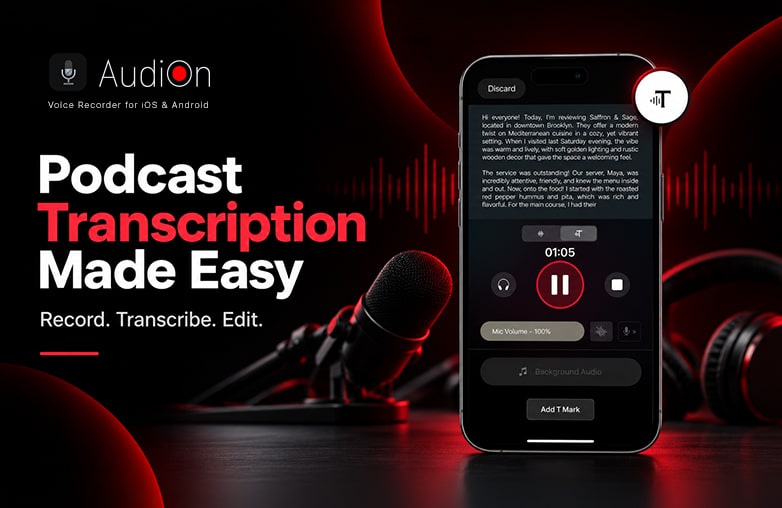
Recording a podcast using the AudiOn voice recorder app
Open the Recorded Podcast
Once you finish recording, open the saved recording and listen to it before transcribing. Check whether the recordings are clear and free from background distractions. If you have already recorded your podcast elsewhere, you can work with saved recordings in AudiOn rather than manually typing everything from scratch.
Read this informative blog: How to record a podcast on your phone.
Use Live Transcription
AudiOn also offers a live transcription feature. As you record your voice, the software will simultaneously transcribe speech into text. You can edit the transcription later. This feature is a complete time saver. You can avoid typing mistakes; it offers a streamlined workflow without a separate transcription app.
You simply have to select the transcription option, and AudiOn does audio to text conversion for you.
Review and Edit the Transcript
Reviewing the transcription is important to avoid mistakes. Check if the guest and host names are correct; also check brand names, numbers and statistics, acronyms, places, technical terms, and sections where multiple people are speaking at once.
You can edit text and correct mistakes manually before publishing your podcast episode. This step can ensure that your podcast is professional and ready to be shared with your audience.
How is a Podcast Transcript Useful?
Now that you know how to transcribe a podcast using AudiOn, it’s time to know the value of each episode you create. For example, you interview a famous personality for about 45 minutes. This will make one podcast episode. You can use the transcript to find useful quotes, motivational lessons, or life-changing talks and create short videos or blogs around the main discussion.
You can also use the transcripts as a reference when creating your next episode. This is why transcripts are increasingly useful among podcasters.
Read this blog for interesting details: How to start a podcast on Spotify.
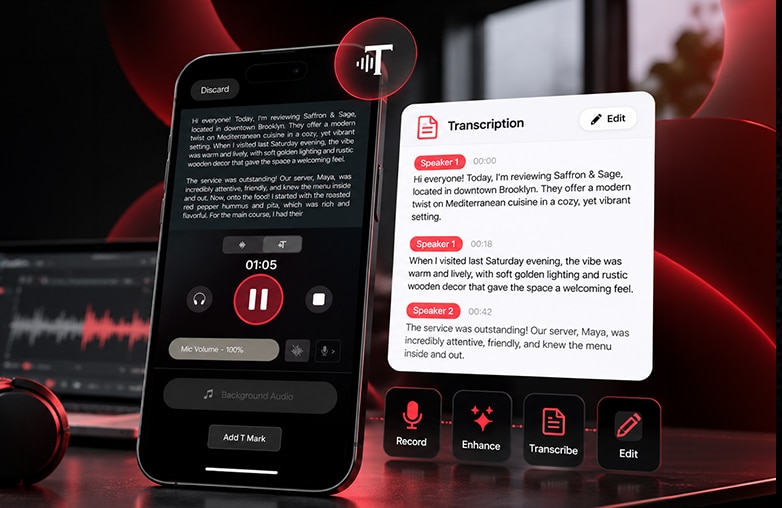
Podcast audio converted into editable text for transcript review
Bottom Line
Learning how to transcribe a podcast is simpler than it sounds. With AudiOn, podcast transcription can be done in the blink of an eye. You can record your voice and turn speech into text without any additional software. Download AudiOn on iOS or Android and turn podcast audio into text. Also, check out the Halloween sale for exciting offers on AudiOn.
FAQs
What is podcast transcription?
Podcast transcription helps to convert spoken words into written text.
How long does it take to transcribe a podcast?
AudiOn can quickly turn your podcast recording into editable text. You can also use the live transcription feature of AudiOn to transcribe words as you speak.
Can I edit a podcast transcript?
Yes, with AudiOn, you can edit a transcript. You can review and edit errors to make it look professional.
Can a podcast transcript help with SEO?
Yes, a well-edited transcript can provide useful keywords on your podcast topic and make your podcast search-friendly.
What is the easiest way to transcribe a podcast?
Use AudiOn to convert speech into editable text in less than a minute.