








































Podcasts are competitive; your fellow podcasters may have the best content, a professional-sounding voice, and a great listener base. How can you make your podcast stand out? Your success depends on your content and crystal-clear voice. The good news is you can get high-quality sound even when you record a podcast on your phone.
With apps like AudiOn, mobile podcast recording has become quick and convenient. You don’t need an expensive setup or a professional studio; your phone is your all-in-one recording studio. Read on to learn more about podcast recording on a phone.
To record a podcast on your phone, choose a quiet room, enable Do Not Disturb, and open a reliable recording app such as AudiOn. Test your microphone with headphones, record your episode, remove unwanted sections, improve voice clarity, and add royalty-free intro or outro music before exporting.
How to Record a Podcast on a Phone Without Making It Sound Like a Voice Note
Mobile devices are already a major part of the podcast experience. According to Buzzsprout’s August 2026 platform data, 85% of podcast downloads came from mobile devices. iPhone accounted for 61.8% of downloads, while Android phones made up another 22.4%.
You can start a podcast with a simple setup:
| What You Need | Purpose |
| Phone | Recording device |
| AudiOn | Recording and editing |
| Quiet room | Helps reduce background distractions |
| Headphones | Lets you monitor your recordings |
| Podcast outline | Keeps your podcast focused |
| Phone stand or tripod | Keeps your phone steady while recording |
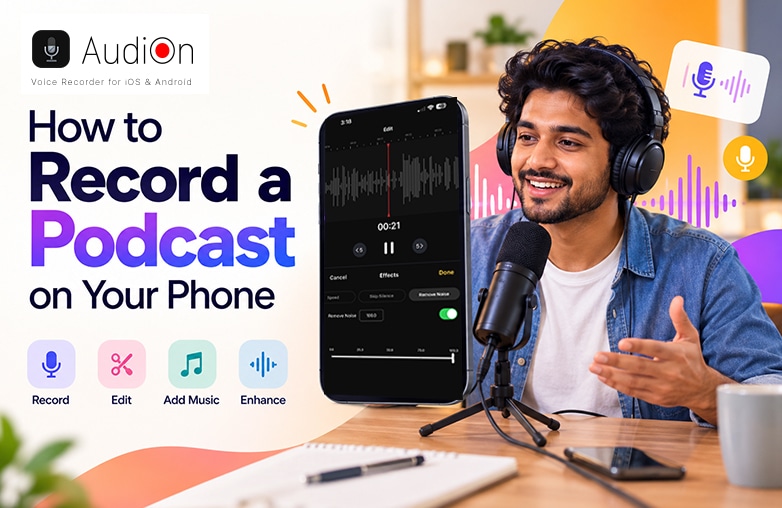
Smartphone setup for recording a podcast with headphones and an audio recording app
How to Record a Podcast on Your Phone
Look for a Quiet Place to Record
After you choose your podcast topic, find a quiet place to record. Your iPhone or Android Phone’s smartphone microphone can capture background noise which you may not notice while speaking. Fans, air conditioners, keyboards, room echoes, and traffic sounds can become noticeable when you hear your voice recordings.
Choose a room with soft furnishings. More importantly, keep your phone in Do not disturb (DND) mode. A simple notification sound can ruin your voice recordings.
Read this blog for more information: How to start a podcast on Spotify.
Open AudiOn and Start Recording
AudiOn is one of the best voice recording and editing apps for iOS and Android. You can record a podcast on your phone like a pro and edit it like a pro to make your podcast shine. Its features include microphone controls, Mic Boost, skip silence, audio ducking, editing tools, equalizer presets, reverb adjustments, timestamp markers, transcription, teleprompter, geotagging, clip tagging, trim, cut, and merge, and other audio controls.
It also offers options to create a file, name it, or rename it. It helps keep your recordings organized in one place. You can also search a recording with a keyword. AudiOn makes podcast recording on a phone organized and powerful.
You may find this blog informative: How to remove hissing and static noise from audio.
Listen to Your Recordings
If you’re new to recording, record 10- 20 seconds of your voice and listen to it with headphones. Check whether the volume is comfortable, and check whether you can hear background noise. This will help you find recording problems and improve your recordings.
Once your recordings sound right, start the actual recording. Try to maintain a comfortable distance from the microphone. Mobile podcast recording apps like AudiOn let you record using your phone’s built-in microphone. So, you don’t need an additional microphone. Speak normally, and don’t panic if you make a mistake. AudiOn offers editing tools that can help you fix recording mistakes. If you pause for a moment and repeat the sentence, you can remove the mistakes while editing. You can skip silence or trim the unnecessary parts. It also offers timestamp markers; you can mark an important point while recording or editing and return to it. Additionally, features like Mic Boost, split recordings, trimming, cutting, merging, and adding music are useful for making your recordings sound professional.
This blog could provide valuable insights: How to remove echo from audio recordings.
Improve Voice Recordings
Improving your voice recordings can make them sound pleasant and help engage your audience. Features like equalizer and reverb controls can improve your recordings. AudiOn offers equalizer presets and reverb to make adjustments to voice quality. You can use voice isolation while recording to focus on your voice and reduce background noise. You can also try Wide Spectrum for a fuller sound. It is useful when the voice feels too narrow or lacks a sense of space.
If your voice sounds too quiet in a recording, or if you naturally speak softly, you can use the Mic Boost feature. AudiOn lets you increase your phone’s microphone sensitivity by up to 200%. It helps capture a weaker voice signal more clearly. These features of AudiOn can help improve podcast audio quality.
Clean Up and Edit the Recording
Not every sentence needs to sound perfect. A podcast edited aggressively may sound unnatural. Short pauses can make conversations sound natural.
If your recording includes long pauses, accidental noises, repeated sentences, or unwanted sections, you can use AudiOn’s editing tools. You can trim unwanted sections and arrange your recordings. You can also split longer recordings or merge sections together. Now, podcast editing on your phone is quick and easy with AudiOn.
Add Music
If your voice recording includes an intro or outro, you can add music. This creates a recognisable identity for the show. Always keep background music lower than your voice, so that it doesn’t overpower your voice.
Additionally, make sure it’s royalty-free. AudiOn offers royalty-free music which you can add to your podcast.
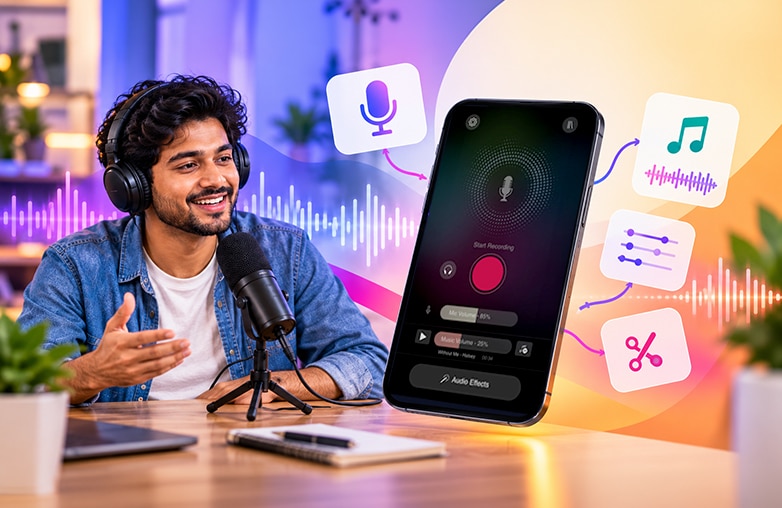
Audio waveform editing on a smartphone
Bottom Line
Mobile podcast recording apps have made it easier to start a podcast without investing in expensive recording equipment. Apps like AudiOn can help you record a podcast on your phone quickly. If you’re looking for a simple way to start with podcast recording on your phone, download AudiOn for iOS or Android.
FAQs
Can I record a podcast on my phone without a microphone?
Yes, your phone’s microphone is enough to start a podcast.
What should you avoid when starting a podcast?
Avoid poor audio quality, overcomplicated equipment, inconsistent posting, and creating episodes without a clear topic and target audience.
Can I record and edit a podcast on my phone?
Yes, you can record and edit a podcast on your phone with recording and editing software like AudiOn.
What software do podcasters use?
Podcasters often prefer software that includes recording and editing options. AudiOn is used by podcasters to achieve professional and crystal-clear recordings.
How quiet should a room be for podcast recording?
The room should be quiet enough that background sounds don’t hamper your voice.








Leave a Reply
You must be logged in to post a comment.