







































What games do you play on your Mac: fast-paced adventure, RPGs, atmospheric indie games, or strategy games? Whatever you prefer, your experience is incomplete without great sound. Gaming is more than just graphics and performance. This is where Boom 3D comes in.
If you’re gaming on your Mac, Boom 3D for Mac gaming can make every gameplay experience exciting with immersive sound. Game audio on Mac can greatly influence how immersive a game feels. All you need is a good audio enhancer for Mac gaming, like Boom 3D, to elevate your gaming experience. Let’s explore how Boom 3D for Mac can change your gaming audio experience.
What Can 3D Do For Your Mac Gaming Audio?
We focus on graphics settings, frame rates, and resolution, but we often ignore audio. When gaming, sound can help you stay ahead.
A game might use directional footsteps to indicate where another player is moving. Environmental sounds can help you understand where your enemy is coming from. A subtle sound effect can signal an important interaction.
Boom 3D enhances the audio coming from your Mac and gives you more control over the sound. Mac already has its sound design and audio mixing, but immersive gaming audio on Mac is better with sound booster and equalizer software like Boom 3D. Let’s have a look at Boom 3D’s features:
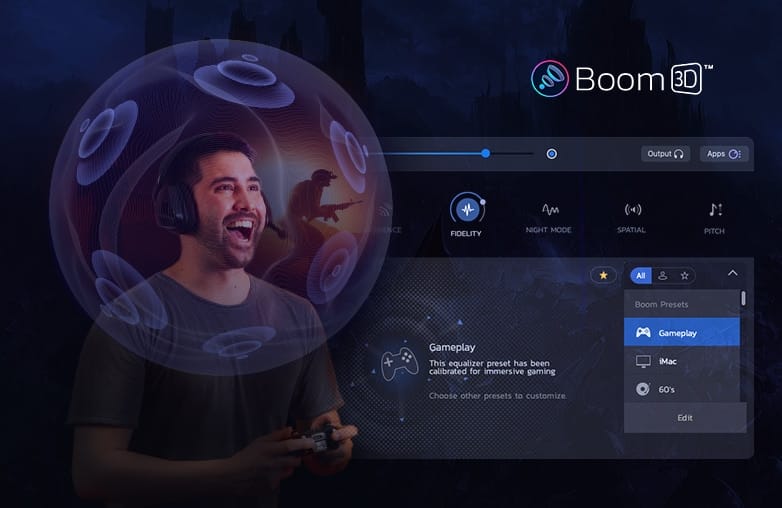
Boom 3d mac gaming 3d surround sound
How Does 3D Surround Sound Change the Way Mac Games Sound?
3D surround sound makes entertainment feel realistic. 3D sound for Mac games can amplify your excitement. Boom 3D offers virtual surround sound, and it is compatible with ANY headphones.
Traditional stereo audio separates sound into left and right channels; this is fine for everyday music listening. When you play games, 3D surround sound will offer a wider range of sound positioning. This isn’t about making everything sound louder; it makes the audio space feel more expansive.
The three-dimensional audio will make you feel present in the game. It offers an immersive experience and will make gaming more enjoyable than traditional stereo audio. To enjoy spatial audio for Mac gaming using ordinary headphones, Download Boom 3D.
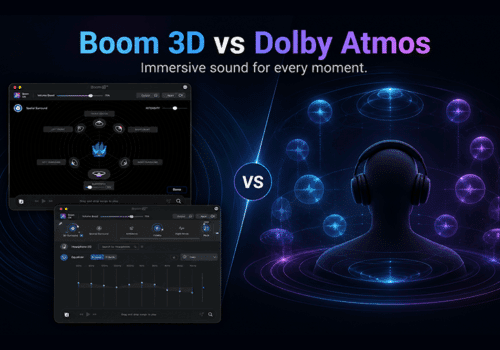
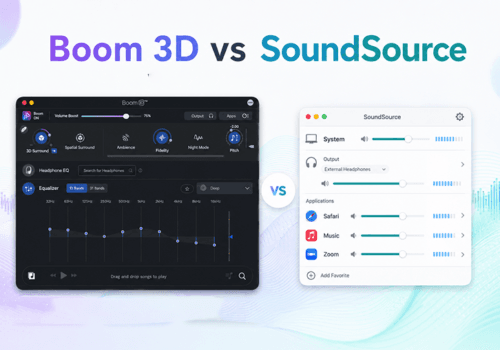
You may like what this blog has to offer: Boom 3D vs Dolby Atmos for Headphones.
5.1 Multichannel Audio for a Life-Like Gaming Experience
Another important feature of Boom 3D is 5.1 multichannel audio for Mac. When a game contains separate audio channels for different elements of the scene, it can make the overall experience feel more life-like.
Boom 3D’s 5.1 surround sound support brings an immersive multichannel audio experience on ANY headphones. This dynamic sound experience is useful for cinematic games. For example, in an action-adventure title, there’s dialogue, environmental effects, background music, explosions, and more. The 5.1 multichannel audio makes these elements feel more distinct.
If you’re looking for the best audio enhancer for Mac games, you can consider Boom 3D because it goes beyond basic volume boosting.
Can Headphone EQ Make Mac Game Audio Sound Better?
Every headphone is different. Some have high bass, others focus on vocals, and some may sound warm. Headphone EQ (Auto EQ) automatically adjusts EQ and offers the best sound possible on your headphones.
Instead of depending on the default sound signature of your headphones or manually adjusting EQ, you can use Headphone EQ to automatically adjust the EQ of your headphones. Headphone EQ offers natural and balanced sound. Boom 3D supports over 5,000 headphone models to enjoy a personalized listening experience.
This feature is useful when you switch between different types of games. For an RPG, you might want dialogue and environmental details to remain clear without aggressive bass. For an action game, you may want high bass. For strategy games, you would prefer clear voice, clean music, and subtle environmental effects. However, there aren’t perfect EQ settings. Every gamer has personal sound preferences; the advantage is being able to adjust the sound to match your personal preferences.
How Can You Tune Mac Game Audio With a 10-Band or 31-Band Equalizer?
Do you like to personalise or experiment with sound? Boom 3D’s 10-band or 31-band equalizer gives you precision control and lets you fine-tune sound your way. You can adjust individual frequency ranges and make it perfect for your ears. Moreover, if you choose Headphone EQ and still need further optimization, you can use the 31-band equalizer.
The app also offers ready-to-use presets, so if you’re new to equalizers, you can start with presets.

Boom 3d 31 band equalizer mac gaming
The importance of an equalizer for Gaming:
Did you know games’ soundtracks occupy different frequency ranges? Low frequencies can make explosions and cinematic sounds better. Mid frequencies can make dialogues and other environmental sounds clear. Higher frequencies can add details to ambience and other effects.
With Boom 3D for Mac gaming, you can fine-tune these frequencies to suit the game you’re playing and match your personal preferences.
RPGs
Balanced sound can keep music, dialogue, and other effects from overpowering each other.
Action Games
Focus on improving clarity for environmental details.
Strategy Games
A balanced EQ is perfect when you spend long hours listening to interface sounds, narration, music, and alerts.
Not sure how to manually adjust EQ? Boom 3D’s presets can be great for beginners.
If you’re into voice recording, give our guide to the best Adobe Podcast Alternatives a read.
Audio Effects Can Amplify Overall Listening Experience
Boom 3D offers many options to personalise gaming audio. It also includes audio effects to define your game character and presentation. Boom 3D includes audio effects such as Spatial Stereo, Fidelity, Night Mode, and Pitch. You can also combine these audio effects.
These audio effects can be useful in different situations. For example, if you’re playing an adventure game, ambience and Spatial Stereo can help you feel a larger sense of space. If you’re playing games at night, audio effects like Night mode can be helpful for a more controlled listening experience.
You can combine and choose the best audio effects that match your listening preference.
Boom 3D is Available on Steam for Mac
To enjoy better sound for Mac games, Boom 3D has a dedicated listing on the Steam platform. So whether you’re launching a Steam RPG, an action-adventure game, or a strategy title, you can use Boom 3D to improve overall sound quality on your Mac.
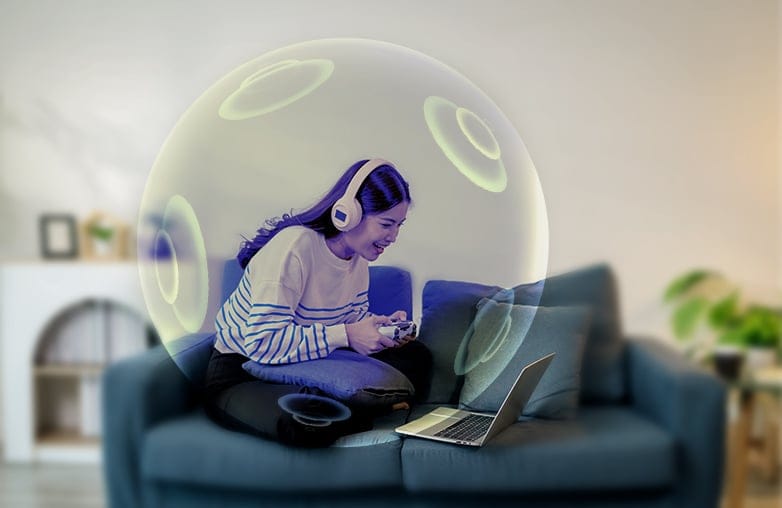
Boom 3D audio effects for immersive Mac game sound
Ditch the Expensive Gaming Headsets
Another advantage of Boom 3D is that it is compatible with ANY headphones. You don’t need an expensive gaming headset to experience spatial audio. Boom 3D’s virtual surround lets you experience realistic sound with ANY ordinary headphones.
However, your headphones still matter. High-quality headphones can offer better details, but an audio enhancer gives you more control over sound and the final output.
Volume and Apps Controls
Have you ever noticed that certain sounds on your Mac are too quiet while others are loud? Boom 3D offers system-wide volume enhancement and an Apps Volume Controller that lets you manage audio levels for individual applications. For example, you might want your game audio to stand out while keeping notifications and other apps’ audio at a lower level.
Boom 3D enhances Mac gaming audio with virtual 3D surround sound, 5.1 multichannel audio, Headphone EQ, 10- and 31-band equalizers, audio effects, and system-wide volume controls. These features let Mac gamers customize game sound for RPGs, action games, strategy titles, and other compatible games.
Bottom Line
A good gaming experience is not just about what you see on the screen, but also what you hear. Boom 3D for Mac gaming is an excellent choice for great sound and complete control over it. If you are a gamer, download Boom 3D now!
FAQs
What types of games can you play on Mac?
Mac users can play a range of games, including RPGs, action-adventure games, strategy games, simulation games, racing games, and indie titles. Some examples are Baldur’s Gate 3, Civilization VI, and Death Stranding.
Does Boom 3D work with Mac games?
Yes, Boom 3D works with Mac games. It works system-wide on Mac and can improve audio in games, movies, music, and other applications.
Can Boom 3D create surround sound on headphones?
Yes, it uses virtual surround sound technology to create a wider and more immersive audio experience on ANY headphones.
Does Boom 3D have an equalizer for gaming?
Yes, Boom 3D offers a 10 or 31-band equalizer, along with ready-to-use presets.
Can I use Boom 3D with Steam games on Mac?
Yes, Boom 3D works with games played through Steam on Mac. It is also available on Steam, making it the best option for gamers who already use this platform.









Leave a Reply
You must be logged in to post a comment.