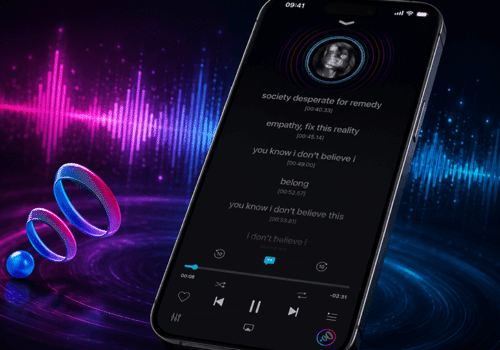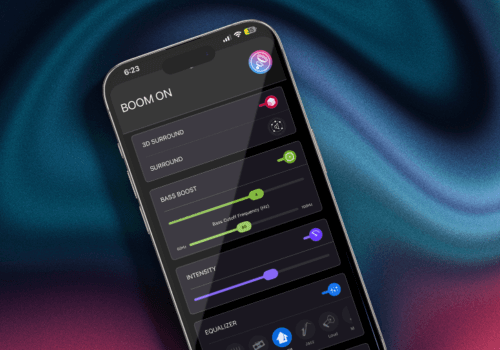






























A great music player app offers features to personalize sound and elevate your music experience. Moreover, it introduces new updates and enhancements to improve the way you enjoy your favorite music. That’s exactly what the latest Boom iOS v3.2.2 update does. Boom, the ultimate music player app for iOS, offers powerful features that can change the way you listen.
With Boom, you can customize the sound, enjoy music offline, boost bass, fine-tune equalizer settings, and much more. The latest updates bring even more features, along with important fixes and improvements. Read on to know what’s new for both audiophiles and casual listeners.
New Features of Boom iOS v3.2.2
Play Next: What is Play Next?
Play Next lets you line up your next favourite song immediately after the current one finishes. Instead of manually playing the next track or building a temporary queue from scratch, you just pick a track and drop it next in line. It’s just a quick way to hear what you want next.
Why is Play Next Useful?
Imagine you’re briskly walking in a garden, or at a party, on a road trip, or working out in the gym; you suddenly think of a track that you want to play next. Instead of shuffling your playlist, you can use the Play Next feature. With Boom, you can play the track the moment the current track ends.
This feature is helpful for:
- Instantly listening to your favorite tracks
- Managing playlists.
- Playing newly discovered songs
- Boosting workout playlists
- Play Next can make daily listening so much better.

New Features of Boom iOS v3.2.2
Playback Speed Controls
Are you listening to a long podcast or audiobook? If yes, there is always an urge to get through it a bit faster without missing important details. This is where the new Boom iOS update (v3.2.2) lets you adjust the speed by 0.1x increments instead of forcing you to jump by huge leaps. You can fine-tune it all the way up to 3x speed; you can find the exact pace you’re comfortable listening at and enjoy podcasts or audiobooks at your preferred speed.
Playback speed controls are popular among music listeners, podcast and audiobook fans, and language learners.
Suitable for Different Listening Styles
Everyone has different listening preferences. You might want to slow down a song to listen to the instrumental details, or speed through a podcast or audiobook to save some time.
Instead of forcing you to make huge jumps in speed, the new system lets you find the exact pace that works for you. You can adjust it slightly upward to 1.1x or 1.3x so the podcast can sound natural, or educational videos up to 2x or even 3x speed. You get more control with these playback speed controls.
Improved Playback Visibility
With speed controls, Boom iOS now highlights playback speed markers. Now, whatever speed you’re currently using is highlighted right on the screen.
Why does it matter?
Before this, you had to double-check settings just to make sure you were on the right speed. Now, the playback speed is highlighted. This makes it easier to check. It will save time, provide faster navigation, and reduce confusion.
This may look like a small change, but it can improve your overall experience.
Reorder EQ Presets
Music lovers enjoy personalising sound. This Boom iOS update helps you enjoy better organization and placement of your favorite presets. You can reorder EQ presets by long-pressing and dragging them. You can keep your favourite EQ settings at the top. This can keep presets organized and tailored to your preference. Moreover, it can give quick access to your favorite presets.
Benefits of EQ Preset Reordering
- Customize Presets to your preference
- Better organization
- Quick selection
- Convenient
It’s one of the best features for audiophiles or even casual listeners who frequently adjust sound to their choices. This can save you time and keep everything organized.
Organized Music Library
The recent Boom iOS update makes it easier to find your tracks if you have too many songs in your library. It gets difficult to search for tracks. Now, this problem is solved since Boom has introduced additional album information throughout the music library.
You’ll see the album name and total song count while you scroll. You don’t have to keep tapping into individual albums just to check what’s inside them.
This feature is helpful for:
- Library management
- Music discovery
- Easy browsing
This feature is helpful for people with a large music library.
Albums Are Now the Default View for Artists
Albums are now the default sorting method inside the Artists tab. Most of us think about music by album anyway, so when you click on an artist, you’re usually looking for a specific record. This new version feels a lot more natural, keeps the page organized, and makes it easier and faster to find what you want to play.
Fixes and Improvements
New features are always interesting, but it’s also important to fix issues that can help with performance. These are some of the fixes:
- Improved EQ Experience
- The current update has solved issues related to:
- EQ orientation
- Effects of screen scrolling
- Interface responsiveness
If you customize EQ settings frequently, this new update will make your experience better.
Fixed 16-Band EQ Switching Glitches
The 16-band equalizer helps you to fine-tune the sound to your preference. Version 3.2.2 has solved glitches that could occur when switching to the 16-band EQ. Now, you can easily switch to 16-band without any lag.
Easier Way to Delete EQ Presets
Deleting EQ presets is now made easier. Before, when you deleted a preset, the app wouldn’t select anything else. Now, Boom automatically selects the previous preset on your list. This change can help you manage presets without any hassle.
Setapp QR Activation Crash Fix
If you use Setapp, the app will crash the second you try to scan the QR code to activate it. The update fixes a crash that could occur when scanning Setapp QR codes. You can log in and start using the app without it shutting down on you.
Better Light Mode Look
If you prefer using Light Mode, you’ve probably noticed that some of the buttons look a bit off or are hard to see. Boom iOS v3.2.2 resolved appearance issues, so the entire interface looks clean. Everything is much easier to read now.
Better Library Organization
The new update has cleaned up how the library handles artists and tracks that start with special characters or symbols. Instead of them cluttering up your list or ending up in weird places, they’re sorted way better now. It makes scrolling through your music organized.

Top New Features in Boom iOS Update
Bottom Line
The Boom iOS v3.2.2 update makes your music experience more organized and enjoyable. Update the app and enjoy the latest version. Download Boom from the App Store.
FAQs
What is the Play Next Feature?
It allows you to queue a song to play right after the current song without changing the rest of your playlist.
What’s the main aim of the Boom iOS v3.2.2 update?
The main focus is to fix glitches and add a better listening and user experience.
What playback speeds are available in Boom iOS v3.2.2?
It supports 0.1x increments, allowing you to increase playback speed by up to 3x.
Are playback speed controls useful?
Yes, it helps to tailor your listening experience based on the content.
What are highlighted playback speed markers?
It shows your current playback speed. This will make it easier to track your settings.
Can I reorder EQ presets in Boom iOS?
Yes, you can reorder EQ presets.
How does the new music library help music lovers?
It helps users quickly identify albums and helps manage large music collections.
Can I still see a random list of all an artist’s songs if I want to?
The default list is now grouped by album, but you can still view individual tracks by tapping on specific albums.
Has the 16-band EQ been improved?
Yes, the glitches that occurred when switching to the 16-band equalizer have been resolved.
Where can I download Boom?
You can download the app from the App Store.