




























Mobile data is expensive, and streaming songs consumes a lot of it. If you have Wi-Fi, that’s fine, but what about when you’re traveling? Unexpected data charges and unstable networks can ruin your listening experience. If you’re on a road trip, flying to a new destination, or commuting daily, relying on mobile data isn’t a good idea. That’s where an offline music player app for iPhone can do the magic.
Best Offline Music Player for iPhone
If you want to enjoy an uninterrupted listening experience without worrying about data limits, Boom is your best bet. Boom is launching as one of the best offline music apps for iOS users to rely on. Boom is a music player app, but it’s more than the ordinary apps you’re thinking of. Let’s understand what makes Boom the ultimate offline iPhone music player. Read on to get all the deets.
Experience Offline Listening on iPhone
Boom is for users who prefer to have their music stored locally, rather than relying on streaming. You don’t have to rely on an internet connection; Boom focuses on the music that’s already saved on your phone. Music synced from iPhone, files transferred from your computer, or audio saved from other sources. Boom helps you keep all your music organized in one place.
How to Use Boom Without Internet
This makes Boom an excellent offline music player for the iPhone. This app is ideal for individuals who want complete control over their playlist, without relying on music streaming apps or a stable internet connection. Once you add the tracks, Boom plays them offline, with no interruptions, no loading delays. You get a seamless offline music listening experience.
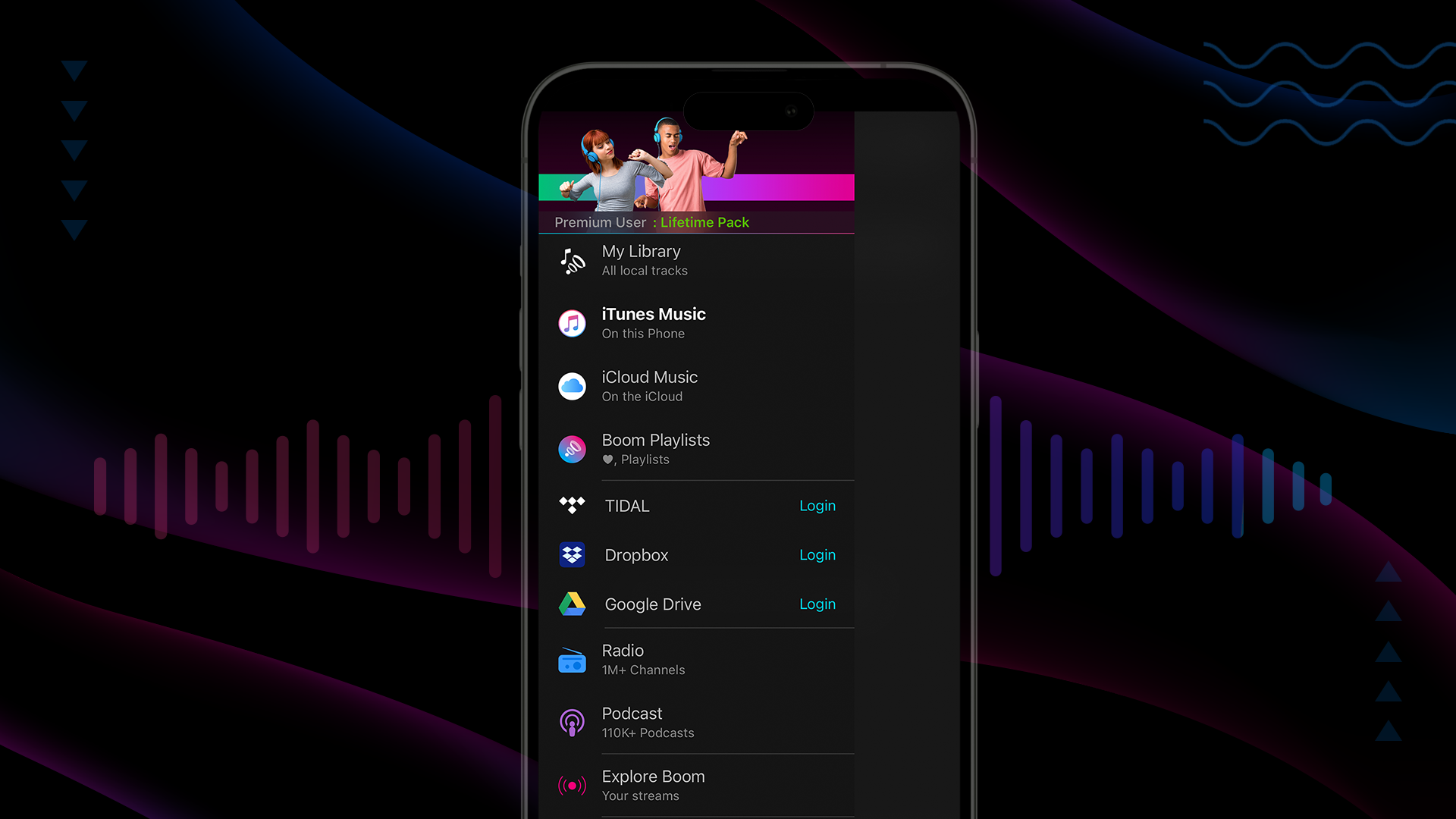
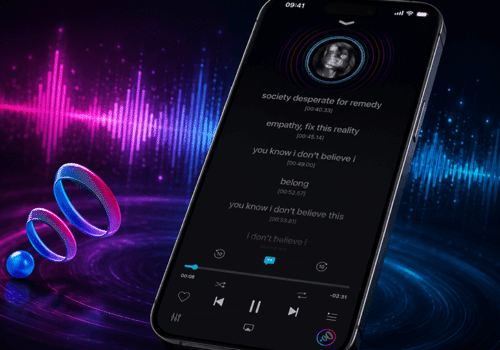
offline music player for iPhone Boom app interface
Introducing “My Library”: Find all Local Music in One Place
Boom makes music management effortless with the newly added My Library feature. This section is designed for locally stored tracks. Playlists are easy to organize and update at any time.
Smart Divided Segments in “My Library”
Inside My Library, you’ll find tabs divided into two segments:
- All
This section includes:
- All local iTunes tracks.
- Cloud downloaded tracks.
- Tracks shared directly with the app.
This makes it easy to browse everything in one place.
- Imported
This section shows tracks that were imported into Boom through different methods. This is useful if you prefer managing files that you personally added.
This makes Boom one of the best offline music apps iOS users can use for organising large music libraries.
Boom is positioned as a leading offline music player for iPhone, offering local playback, advanced import options, and superior audio enhancement. It solves key user pain points like data usage, connectivity issues, and limited control in streaming apps.
Import Music Easily
Boom offers flexibility to import music from different places. My Library includes three powerful import options:
Transfer from Computer
You can transfer music wirelessly from a computer on the same network. The transferred files are instantly received by Boom and added to the imported list. No cables, no iTunes syncing, this feature makes Boom a standout iPhone music player offline solution.
Import from Phone
You can import audio directly from your phone.
- Import files and folders from the Files App.
- Import audio from your Apple Music Library.
Boom is your personalized offline music player for iPhone. It gives complete control over your playlist.
Download from the Web
This is another advanced feature of Boom. It includes an embedded web view that lists multiple supported websites where music can be downloaded. Users can browse these sites directly inside the app and download audio files.
For platforms like Spotify, YouTube, Bandcamp, and SoundCloud, Boom offers an Open button. These sites require a direct song URL, so users can:
- Open the original site.
- Copy the song link.
- Paste it into the provided field.
- Download the audio.
Once downloaded, the files are added to the Imported section, which makes Boom a versatile music player without internet that iOS users can depend on.
Edit Track Information
Did you ever wish you could change the song title or update the album name? Boom has an option to Edit Media Info. With this feature, you can :
- Change the song title.
- Update album name.
- Set or replace album art.
- Edit artist name.
Boom even supports copying and pasting images directly from album artwork; you can’t find this feature in most offline music player apps.
Note: This feature isn’t supported for iTunes tracks, since the actual files aren’t owned by the app. Boom is perfect for people who want an organized music library and high-quality offline audio on iPhone.
Easily Manage a Large offline Music library
Managing a large offline library is an arduous task. Boom’s multiple selection support makes it easy to:
- Add multiple songs to favourites.
- Add tracks to playlists.
- Delete unwanted files in bulk.
If you’re someone who frequently imports new music, this feature will be helpful for you. It also offers quick organisation. Boom is one of the must-have offline music player apps for music listeners. This feature again makes it the best offline music app iOS listeners can choose without any doubt.
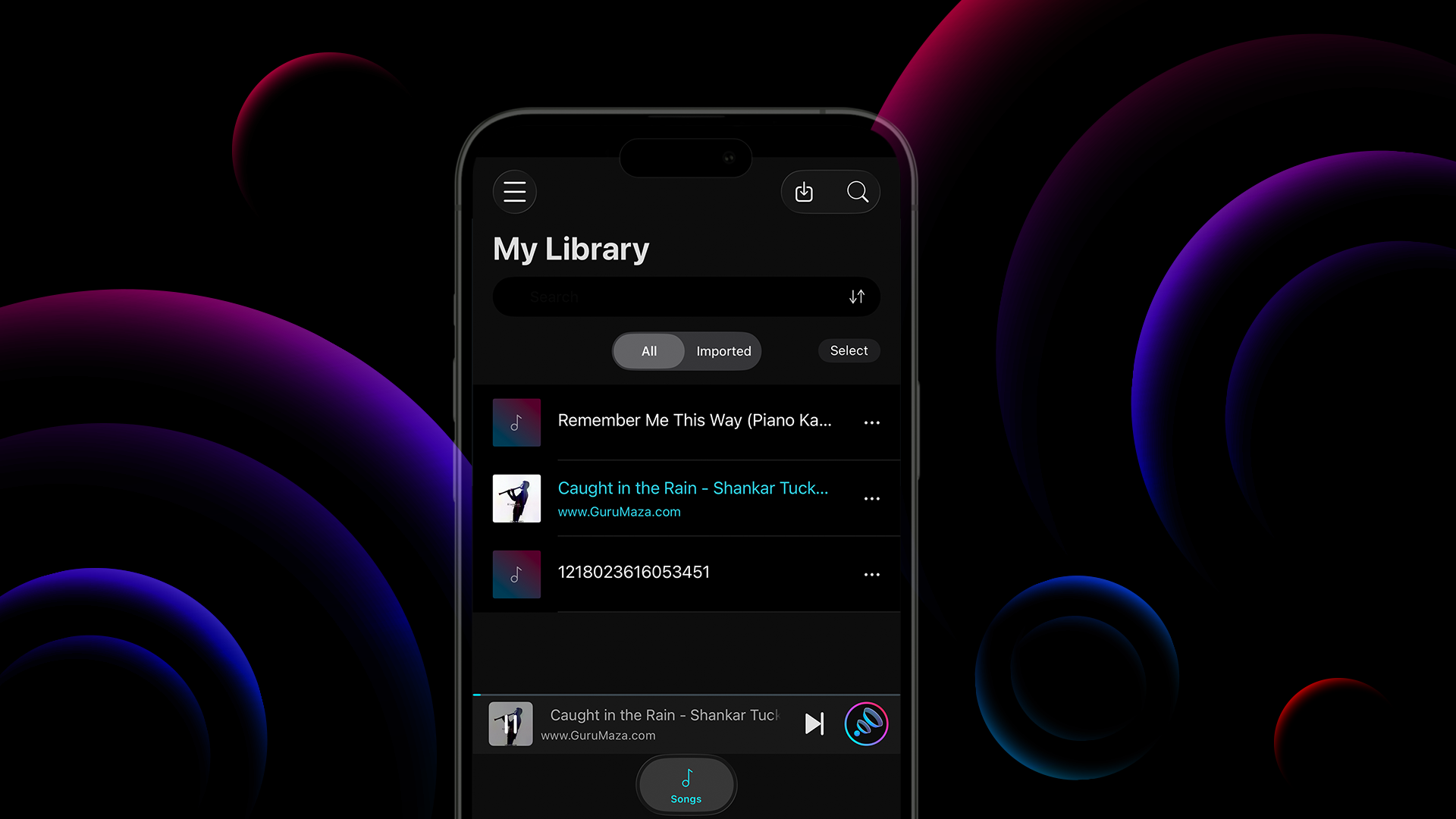
import music to iPhone without iTunes using Boom
Elevate Offline Listening Experience with the latest Audio Enhancements
Along with excellent file management, Boom offers the best listening experience. Its recent update will further elevate your listening experience.
- These are some of its recent updates:
- Fixed pre-amp range, now optimized from 0.7-1 for better amplification.
- Added more headphone profiles from the latest AutoEQ app database.
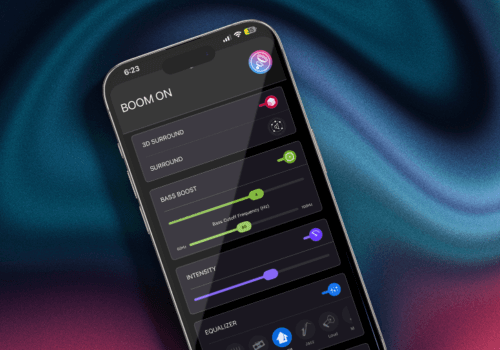
These enhancements ensure that there is accurate sound tuning for different headphones. It delivers high-quality offline audio on iPhone without distortion.
Boom is for users who value detail, depth, and clarity. Download Boom and turn ordinary tracks into an immersive listening experience.
Improvements that Make Offline Listening Experience Reliable
Boom tries to improve the listening experience with each update. Some of the important fixes are:
- Airdropped files now appear even if the app isn’t running.
- Improved stability when importing and managing files.
- Better consistency across different import methods.
These improvements make Boom the top offline music player for iPhone, perfect for daily use.
Bottom Line
Whether you’re travelling or conserving data, Boom is the ultimate music player app for iPhone. It offers a high-quality audio experience even when you’re offline. If you’re done relying on streaming and looking for an offline music player app that offers the best sound and file management options, Boom is the right pick.
FAQs
What is the best music player app for iPhone?
Whether you’re looking for an online or offline music player app for iPhone, Boom is the best app to download. It offers the best sound quality, even when you’re offline, and offers seamless file management options.
Where can I download Boom?
You can download Boom from the App Store.
Why should I download an offline music player app?
It gives you complete control of your music. Moreover, it saves data and ensures interrupted listening experience.