









































Reaction videos were once popular only on YouTube; now they’re not limited to just one platform. They have gained popularity on Instagram, TikTok, Twitch, and other platforms. Aren’t they fun to watch? So much fun that you can’t resist sharing them with your friends and family. Have you ever thought about how to make a reaction video? If yes, this blog is for you.
Reaction videos get views, gain popularity, and instantly engage your viewers if done correctly. You can show your creativity using the right tools. In this blog, we’ll walk you through the steps to create great reaction videos. Are you ready to woo your audience? If your answer is a resounding yes, bookmark this blog pronto.
What Exactly is a Reaction Video?
Before we get into the details of social media and the YouTube reaction content guide, let’s understand the meaning of a reaction video. When someone records their reaction while watching a clip, it’s called a reaction video. The idea is to capture raw reactions, such as confusion, laughter, or other emotions. The audience should watch your reaction along with the original video. Some creators have even created entire YouTube channels based on reaction videos.
Here is what you can make videos on:
- Movie or TV show trailers.
- Popular songs.
- Music videos.
- Video game moments or gameplay.
- Funny clips.
- Viral internet challenges.
- Product unboxings.
- Emotional videos.
- Ads or brand campaigns.
- Trending news.
If you’re thinking about a reaction video setup, you don’t have to worry. We will tell you how to shoot the best one without an expensive setup.

How to make a reaction video with Capto
Why Should Creators Create a Reaction Video?
Firstly, recording such clips is super easy. You can record a reaction video on a laptop, and most of us have a laptop these days. All you need is a little planning, and you’re good to make your video go viral.
Below are a few reasons to create such amazing videos:
You can Create Such Videos Quickly
If you’ve ever wondered how to make a reaction video and thought it’s going to be an arduous task, well, you’re wrong. It’s much easier than you think. You can record such clips with a screen recorder like Capto. Moreover, it also offers an option to record yourself and your screen simultaneously. You can also easily edit content with Capto to make your reaction video stand out.
Engagement Rate is Usually Higher
Once you’re done recording yourself on a webcam using Capto’s Webcam Overlay feature, it’s time you upload the video and watch the viewer’s reaction. Such clips usually have a higher engagement rate.
You can pick up a trending video and react to it. People want to see your reaction to such videos, and your viewers are more likely to comment and share those videos.
Increases Account Visibility
When it comes to social media, liking a video is subjective. Some may like your video, while others may criticize it. This will spark engagement in the comment section. Your viewers will interact with each other by commenting on the uploaded video, which may increase your account’s visibility.
How To Make a Reaction Video With Capto
A reaction video is not just about your reaction; you also need to show the clip or content that you’re reacting to. A split-screen reaction video is best for this. Capto offers a webcam overlay feature where you can record yourself and the screen simultaneously. It is also great for step-by-step instructional videos, tutorials, and other educational videos.
Here’s how you can record a reaction video with Capto:
- Launch Capto.
- Select Webcam Overlay mode.
- Choose your audio sources.
- Place your webcam frame where you want it to appear.
- Hit record and start reacting.
You can also edit your videos with Capto and make them more interesting. Some quick reaction video editing tips are: Trim unwanted sections, add text, arrows, or highlights, add transitions, and adjust volume levels. Capto offers everything within the app; you can also keep your videos organized by creating folders. Moreover, you can add a voice-over to your videos, which can make your videos more engaging. From beginners to seasoned pros, Capto is the best choice.
Create a Reaction Video Without Getting a Copyright Strike on YouTube
YouTube takes copyright issues seriously; it is one of the biggest worries while creating videos. Imagine you created the best video, you shared on your channel, and then you got a copyright strike. There is nothing worse than this.
You need to follow the basics of fair use, and you’re ready to share your creative ideas without getting a copyright strike.
Fair use allows you to use copyrighted content, but you need to add your original idea to it, such as thoughts, reactions, or commentary.
Here are a few points to keep in mind:
- Use short clips.
- Include your opinions.
- Include Humor, commentary.
- Don’t just watch the video silently.
- Give credit to the people who created the original video.
You can follow these simple rules to avoid copyright issues. However, following fair use doesn’t mean you can escape completely from the YouTube strike. YouTube’s system may still detect copyrighted videos if it feels the video or content has been reused.
Bottom Line
Now that you know how to make a reaction video, you should create one and entertain your viewers. Download Capto for Mac or Windows to take your creativity to the next level. Build a social presence and let people remember your videos and your creativity.
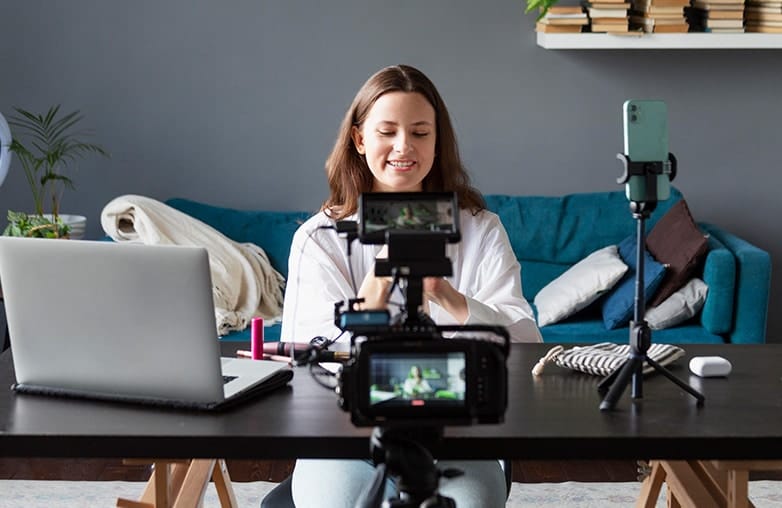
Reaction video recording using webcam overlay
FAQs
How long is the perfect reaction video?
Short videos gain more engagement. 1-2 minutes is enough for a reaction video.
How can I make a good reaction video?
Stay focused, rehearse before you shoot. It’s good to give candid reactions and avoid over-rehearsed or confused looks.
Which is the best app to create a reaction video?
Capto is the best app that can help enhance your creativity with its features and high-quality screen recording options.
Reference Sources:
techsmith “How to Make a Reaction Video: A Step-by-Step Guide”
cyberlink “How to Make a Reaction Video: Complete Guide”
riverside “How to Make a Reaction Video (The Easy Way!)”
videosoftdev “How to make a reaction video on your computer: the ultimate guide”












Pingback: Top Video Editing Tips to Make Your Videos Stand Out - GD
Pingback: Perfect Webcam Lighting Setup: Simple Tips That Work | GD