

























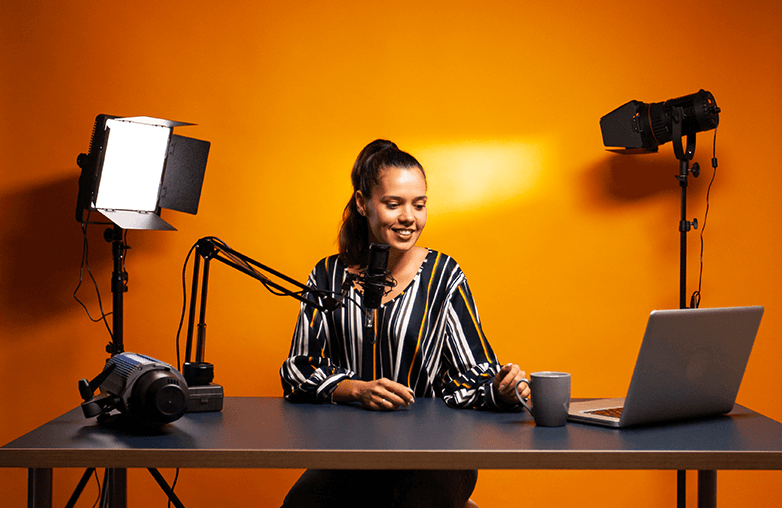
Videos are everywhere. You open YouTube, and there are vlogs and shorts. Open Instagram, and there are reels everywhere. In a corporate environment, you often use video conferencing. They’ve become a part of our lives. However, a video isn’t truly a video without great lighting.
You may have the most expensive camera or the best laptop with a high-resolution webcam, but if the lighting is poor, everything looks dull. We’ll walk you through some of the best tips to make your videos and webcam recordings look great with proper lighting. Are you ready to get the perfect webcam lighting setup? Here we go!
Why Lighting Matters in a Video?
Lighting plays a huge role in making your video stand out. Your content is important, and your camera’s resolution matters too, but good lighting adds charm to your videos.
Proper lighting makes your video easy to watch. It adds clarity, and every detail is clearly visible. Video clarity is important when creating travel, food, and other vlogs, as well as for webcam recordings.
Secondly, it can make your videos more appealing. When there is clarity, the clips become more interesting, and your audience is more likely to appreciate your work when your clips look appealing. Besides, good lighting captures your expression, and also the surroundings are clear, which makes your video engaging. Capturing clear facial expressions is crucial in webcam videos and other videos where you aim to connect with your audience.
Good lighting doesn’t always mean your video should be bright; it’s about clarity and the impact it creates on your audience. Learn about the best lighting for video recording and more!
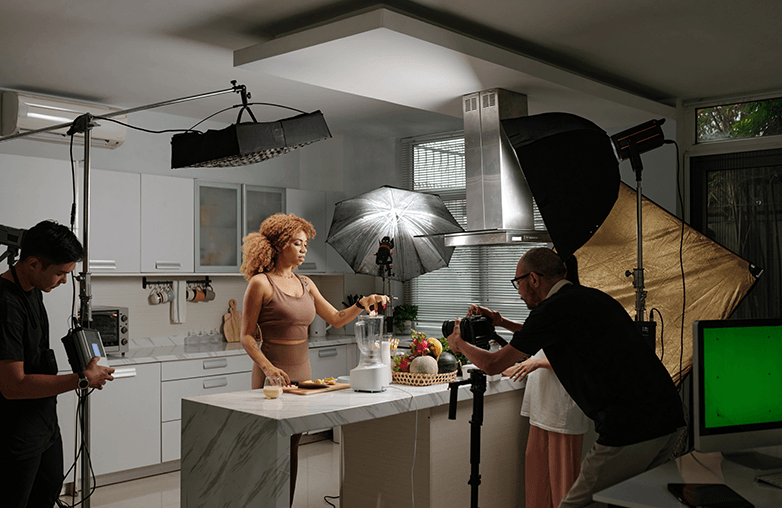
professional webcam lighting for video
Tips to Capture the Best Video
Add a Little Extra Light
Whether you’re shooting a video or capturing a webcam video, extra lighting can make a huge difference. You can add a desk lamp. Ring lights are common these days; you can even adjust their brightness. You can also use soft LED lights. Alternatively, if you prefer to use only natural light during the daytime, ensure you don’t sit with your back to the window, as this can make your video look dark or blurry.
There is also an option to increase the brightness while editing your videos. Use the best webcam lighting setup for recordings to instantly improve the quality and make your videos look professional. You can also follow simple editing tips to make your video look appealing.
Right Colour Temperature Matters
Whether you’re creating a step-by-step instructional video, shooting reels, vlogging, or creating any other video content, the right colour temperature can make your video look great. Lighting can be warm or cool, and this difference is clearly visible.
If you’re shooting a video, avoid mixing lights with different color temperatures, as it can make your video look unnatural. If you’re choosing LED lights, opt for ones that allow you to adjust the color temperature. Proper webcam lighting for Zoom and Google Meet helps you look more confident and professional. These are some of the best lighting tips for YouTube videos and other recordings to make you look good on camera.
Camera Angle Matters
Camera placement defines the way you appear in videos, and the right setup also depends on the camera you’re using. One of the best tips is to keep the camera height as close to eye level as possible. Whether you’re meeting someone in person or in a virtual meeting, eye contact matters.
When you do virtual meetings, you can angle the camera slightly downward, which will give a more natural appearance. Small adjustments in camera angle can make a huge difference in helping you connect with your audience and also make you look professional. Whether you create reaction videos, instructional videos, or attend virtual meetings, camera angle adjustments matter to get the perfect video and webcam lighting. This is how to light yourself on camera and look great.
Use Ambient Light
Did you know a simple DIY setup can improve the lighting of your webcam? All you need to do is point a bright light at a white wall behind your camera. The wall reflects and softens the light. This is the best DIY webcam lighting tips to reduce shadows and add clarity to your videos. Use this simple technique for webcam recordings, video calls, or other content creation videos.
Video lighting for beginners doesn’t have to be complicated; using natural light and simple tips can improve your video quality.
Keep Your Background Clean
Whether you’re a YouTuber or other content creator, your background plays a crucial role in deciding how professional your videos are. Your background should be uncluttered; this will help draw the attention of your viewers towards you and not the background.
Remove unnecessary items like clothes, shoes, or random objects that will distract your audience. If possible, always try to keep a neatly arranged space to make your video look professional. You can also slightly blur your background to create a professional look. A neat background can make your content more enjoyable and easier to watch without any distractions.
You can also read: Best Ways to Promote Your YouTube Channel
| Lighting Type | Best For | Pros | Cons | Recommended For |
|---|---|---|---|---|
| Natural Light | Daytime recordings | Free, soft, natural look | Depends on time & weather | Beginners, casual videos |
| Ring Light | Face-focused videos | Even lighting, reduces shadows | Can look flat if overused | YouTubers, tutorials, reaction videos |
| LED Panel Light | Professional setups | Adjustable brightness & color | Slightly expensive | Content creators, streamers |
| Desk Lamp (DIY) | Quick setups | Affordable, easy to find | Can create harsh shadows | Beginners, home offices |
| Ambient Light (Wall Bounce) | Shadow reduction | Softens light naturally | Needs wall placement | Webcam calls, interviews |
Bottom Line
These are some of the tips to get the perfect webcam lighting setup. You can download Capto to edit videos and make them look more professional and engaging. You can download the app on Mac or Windows. The best part is that you can get a 15-day free trial without needing to provide payment details.
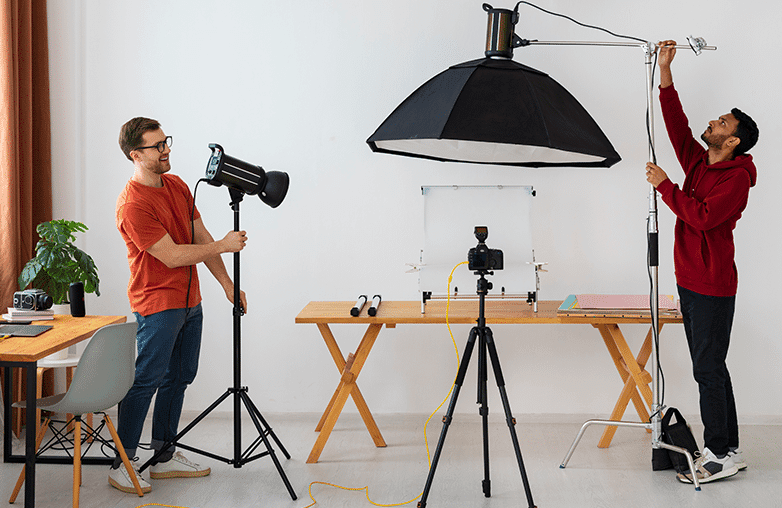
best lighting position for webcam videos
FAQs
Is a ring light good for video calls?
Yes, it can provide better lighting. A ring light is good for tutorials, webcam recordings, and a lot more.
Will good lighting improve video quality?
Yes, it can make your videos appear bright and clear. While a good camera is a must, lighting also plays a crucial role in making your videos look good.
Can videos look good with natural lighting?
Yes, they can look great with just natural lighting as well. However, you should avoid facing away from windows as it can make you look dark because of the shadow, and your videos are more likely to be unclear.
Reference Sources:
- techsmithn – “How to Get the Perfect Video Lighting”
- flock – “6 tips for proper webcam lighting for virtual meetings”
- artlist – “Tips for Getting Better Lighting for Your Webcam Videos”
- vcam – “Webcam Lighting 101: Essential Tips for Clear Video Calls”
- neat – “5 Easy Ways To Improve Webcam Quality”
- dialpad – “Upgrade your webcam lighting: Tools, tips, and more”