


























Video editing is no longer just about cutting clips—it’s about storytelling, engagement, and retention. With the right video editing tips, even beginners can create professional-looking videos that stand out on YouTube, Instagram, and beyond.
With short-form video dominating YouTube, Reels, and Shorts in 2025, creators need smarter video editing techniques to capture attention in the first few seconds.
Anyone can create a good video with video editing software, but to create a great video, you need to follow a few pro editing tricks. Below are tried and tested tips that can instantly grab your audience’s attention and help you stay organized. Read on in the section below.
Create Amazing Videos with These Tips
Make videos look professional and engaging with these simple, easy-to-follow tips. Bookmark this blog to make every video worth remembering:
Plan Your Video Before You Start Editing
Whether you create a reaction video, vlog, instructional video, or any type of content, planning is essential. You can also outline the concept in advance. You should know your audience, the video’s objective, and how you will present the clip. Basic planning can give you direction and define your goals.
When you plan, you know what to say, what edits need to be made, and how the visuals should look. When the concept is clear, you work with dedication to produce high-quality content. This is the first beginner video editing guide that one should follow.
Simple video editing techniques for better engagement
Capture High-Quality Video Footage
The better the quality of your video, the more likely it is to engage your audience. Nobody wants to watch great content with poor video quality. Whether you’re recording webcam video, your screen, or shooting a video, the quality of your content plays a major role in garnering the attention of your viewers.
You can use Capto if you want to record yourself and the screen simultaneously. Moreover, you can record your screen in 4K screen recording. With Capto, you need not worry about the quality. It also has various features that are best for screen recording and editing videos.
Record Establishing Shots to Set the Scene
One of the best editing tips for YouTube and other videos is that audiences want to feel as if they are present in the video. They want to feel every experience in the video; this is mainly important for travel or food vlogs. While close-ups focus on details, they don’t cover the surroundings. You can take an establishing shot to cover the bigger picture.
Establishing shots make the experience more immersive. Record establishing shots to make your videos more engaging.
Add High-Quality Voice-Overs
Video editing tips will engage the audience, but to add a personal touch, you need to include your voice in the video. The quality of your recordings should be good. After all, no one likes listening to a creaky voice.
Capto lets you record studio-quality voice-overs. You can even adjust voice levels and ensure your voice syncs with the video. Voice-overs add clarity, emotion, and will also make your video look professional.
Trim Unwanted Footage for Better Engagement
If you’re thinking about how to edit videos better, you need to stop adding every clip you shot and making your video lengthy. Shorter videos are more engaging as quality trumps quantity. You already know how YouTube Shorts and Instagram reels work. One of the best ways to promote your YouTube channel is to create YouTube Shorts.
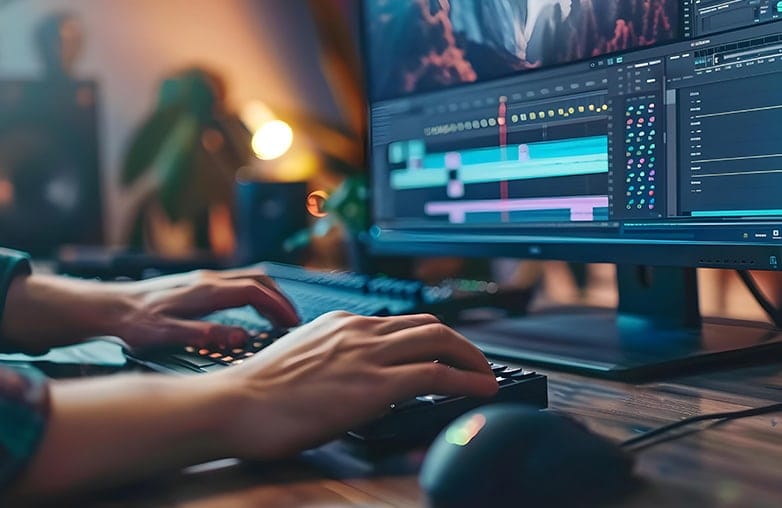
While editing, you can remove unwanted clips or sections to create a short video that engages your audience. You can remove videos that are low-quality, repeated, or have high-background noise. Use Capto to edit your recordings and make them look professional.
Add Captions to Improve Watch Time
Captions may look like extra work, but they are important. One of the pro editing tricks to keep your audience hooked is to add captions. They make it easier for the audience to watch and understand your video. People from different countries may watch your video, so adding captions helps them understand your accent and follow what you say.
Whether you create instructional videos, vlogs, or educational videos, adding captions can make a difference. You can add captions using Capto. Make videos look professional with Capto and its in-built editing tools.
Bottom Line
These are some of the video editing tips to follow. You can make your videos stand out by editing them with Capto. You can download Capto for Mac or Windows. It also offers a 15-day free trial without asking for payment details.
What are the best video editing tips for beginners
FAQs
Which video editors do popular YouTubers use?
There are various video editing software that are used by YouTubers. One such popular software is Capto, which is best for both beginners and seasoned pros.
How can I make myself better at video editing?
If you’re a beginner, keep practising. Software like Capto is user-friendly, making it easy to understand the settings and features even during your first edit.
What is the best video editing app?
Capto is the best video editing app for Mac and Windows.
Reference Sources:
- riverside – “10 Effective Video Editing Tips for Beginners”
- podcastle – “20+ expert video editing tips for clean, professional content”
- TechSmith – “50 Editing Tips You Need for Better Videos”