


























Do you love listening to music, watching movies, or playing games? Of course, who doesn’t? They offer an escape from our daily routine and make for perfect weekend entertainment. To enjoy such entertainment to the fullest, you cannot ignore great sound. Visuals do play an important role in bringing every scene to life, but high-quality sound makes the experience more immersive and fun.
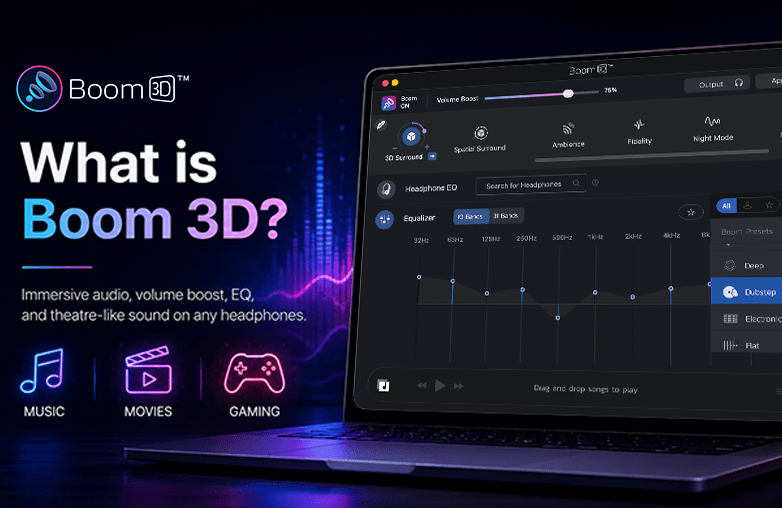
Boom 3D is a volume booster and equalizer app that helps you experience immersive sound on your headphones. It lets you personalize sound, enhance clarity, and create a theatre-like listening experience at home. With just a few tweaks, you can enjoy sound tailored to your preferences. Read on to learn more!
Key Takeaways
- Boom 3D offers 3D surround sound on ANY headphones. It also offers Spatial Surround and 5.1 multichannel audio support for Mac users.
- This audio enhancer is easy to use and easy to install. Whether you’re an audiophile or a casual listener, you can enjoy high-quality sound without technical expertise.
- You can fine-tune sound with a 10 or 31-band equalizer. It also offers a list of presets.
- Boom 3D also offers a Headphone EQ feature for Mac users. If you want to enjoy balanced, accurate sound without manually fine-tuning equalizer settings, you can choose the Headphone EQ feature. It supports over 5,000 headphone models.
- You can organize your music library while enhancing playback with Boom 3D’s advanced sound processing.
- Adjust the volume of individual apps; you can lower the volume of background apps while keeping your music, games, or movie audio at the best level.
- You can also enjoy over 2,000 radio stations and podcasts with Booming effects.
- Boom 3D offers great value for money.
Whether you’re an audiophile, movie enthusiast, gamer, or casual listener, Boom 3D offers a range of features to enhance your listening experience.
Introduction to Boom 3D Software
Boom 3D is an award-winning software that is liked by audiophiles and casual listeners alike. If you’re someone who expects your audio to be perfect or to be customized, you simply cannot miss Boom 3D.
The best part is you don’t need an expensive setup to enjoy Boom 3D, nor will it consume space as many home theaters do. Boom 3D is an audio enhancer that can help personalize sound on your Mac or PC, and ANY normal headphones.
If you’re a gamer, Boom 3D can elevate your gaming experience. It can help you stay ahead of your competition. You can react faster because you can hear every detail of the audio clearly. Not only games, but your music listening experience will be immersive with Boom 3D’s features. You can play songs with 3D surround sound, fine-tune the equalizer, or even apply presets to quickly personalize music. Moreover, you can have the theatre-like experience at home with Boom 3D. Watching movies will be more exciting and thrilling with this virtual surround sound software. It offers a lifelike experience, making you feel like you’re right in the middle of the action.
Boom 3D app offers various other features for audio customization and personalization. If you want to enjoy system-wide audio, Download Boom 3D.
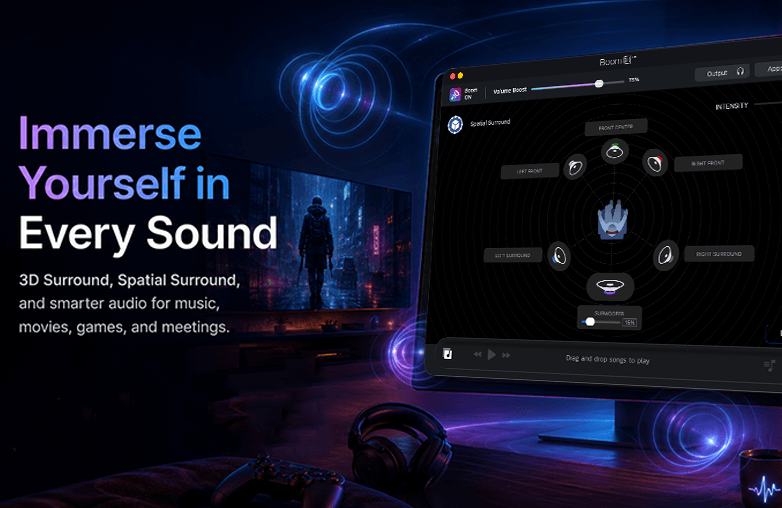
Boom 3D audio enhancement software
Who Should Use Boom 3D?
This virtual surround sound software is for everyone who wants to enjoy high-quality sound. Here are the types of users who will love this bass booster and spatial audio software.
Audiophiles
Audiophiles (as the name suggests) are very particular about sound, and Boom 3D’s features are perfect for audiophiles for sound optimization. With an advanced equalizer, presets, audio effects, Spatial Surround, 3D surround sound, and more, one can tailor sound to their preference.
You may find this blog informative: Auto EQ vs Manual EQ: Which Equalizer Is Better?
Music Lovers
We all love music, and we spend hours listening to it. If you are a music lover, Boom 3D is a must-have audio enhancement software. It enhances clarity, bass and depth with features like Surround Sound, a 31-band equalizer, and bass boost. You can also choose from genre-specific presets to create custom EQ.
Movie and TV Show Enthusiasts
Boom 3D is amazing for movie buffs; it can enhance dialogue, background music, and sound effects. You can get theatre-like sound at home. For movie nights, you can use audio effects that Boom 3D offers; you can also combine these audio effects and enjoy sound the way you like it. Experience a cinematic feel even when using ordinary headphones.
Gamers
Ready to enjoy immersive audio while you play games? It’s time you choose virtual surround sound software like Boom 3D. It can make gaming audio feel more realistic. It also helps improve directional audio, making it easier to identify footsteps, environmental sounds, or gunfire sounds in gaming.
Remote Workers and Professionals
Are you someone who is constantly on calls and webinars? Well, then Boom 3D is your best bet. It can make voices sound clearer; you can hear conversations clearly and comfortably without straining your ears. It’s best for meetings and webinars.
How to Set Up and Install Boom 3D
This system-wide audio enhancer is easy to install and use. Let’s have a look at installing Boom 3D on Mac and Windows.
Installing Boom 3D on Mac
- Download Boom 3D from the Mac App Store or from the official website.
- If you’re using the downloaded installer, open the .dmg file and drag Boom 3D into the Applications folder.
- Launch the application and click Install when prompted.
- Restart your Mac to complete the process.
- Once your Mac restarts, open Boom 3D and enjoy sound with Booming effects.
Installing Boom 3D on Windows
- Download Boom 3D from the official website or from the Microsoft Store.
- Run the setup file and follow the on-screen installation wizard.
- Once installation is complete, launch Boom 3D.
Give this blog a read: Boom 3D for Windows ARM64: Immersive Audio on Windows ARM PCs.
Boom 3D Review
User reviews for Boom 3D are positive; many users have felt that it has elevated their listening experience. It is good for everyday listening. The app is appreciated for its system-wide audio enhancement, personalized sound settings, and its features.
Many users like its effective volume boosting that helps increase their system volume without causing distortion. Reviews also say that they have found Boom 3D extremely great when their system’s built-in speakers were not loud enough.
Boom 3D has also helped people with hearing problems. Many people say it has made hearing much better for them. They can now enjoy music, movies, and games more than ever before.
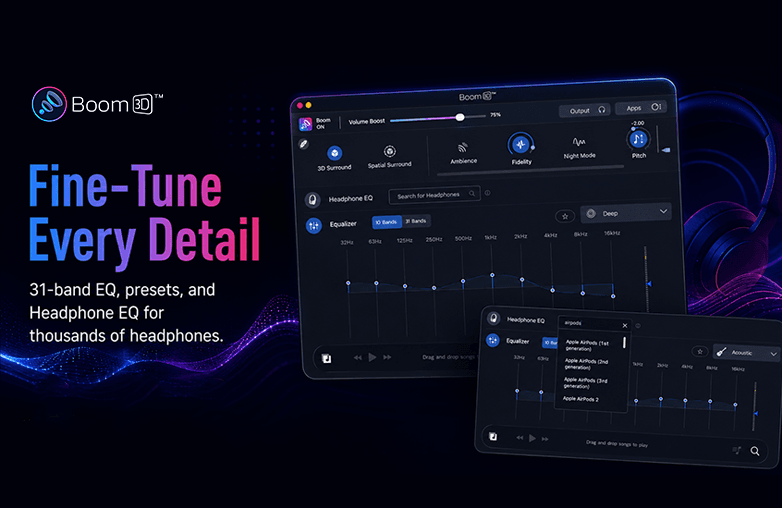
Boom 3D installation on Windows and Mac
Boom 3D Free Access
Boom 3D offers a 30-day free trial. You can explore all its premium features without any payment or card details. Boom 3D offers its audience the chance to test every feature in these 30 days and decide whether the app is for them.
Bottom Line
Boom 3D is a must-have app for both audiophiles and casual listeners. It is the best audio enhancement software for everyday use. Whether you’re a music lover, movie buff, or an avid gamer, Boom 3D will elevate your listening experience. Download Boom 3D on Mac or Windows.
FAQs
Does Boom 3D work with Headphones?
Yes, it works with ANY headphones and improves your listening experience.
Is Boom 3D free?
It offers a 30-day free trial without purchase commitment. After the trial, you need to purchase a license to keep using Boom 3D.
Is Boom 3D available for mobile devices?
Boom 3D is only available for Mac and Windows. You can try Boom on iOS or Android.
Can Boom 3D improve gaming audio?
Yes, it can significantly improve gameplay with exceptional sound.
Does Boom 3D work on Netflix?
Yes, it does. Additionally, to enjoy Netflix content in full 5.1 surround, download Boom 3D’s 5.1 audio extension for Netflix. You can download the extension from the Mac App Store or Chrome Web Store.