















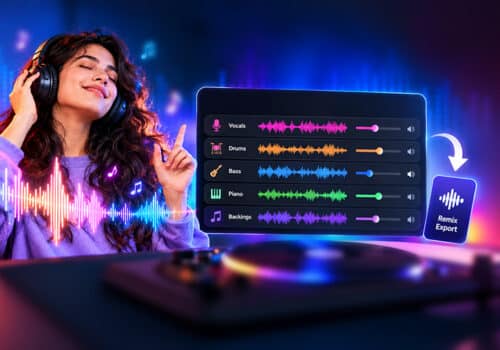










An equaliser is an important tool for customizing sound to your preferences. However, not everyone is familiar with using an equalizer. If you’re just figuring out how to fine-tune sound, you can try equalizer presets and learn about preferences. After you make your choice, you can customize the equaliser settings to suit your music preferences.
Every music lover should adjust the sound according to their liking. This will make your music listening experience even more exciting. Read on to learn how to customize the equalizer and enjoy the best sound on your headphones.
What is a Music Equalizer?
You might know a music equalizer as a feature in your phone or music player apps that lets you adjust bass, treble, and other frequencies. Music lovers use EQ settings to adjust individual instruments and vocals. You can shape the sound of each element, whether it’s enhancing the beat of a drum, adding clarity to vocals, or making the guitar sound more audible in the mix.
Proper use of a music equalizer also helps remove unwanted frequencies and prevents different sounds from competing for the same space. For instance, if there are bass guitar, drums, vocals, and guitar in the same song, bass guitar and drums share similar low frequencies, while vocals and guitars can overpower other instruments. By carefully adjusting EQ settings, you can create a more balanced mix where every instrument is heard clearly.
You should learn how to customize the equalizer; it can change your everyday listening experience and make it more fun and immersive.
You can also read this blog: How to Create the Perfect Music Queue on iPhone.

Best equalizer settings for headphones
Why Does EQ Matter?
EQ is one of the tools for sound customization; it allows you to adjust different frequencies and helps get a more enjoyable music listening experience. When you’re listening to music, the right equalizer for music can improve your listening experience.
Balance frequencies
EQ helps correct frequency imbalances by reducing bass or enhancing missing highs. The result you get is a clear and natural sound.
Highlight important details
The best equalizer settings that you choose according to your preference can make the music sound perfect for you. You can make vocals sound clear, bring instruments forward, or add more depth to your favorite tracks.
Create a personalized sound
When it comes to music, everyone has different listening preferences. EQ allows you to build a personalized sound profile that matches your taste. You can enjoy powerful bass boost, crisp vocals, and clear mids.
Enhance Audio Quality
Fine-tuning frequencies can reduce muddiness, minimize harsh sounds, and the result you get is better audio quality that offers a clear listening experience.
Adapt to different environments
EQ settings depend on the environment. What sounds great outside may not sound good in a closed room. Adjusting the EQ helps optimize sound for different environments.
Compensate for hardware limitations
Every pair of headphones is different. These built-in sound differences can affect how music is heard. By adjusting music equalizers, you can fine-tune these frequency imbalances and create a more balanced listening experience. EQ helps to get the best from your headphones and enjoy music that sounds perfect to your ears.
EQ gives you complete control over how your music should sound. The best equalizer setting is the one that matches your preference. Fine-tune equalizer settings and enjoy personalized sound that can change the way you enjoy music.
Why is Graphic Equalizer Good for an Everyday Listening Experience?
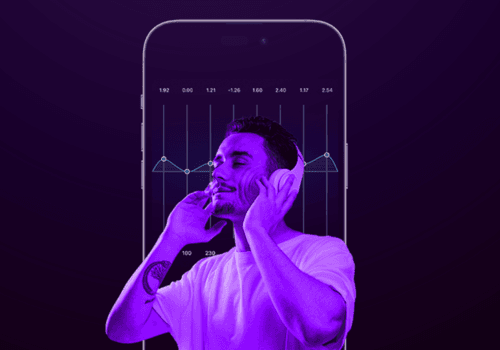
For most music lovers, a graphic equalizer is the best choice for everyday use. It’s easy to use, it offers quick adjustments, and you also find ready-to-use presets. It offers fixed frequency bands, and you can enjoy personalized sound with a graphic equalizer.
It’s perfect to make your music sound outstanding without the knowledge of audio engineering. A graphic equaliser is found in apps like Boom 3D and Boom.
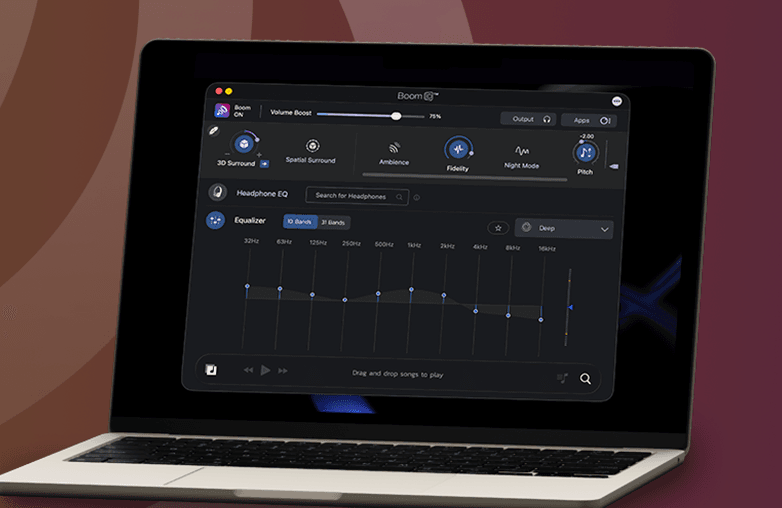
Customizing equalizer settings for personalized music
Best Equalizer App for Music Lovers
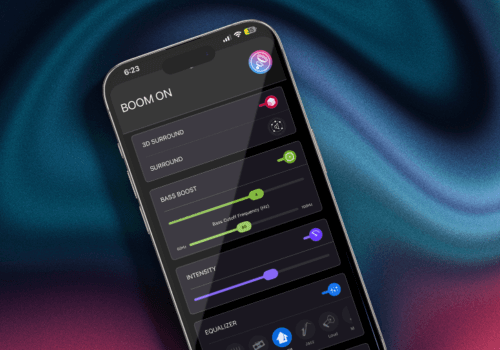
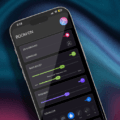
Boom is one of the best bass booster and equalizer apps that help you personalize your listening experience. It offers an 8 or 16-band equalizer to customize sound, and it also offers a set of various presets to enjoy music your way.
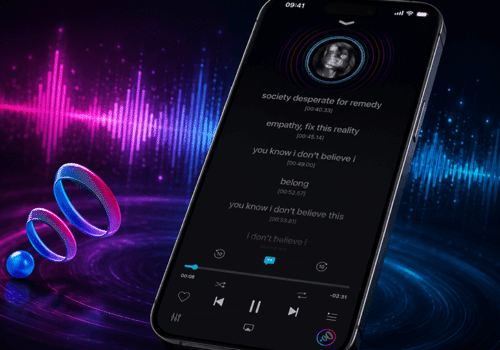
You can enjoy 3D surround sound on ANY headphones. Boom iOS also offers Headphone EQ, where you can enjoy balanced and natural sound without manually fine-tuning equalizer settings. Boom iOs also offers an offline music player, you can listen to your music offline with Boomin effects. It’s a must-have app for music lovers; you can download the app from the App Store or the Play Store.
Bottom Line
You should always customize equalizer settings to enjoy music your way. Every music lover should try Boom to take their music listening experience to the next level. Download Boom from the App Store or Play Store.
FAQs
Why should I customize equalizer settings?
Customising the equalizer will help you enjoy personalized sound. You can make music sound the way you like.
What are the best equalizer settings for music?
It all comes down to your preference. The ‘best’ equalizer settings depend on your listening preferences.
Can an equalizer improve sound quality?
Yes, it can improve sound quality. It can improve your overall music listening experience.
What’s better, tweaking an equalizer or using presets?
EQ presets are great for beginners, those who are new to equalizers. Manually adjusting the equalizer offers better control over sound and allows you to fine-tune the sound to your taste.
Do all music apps have built-in equalizers?
Most apps have a built-in equalizer. However, it all depends on the app and platform.
Can equalizer settings make headphones sound better?
It can adjust to some of the downsides of headphones and improve sound performance.
Which music genre sounds perfect with EQ settings?
All genres can sound great with EQ adjustments; it depends on your personal taste.
Can I make vocals clearer with EQ settings?
Yes, you can improve vocal clarity by adjusting the EQ. You can boost the midrange frequency for better-sounding vocals
What are the benefits of using an equaliser?
A music equalizer can help personalize sound, it can enhance bass, reduce ear fatigue, improve clarity, and offer better clarity.
Which is the best Equalizer?
Boom is an equalizer app for iOS and Android. It lets you fine-tune the sound to your preference. Boom is perfect for audiophiles and casual listeners alike.