

























Spotify is one of the best platforms for streaming music. Whether you’re taking a relaxing walk, working out, or in a party mood, Spotify offers the best-curated playlist to match your mood. How many times a day do you listen to music? If you stream music frequently, you deserve to hear the best sound on your headphones. The best sound is achieved when listening to music with the right equalizer settings, especially if you’re looking for the best equalizer settings for bass lovers.
Many other factors help you enjoy music in the best possible way. In this blog, we will guide you on how to achieve optimal equalizer settings and other sound adjustments to enjoy your favorite playlist at its best.
What is the Spotify Equalizer and How Does it Work? Equalizer Settings for Bass Lovers
An equalizer, or EQ, is a feature found in music streaming apps and music player apps that allows you to customize the sound of your music. Spotify offers this feature to fine-tune sound based on your personal preference or the environment you’re listening in. Whether you want stronger bass, clearer vocals, or crisper highs, you can get it all by customizing EQ settings. The EQ works by separating sound into different ranges, each of these control a specific part of the audio spectrum.
- Low Frequencies (60Hz-150Hz): These produce deep bass sounds and powerful beats that add depth and punch to music.
- Mid Frequencies (150Hz-1kHz): This range carries most vocals and instruments, making it the core of the overall sound.
- High Frequencies (1kHz- 15kHz): These frequencies add clarity, sharpness, and brightness to songs.
By adjusting Spotify’s equalizer settings, you can boost bass and experience richer sound, adjust mids for balanced vocals, or increase treble for a crisper listening experience. When you customize EQ, you experience music tailored to your taste.
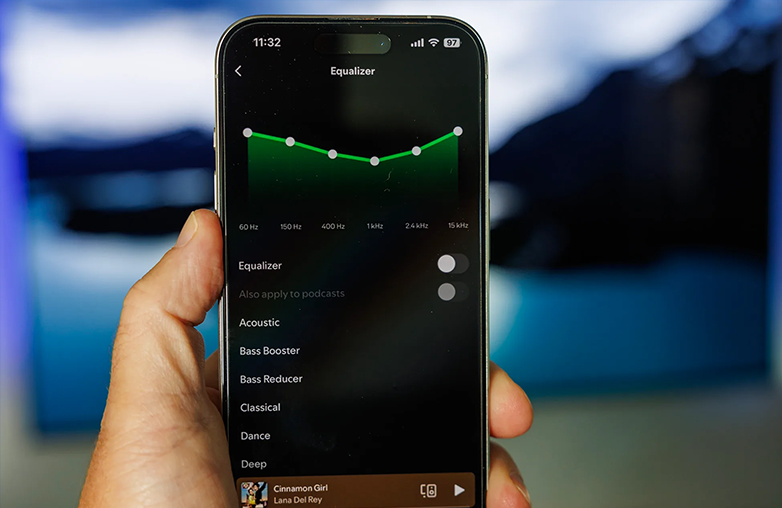
Best Spotify equalizer settings for bass lovers with boosted low frequencies.
The Right Spotify Equalizer Setting
For everyday listening: A slight increase in bass and treble can create a fuller, more balanced sound. This helps make vocals sharper while giving the music a deeper bass impact.
- While Driving: Car interiors often affect audio quality because of road and environmental noise. Slightly enhancing the mid-range frequencies can make vocals and instruments easier to hear.
- For strong bass lovers: If you prefer heavy bass, raising the lower frequencies around 100Hz and below can add extra depth and punch. However, avoid excessive boosting, as it may overpower vocals and muddy the track.
- For rap and hip-hop music: These genres sound better with enhanced bass and low-mid frequencies, helping beats, rhythm, and basslines feel more energetic.
While adjusting Spotify EQ settings, begin with small changes and listen carefully to the results. Ultimately, the best equaliser settings are the ones that sound best to your ears.
There is no one-size-fits-all approach when it comes to equaliser settings. We all have different music preferences and listening styles. You need to play around with the sound to check what works best for you.
How to Make Spotify Louder
Spotify makes the music experience engaging. It has playlists for every mood and every generation. Gen Z and millennials’ favourite tracks are best enjoyed with curated playlists and the right equalizer settings for bass lovers for an immersive sound experience. If Spotify’s volume feels too low, there are several ways to improve the loudness and enhance your listening experience:
- Increase your device volume:
Make sure your phone, laptop, or tablet volume is set high enough. You can adjust the volume with volume buttons or system sound controls.
- Enable Spotify’s “Loudness” EQ preset:
Spotify offers a “Loudness” preset in its equalizer settings that boosts overall sound. This can make music louder, but may slightly reduce audio dynamics and clarity.
- Turn off audio normalization:
Spotify’s audio normalization feature keeps song volumes consistent, but it can sometimes lower the loudness of tracks. You can disable this option in Settings > Playback for a louder sound experience.
- Use quality speakers or headphones:
External speakers and headphones can improve sound quality. Make sure you’re properly connected, and volume settings are adjusted correctly.
Following these tips can help you get better sound quality while enjoying your favorite music in your style. However, you also need to protect your ears while enjoying music at higher volumes. A simple guideline is the 60/60 rule. You should make it a habit to listen to not more than 60% volume for up to 60 minutes at a time. Give your ears a short break; listening at lower volumes is safer for longer sessions as it can reduce the risk of hearing damage.
Best Equalizer App for Bass Lovers
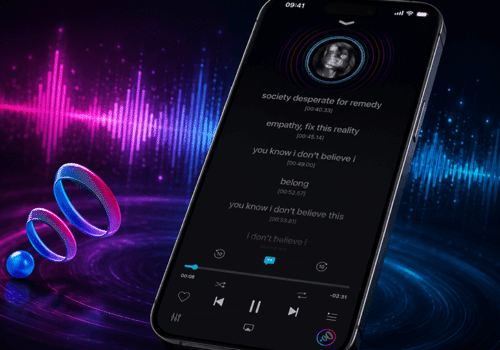
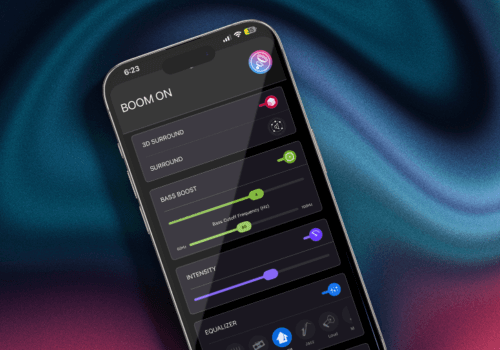
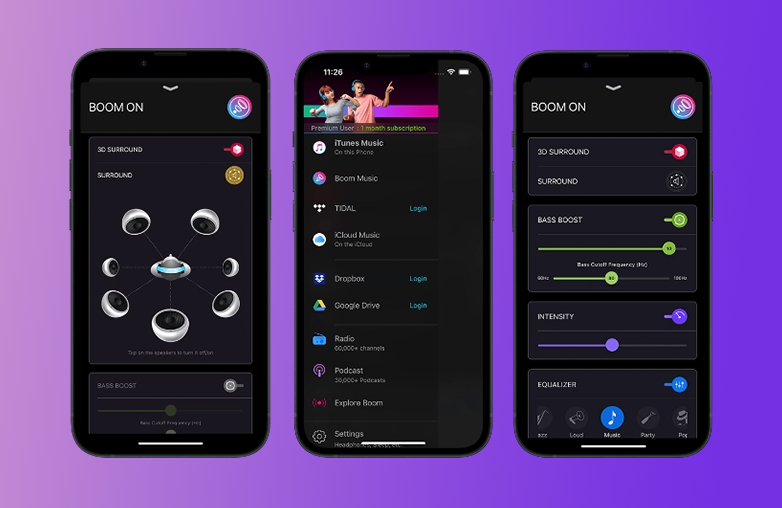
You can try Boom for iOS or Android. It offers an 8 or 16-band equalizer with presets. You can fine-tune the sound to your taste. The features of Boom iOS and Android may vary. If you enjoy listening to music your way, you should download Boom. It supports ANY headphones and can make your cheap headphones sound expensive with its features. Moreover, Boom iOS also supports offline music. It is a one-stop solution to make your music personalized.
You can try Boom 3D for Mac or Windows and personalize music, movie, and game audio. Level up your entertainment with Boom 3D.
You can also read this blog: Safe Disk Cleanup on Mac and Windows.
Frequency spectrum showing bass, mids, and treble ranges.
Bottom Line
The Spotify equalizer is a useful feature that helps you customize your music experience and get the most out of every song you listen to. It is most helpful for people searching for the best equalizer settings for bass lovers to get that extra punch. Take some time to explore Spotify’s equalizer options, test different presets, and create a sound experience that feels more immersive.
FAQs
Does an Equalizer improve sound quality on Spotify?
Yes, using an equalizer on Spotify can enhance the way your music sounds by letting you adjust the audio frequencies to your musical taste.
How do you get full bass on Spotify?
To increase bass on Spotify, open the app’s Settings and enable the Equalizer feature. From there, you can select the bass preset or manually adjust the lower frequency sliders to create a powerful bass.
Should I use an Equalizer on Spotify?
It all comes down to your listening preferences. If you’re already enjoying the default audio output, you may not need to make any changes. However, if you want to personalize the sound, tweaking the equaliser settings can improve your listening experience.
References:
https://www.hollyland.com/blog/tips/spotify-equalizer-settings-for-bass
https://freeyourmusic.com/blog/best-spotify-equalizer-settings
https://avenuear.com/2025/08/27/best-spotify-equalizer-settings/
https://www.soundguys.com/best-equalizer-settings-spotify-101232/