






























Whether you’re a musician, a DJ, a content creator, or a student learning to play a musical instrument, you might want to separate instruments from vocals in songs. Even if you are simply a music lover, listening to vocals without instruments has a different impact. While browsing social media, we come across short clips where instruments are separated, allowing us to focus on the lyrics. That creates such a calming feeling, doesn’t it?
AI-powered instrument isolation apps like AuDimix, Moises, LALAL.ai, and Unmix allow users to separate vocals and instruments from songs using stem separation. These tools are widely used for remixing, karaoke creation, and music practice.
Many times, we want to find the best apps but end up with something that doesn’t meet our requirements. With numerous options, finding the right instrument isolation app can be a daunting task. In this blog, we will walk you through some of the best apps that can easily separate instruments and vocals from a track.
AuDimix: Best App to Separate Vocals and Instruments
AuDimix is an AI stem separation tool that is perfect for DJs, video creators, music producers, and music enthusiasts. This audio separator app is best for creating remixes, mashups, practicing music, or learning instruments. It offers drums, bass, piano, vocals, and backing instruments. You can suppress instruments and vocals, and adjust the tracks according to your preference.
If you want to create karaoke tracks, practice songs, or create remixes, AuDimix is a great pick. You can remove other instruments in a track and keep the vocals as they are, vice versa, or in combinations that you prefer. There is also a slider to adjust the volume. It also offers Pitch Shift and Tempo Adjuster.
You can import tracks in high-quality audio formats like M4A, WAV, MP3, and more. You can then export a high-quality file to your system. You can also review your creation before exporting the file, and you can make adjustments to your creation before exporting the final creation. You can download AuDimix for Windows from the Microsoft Store.
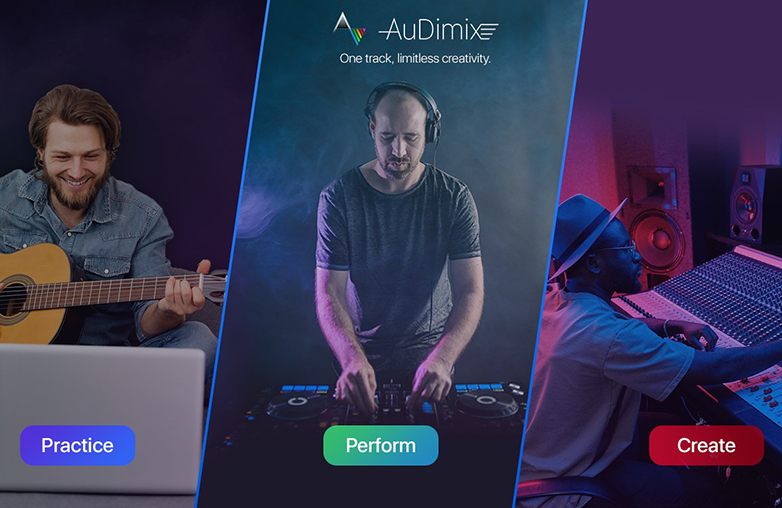
vocal remover app splitting music tracks
Moises: AI Music Tools for Musicians
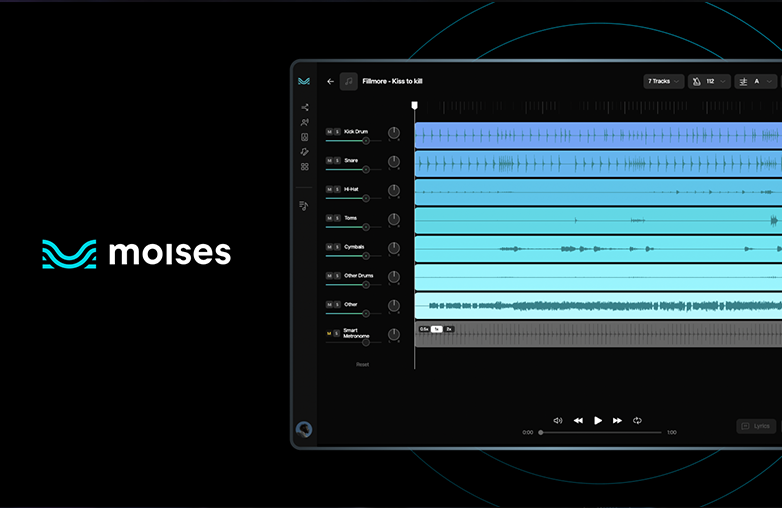
Moises is one of the top tools for musicians and producers who want complete control over their tracks. As one of the best apps to isolate instruments in a song, it uses advanced AI technology to break a track into different stems like vocals, drums, bass, and other instruments.
These powerful AI music separation apps allow users to easily isolate instruments in a song, making it simple to practice specific parts of the song or create mashups and remixes. If you’re looking for apps to isolate instruments in a song, Moises is the perfect app. It also offers features like pitch shifting, chord detection, and tempo adjustment. This is an easy-to-use instrument isolation app that is perfect for beginners to seasoned pros.
You may find this blog interesting: Why is Travis Scott in Every Gen Z Playlist?

AI instrument isolation app interface separating vocals and instruments
LALAL.ai: Instrument Isolation Software
Another powerful tool that offers AI music separation is LALAL.ai. This is one of the most popular software programs among musicians, DJs, and music enthusiasts who want to separate instruments from a song. It is one of the widely used AI vocal remover apps that uses advanced music stem separation technology to split a track.
Users can upload a track, and it quickly processes the file to deliver high-quality remixes. It offers accurate AI music separation, and people trust this app to remove vocals from a song, create acapella tracks, remixing and music production.
Give this blog a read: Top Best Songs by Travis Scott.
Unmix: AI Vocal Remover
Unmix is one of the popular AI vocal remover apps that helps to separate instruments from a song. It uses advanced AI music separation technology and offers precise music stem separation. You can split a single track into multiple components.
You can quickly remove vocals from song files and isolate individual elements. Unmix is useful in creating karaoke tracks, remixes, practicing instruments, or creating audio content for social media. With a simple upload, you can create a unique track. If you’re looking for an app to separate instruments from a track, Unmix can be another great pick.
You can also explore this blog: Is Bad Bunny Going on Tour in 2026?
Karaoke track creation example
This article compares leading AI-powered instrument isolation apps, highlighting features, usability, and use cases for music creation and editing.
Key Facts:
- AI stem separation splits songs into components
- Used for remixing, karaoke, and practice
- Works with formats like MP3, WAV, M4A
- Beginner-friendly tools available
Bottom Line
Choosing the perfect instrument isolation app is a task. Now that we’ve narrowed down the options, you can quickly pick the one that meets your requirements. Whether you’re creating remixes, mashups, or simply practising instruments, these apps are the best choices. Moreover, apps like AuDimix also give you the option to review your creation. With the help of these tools, you can create a new version of a track. Download the best app and start experimenting.
FAQs
What is the best app to isolate instruments in a song?
Some of the best stem separation apps are AuDimix, Moises, LALAL.ai, and Unmix.
What is the best app for musicians to isolate instruments from songs?
AuDimix and Moises are two of the best stem separation apps for musicians to isolate vocals and instruments from tracks.
Can I isolate instruments from YouTube songs?
Yes, you can download the audio and upload it to the vocal remover app. However, you need to follow copyright rules when using YouTube songs.
Do I need technical skills to use instrument isolation apps?
No, you can be a rookie and still use these apps and get the best results. Most of these apps are beginner-friendly and offer great results.