


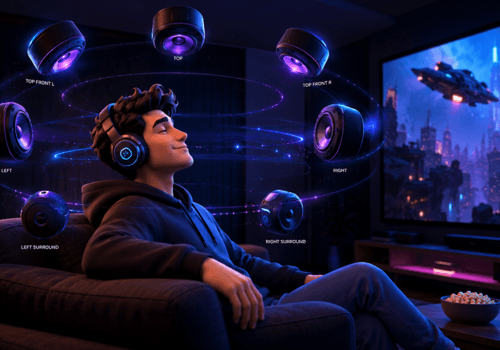
























We’ve all enjoyed stereo audio at some point in our lives. It’s been reliable, but one fine day, you hear a whisper directly behind you in a horror movie, or a Taylor Swift song suddenly feels like it’s playing all around you, and you stop and think, “Wow, when did my sound get this good? Well, you just experienced spatial audio.
Whether you’re in the US, UK, or India, these Dolby Atmos alternatives deliver spatial audio excellence for your region.
The magic is in Dolby Atmos sound technology, which transforms ordinary audio into an immersive 3D experience. You can enjoy this type of cinematic sound not just in theaters; there are also plenty of Dolby Atmos alternative apps that offer spatial audio. Let’s walk you through some of the best immersive audio software to amp up your listening experience.
What Exactly is Spatial Audio?
Before we introduce spatial audio apps, let us help you learn about spatial audio. You’ve probably heard terms like Dolby Atmos, spatial sound, and 3D audio. What exactly is it?
We’ve all enjoyed stereo audio at some point in our lives. It’s been reliable, but one fine day, you hear a whisper directly behind you in a horror movie, or a Taylor Swift song suddenly feels like it’s playing all around you, and you stop and think, “Wow, when did my sound get this good? It might be rain in a game that seems to fall from above, or a guitar solo that sweeps from one ear to the other. Well, you just experienced spatial audio.
Dolby Atmos for Headphones is a famous way to achieve this, using advanced processing to create a virtual soundscape. Other apps offer spatial audio for Mac, Windows, iOS, and Android. It’s best to look for an alternative:
- If your device doesn’t support Dolby Atmos for headphones.
- You want better customization through equalizers or 3D tuning.
- You don’t want to pay extra for the feature on Windows spatial sound.
- You simply want to try something new and gain control over sound output.
Let’s introduce the best immersive audio software to make your ordinary listening experience extraordinary.
Does Spotify Have Dolby Atmos?
Spotify doesn’t support Dolby Atmos or any other spatial audio format. Its recent upgrade was lossless audio, which is about sound quality, not surround. Apple Music, Amazon Music and Tidal do offer Atmos.
If Spotify is your main music app, a spatial audio app running on your device is the practical way to get that wider sound. It works on top of whatever you play, Spotify included.
The Quick Pick List
- Best overall: Boom 3D (Mac and Windows)
- Best free option on Windows: Windows Sonic for Headphones
- Best for movies and gaming gear: DTS Headphone:X
- Best for your phone: Boom (iOS and Android)
- Best for offline music on mobile: 3D Surround 7.1 Music Player
Windows, macOS, iOS, and Android devices, mentioning users from Asia, Europe, and North America — this increases global relevance.
Top Spatial Audio Apps
Boom 3D: The Legend of Spatial Audio
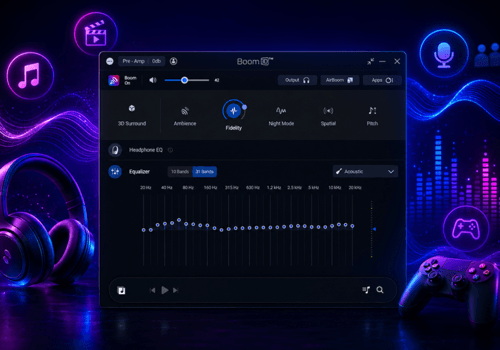
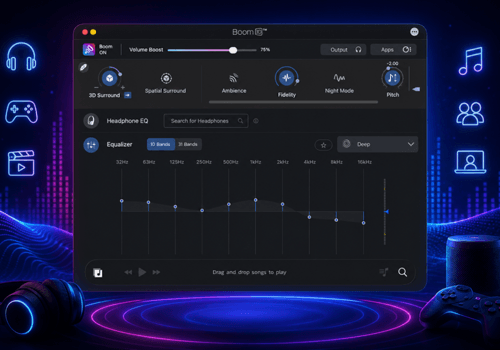
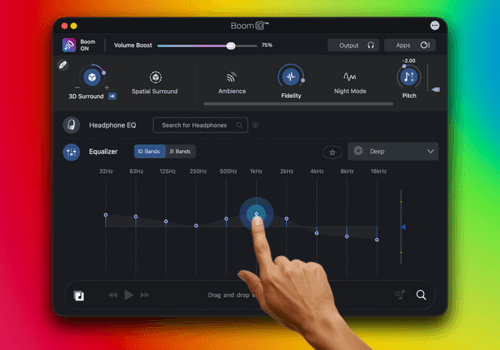
Boom 3D offers the ultimate 3D surround experience on headphones. Not just premium headphones, Boom 3D is compatible with ANY headphones. It offers a theater-like listening experience and is the first choice of gamers, audiophiles, and cinephiles. Boom 3D also offers a 31-band equalizer with presets to let you control sound to your taste.
It is easy to use and is perfect for both beginners and seasoned pros. Boom 3D also offers various features like audio effects, volume boost, Headphone EQ, preamp, and more. If you’re not happy with the way your headphones sound or if you want a theater-like experience on a budget, download Boom 3D for Mac and Windows. The app also offers a 30-day free trial without requiring any payment details.

Good for: Movies, gaming, music, and anyone who wants to customize the sound.
Keep in mind: It’s a paid app after the trial.
Give this blog a read: Boom 3D vs Dolby Atmos for headphones.
DTS Headphone:X: Surround Sound Simulation App
DTS Headphone:X is ideal for movies and gaming. It uses DTS: X technology to create a lifelike listening experience. You’ll find DTS Headphone:X supported by a variety of gaming headsets, sound cards, and media players. This means there’s a good chance your existing gear might already be compatible.
You will fall in love with its advanced surround sound simulation. It also offers personalized tuning for your specific headphones. Many gaming headsets from brands like Logitech, Razer, and more often feature DTS Headphone:X integration. With DTS Sound Unbound, you are guaranteed to experience cinematic surround sound.
Good for: Gamers and movie watchers with supported headsets.
Keep in mind: Support varies a lot from device to device.
Windows Sonic for Headphones: In-Built Surround Sound Without Dolby
If you’re a Windows user, you already have a spatial sound option built in: Windows Sonic for Headphones. It’s free and easy to enable; just a few clicks in your sound settings, and you’re ready to use the app. Windows Sonic for Headphones is perfect for those who love cinematic sound but don’t want to pay extra for Dolby Atmos apps or other audio enhancement software. Among the Dolby Atmos alternative apps out there, it’s the easiest one to start with, since there’s nothing to download or install.
It works with any pair of wired or Bluetooth headphones. While the experience may not be the same as premium apps, it does a good job of creating a wider soundstage.
Good for: Quick, free spatial sound on a Windows PC.
Keep in mind: Limited customization, and Windows only.
3D Surround 7.1 Music Player: 3D Surround Music Player
3D Surround 7.1 Music Player is an app for iOS and Android. It is great for music lovers who miss spatial audio outside of apps like Dolby Atmos and Spotify. You can play your local music files with 3D surround sound, making your listening experience more immersive.
It’s also an offline music player app. So if you want to add extra oomph to your music, download 3D Surround 7.1 Music Player.
Good for: Offline music on your phone.
Keep in mind: It’s built around local music files, so it won’t enhance your whole device.
Boom: Spatial Audio for Phone
Boom is one of the excellent music player apps that offers spatial sound on iOS and Android. It supports 3D surround sound on ANY headphones, offering you an immersive music listening experience. Android users get the benefit of system-wide FX. You can enjoy movies, music, and games with Booming effects.
Boom offers an 8/16 band equalizer with presets to fine-tune the sound to your taste. You can also avail a 7-day free trial before subscribing. Download the app and make cheap headphones sound premium.
Good for: Making everyday phone headphones sound fuller.
Keep in mind: It’s subscription-based after the trial.
Comparison Table
| App | Platforms | Any headphones? | Best For |
| Boom 3D | Mac, Windows | Yes | All-round use, customizing |
| DTS Headphone:X | Windows, supported gear | Depends on device | Movies and gaming |
| Windows Sonic | Windows | Yes | A free quick fix |
| Boom | iOS, Android | Yes | Music Player App, |
| 3D Surround 7.1 Music Player | iOS, Android | Yes | Offline Music |
These apps are widely used across countries like the USA, Canada, UK, and India, where users love experiencing Dolby-like sound at home.
Bottom Line
Dolby Atmos offers an immersive listening experience, but it’s not your only option. From Boom 3D to Boom, there are several Dolby Atmos alternative apps to bring dull sound to life.
Pick the one that matches your device, try it for a few days, and keep the one you actually miss when you switch it off.

FAQs
Are Dolby Atmos alternatives as good as Dolby Atmos?
Many spatial audio apps like Boom 3D, Boom, and DTS Headphone:X can match Dolby in certain aspects, depending on your headphones.
Is Dolby Atmos free on Windows?
No, Dolby Atmos for Headphones requires a paid license, but Windows Sonic is a free alternative built into Windows.
Is there a free alternative to Dolby Atmos?
Yes, Windows Sonic for Headphones is built into Windows and costs nothing. Boom 3D and Boom also have free trials if you want something with more features.
Which Dolby Atmos alternative is best for gaming?
Boom 3D, Windows Sonic, and DTS Headphone:X are the top picks for an immersive gaming experience.
Do I need special headphones for spatial audio?
Not for these apps. Boom 3D and Boom work with any wired or Bluetooth headphones. Native Dolby Atmos can require supported hardware.
Does Spotify support Dolby Atmos?
No, Spotify doesn’t stream in Dolby Atmos. You can still get a spatial effect by running a spatial audio app on your device while you listen.
Can I get spatial audio on a Mac without Dolby Atmos?
Yes, Boom 3D works on Mac and adds 3D surround sound or 5.1 multichannel audio to any headphones.




Pingback: Reverb is all you need to improve your mac audio experience
Pingback: Best Equalizer App for iPhone – iOS Bass Booster & Sound Quality Instantly
Pingback: Best Virtual Surround Sound Apps for Windows 11 | GD
Pingback: Top 5 Trending Music Apps Gen Z Love in 2025 | GD