




























Whether you’re recording a podcast, lecture, interview, or an important discussion, a clear voice recording can make all the difference. It can make the recording sound professional and increase engagement; moreover, clear recordings are easier to understand.
Some of the main distractions in your recordings are low volume, background noise, muffled speech, awkward pauses, and echoes. Luckily, audio enhancement tools can help you eliminate these problems and make your recordings sound professional. Here are some of the best tips to make voice recordings sound clear and professional.
Improve Voice Recording Quality with These Tips
Record in a Quiet Room
One of the best ways to ensure clean voice recordings is to record in a quiet room. Your recordings can catch ambient sounds of fans and air conditioners. Moreover, door slamming, children playing or crying can affect the quality of your voice recordings. Some types of background noise can be easily removed, while others are more difficult to eliminate and may affect the quality of the original voice recording during editing.
This doesn’t mean you need to record in a soundproof studio. You can choose a room that is quieter and away from busy streets. Turn off the fan and close windows before hitting the record button. Additionally, a room with curtains, carpets, a bed, and sofas can be good for recording, as these materials reduce echoes. This is how you can achieve professional voice recording.
Use a Voice Recording App
If you want your voice recordings to stand out, you must download a dedicated voice recorder app. AudiOn is one of the best voice recording and editing apps for iOS and Android. It can enhance voice audio, improve voice clarity, and do much more with its powerful features.
It is more than just a basic recording app. It can offer high-quality recording with features like mic boost, voice isolation, equalization, geotagging, and transcription, as well as editing features like trim, merge, and split. It has many more features to improve voice recordings and offer clear vocals.
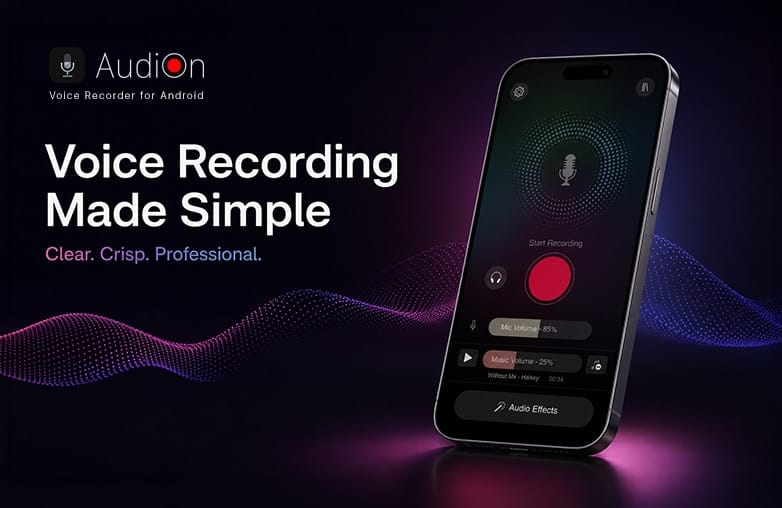
Professional voice recording using the AudiOn app
Microphone Placement
One way to improve voice recording quality is to pay attention to the microphone placement. The best way is to keep a distance of 3-5 inches from the microphone. For phone recordings, keep the device close without putting it directly in front of your mouth. If you’re using an external microphone, experiment with the distance until your voice sounds natural.
Avoid suddenly turning your head away or moving closer or farther from the phone. Speak naturally; focus on clear pronunciation. This will make your recordings sound professional.
Remove Background Noise from Voice Recordings
To make your voice recordings sound professional, you need to remove background noise. You need to use noise reduction for voice recordings to make recordings easier to listen to. AudiOn includes features like voice isolation, reverb, equalisation, and other editing tools to eliminate background noise.
AudiOn for iOS includes a voice isolation feature that focuses on your voice while reducing background distractions during recording.
Use the Mic Boost Feature
Want to add clarity to your recordings? Use the Mic Boost feature of AudiOn. What is Mic Boost? It is a feature that increases how much your microphone captures when recording. AudiOn lets you boost the microphone’s sensitivity to 200%.
It helps to capture every detail of your recordings. It can make a quiet voice easier to hear. If you’re someone who speaks softly, the mic boost feature can be of great help. It can help increase the microphone’s sensitivity, allowing a weaker voice signal to be captured more clearly. It is also useful when you can’t be close to the phone. For example, when recording an interview or lecture, it’s not always possible to keep the phone close to the speaker. Mic Boost can help capture the voice and can make interviews, podcasts, and lectures clearer.
Make Use of Equalizer
If your voice recording is not as expected, adjusting EQ can help achieve what you’re expecting. With the help of an equalizer, you can adjust frequency ranges. AudiOn offers an equalizer to help make adjustments to your recordings. You can make small adjustments and compare them to the original audio. You will find that your voice is natural and easier to understand after making the right EQ adjustments.
Reverb Controls to Make Voice Sound Richer
Want a clear and professional voice recording? Try the Reverb feature of AudiOn. Reverb can make the voice sound richer, but avoid adding too much reverb; it can make words blend and can reduce clarity.
You can experiment with the reverb effect and find a level that best suits your voice recording. Make sure it doesn’t overpower your voice. You can use reverb for interviews, meetings, and podcasts.
Cut Awkward Pauses and Unwanted Sections
No matter how good your voice is, your recordings can feel unprofessional if it has long pauses or unnecessary silence. AudiOn offers a ‘Skip Silence’ feature; it automatically detects silent parts of your recordings and removes them.
It also provides editing tools to trim, cut, and merge audio clips. These edits can make your recordings sound professional.
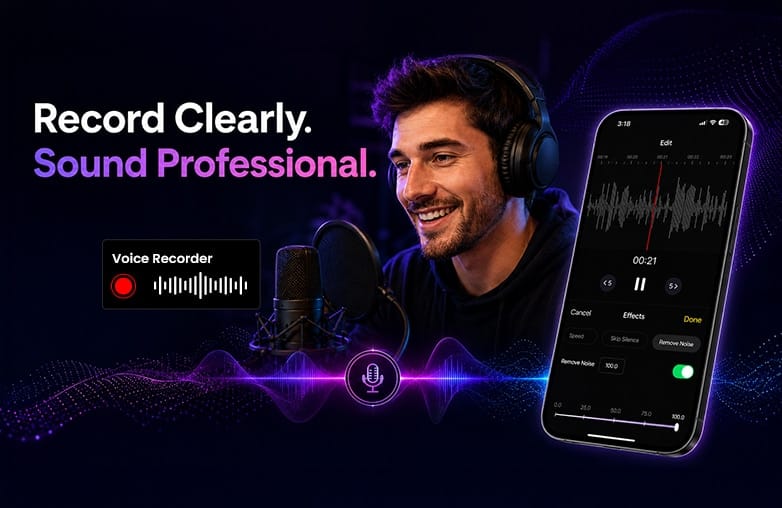
Removing background noise from voice recordings
Bottom Line
Voice recordings can be made perfect with a voice recording and editing app like AudiOn. You don’t need an expensive studio setup or recording equipment to get clear and professional-quality audio. Download AudiOn for iOS or Android and make your voice recording stand out.
FAQs
What is the best way to record audio on a phone?
You can try voice recording apps like AudiOn to get professional-quality recordings on your phone.
How to record high-quality audio?
Record in a quiet room, speak clearly, and use EQ and noise reduction features to get clear, high-quality audio.
Is AudiOn good for voice recording?
Yes, AudiOn is a recording and editing app with powerful features to make your voice recordings stand out.
Which app is good to record?
AudiOn is great for recording on iOS and Android.
Which is the best place to record audio at home?
You can record in a quiet room with soft furnishings, such as carpets, curtains, or a walk-in closet.