






































That feeling when you listen to your favorite songs with a good pair of headphones is different. It can change the way you hear music: every beat feels lively, vocals are clearer, and you hear all the other details. However, even premium headphones don’t always sound the way you want your music to sound. That’s where audio tuning plays a crucial role.
Many of us adjust a graphic equaliser (Graphic EQ) and think they have optimized the sound, while others may rely on Headphone EQ, which is designed specifically for individual headphone models. While both can improve sound, they work in very different ways. If you’re confused about whether to use a Graphic EQ or Headphone EQ, this blog is for you. Read on to get all the deets!
What is a Graphic EQ?
A Graphic EQ lets you manually adjust different frequency ranges. You can control individual frequency bands using sliders. By increasing or decreasing the frequencies, you can personalize sound.
A 31-band Graphic EQ offers much finer control than a basic 5-band or 10-band equalizer because every adjustment affects a much narrower frequency range. This makes it possible to fine-tune sound without dramatically changing the overall sound.
What is Headphone EQ?
Every headphone is different. Headphone EQ is designed specifically for your headphone model. Some headphones may produce too much bass, harsh treble, uneven frequency response, weak mids, and recessed vocals; Headphone EQ compensates for these characteristics by applying corrections based on your headphone type.
Instead of manually guessing which frequencies to adjust, this feature automatically tunes your headphones for balanced, accurate sound.
Graphic EQ vs Headphone EQ
| Feature | Graphic EQ | Headphone EQ |
| Purpose | Personal Sound Customization | Correct headphone sound signature |
| Based on | User preference | Specific headphone model |
| Best for | Music, movies, gaming | Accurate sound reproduction |
| Frequency control | Adjustable bands | Pre-callibrated corrections |
| Manual adjustments | Yes | Mostly automatic |
| Suitable for every headphone | Yes | Only supported headphone models |
The difference is:
A Graphic EQ changes the sound to match your taste.
A headphone EQ changes your headphones to sound more balanced and accurate.
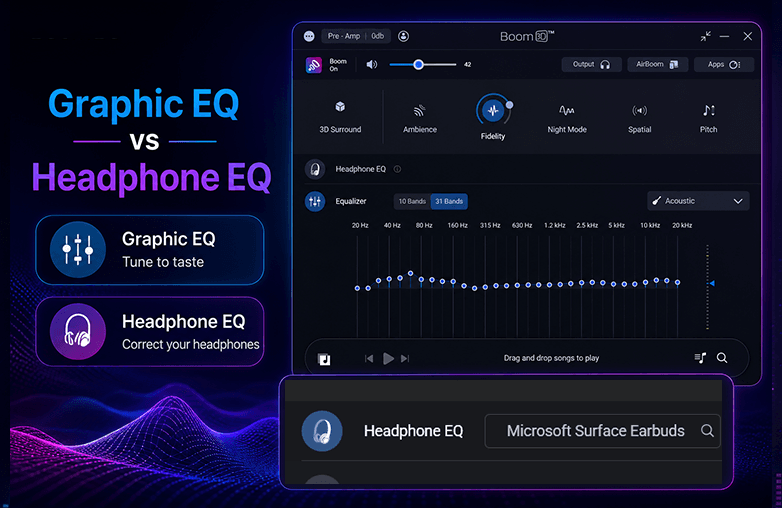
Graphic EQ vs Headphone EQ
Why Headphone EQ Makes All the Difference
Many people go for expensive headphones assuming that they will offer perfect sound. The reality is that every headphone has compromises. One model may produce overwhelming bass. Another may push vocals too far back. Some headphones exaggerate treble, making long listening sessions tiring. Even headphones costing hundreds of dollars rarely have a perfectly flat frequency response. That’s why many professional audio engineers use headphone correction software.
A properly calibrated Headphone EQ helps deliver:
- Better tonal balance
- More natural vocals
- Improved instrument separation
- Reduced listening fatigue
- More accurate music reproduction
Instead of hearing the headphones, you’re hearing more of what the artist intended.
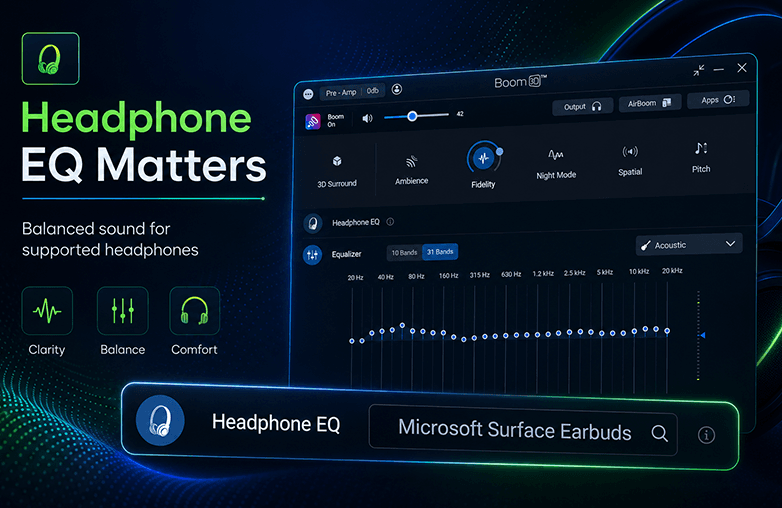
Headphone EQ correcting headphone frequency response
Can a Graphic EQ fix Low-Budget Headphones?
A Graphic EQ can certainly improve poor audio quality, but it cannot fully correct hardware limitations. For example: If your headphones naturally have muddy bass, simply reducing bass frequencies won’t eliminate distortion. Similarly, boosting treble won’t magically create detail that the headphone drivers cannot reproduce.
This is why Headphone EQ is often the better option to start with. It corrects the headphone’s overall tuning before you make any manual adjustments.
The Best Approach: Use Both Together
Rather than choosing one over the other, many audio enthusiasts use both.
The process usually looks like this:
Step 1
Apply a Headphone EQ profile.
This creates a balanced foundation.
Step 2
Fine-tune the sound using a Graphic EQ.
Now you’re adjusting an already accurate sound instead of compensating for headphone flaws.
The result is cleaner, more natural, and far more enjoyable audio.
Why a 31-band Graphic EQ is Better than a Basic Equalizer
Many music apps include only five or ten EQ sliders. While these are useful, they offer limited precision.
A 31-band Graphic EQ provides much greater control because each frequency can be adjusted independently.
Benefits include:
- More precise tuning
- Better vocal clarity
- Improved bass control
- Cleaner treble adjustments
- Reduced unwanted frequency overlap
Instead of making broad changes, you can target exactly the frequencies you want.
This is especially valuable for audiophiles, musicians, and casual listeners who are particular about sound quality.
Explore this blog for more interesting details: Why Do You Need to Have the Right EQ to Experience Audio?
Boom 3D Offers Both Graphic EQ and Headphone EQ
One of the best parts about Boom 3D is that it offers both Graphic EQ and Headphone EQ.
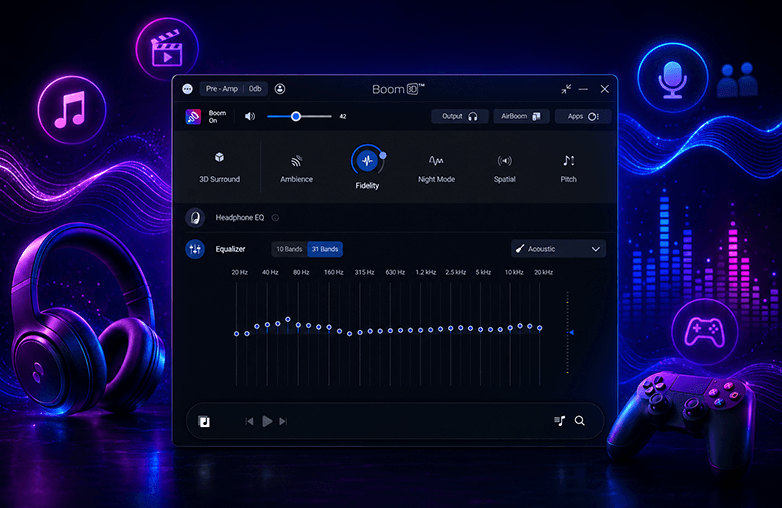
31-Band Graphic Equalizer
Boom 3D offers 31-band Graphic EQ, allowing you to make precise frequency adjustments across the audio spectrum. You can personalize sound with 31-band EQ. It also offers various presets to match your listening style. Whether you’re listening to music, playing games, or watching a movie, you can personalize sound the way you like it.
Headphone EQ Support
Boom 3D offers Headphone EQ feature that supports over 5,000 headphone models. Instead of manually trying to compensate for your headphones’ sound signature, Boom 3D applies optimized correction profiles for supported devices.
This helps produce:
- More balanced audio
- Improved clarity
- Better tonal accuracy
- A more consistent listening experience
Once your headphones are corrected, you can further personalize the sound using the 31-band Graphic EQ. This combination gives complete control over sound.
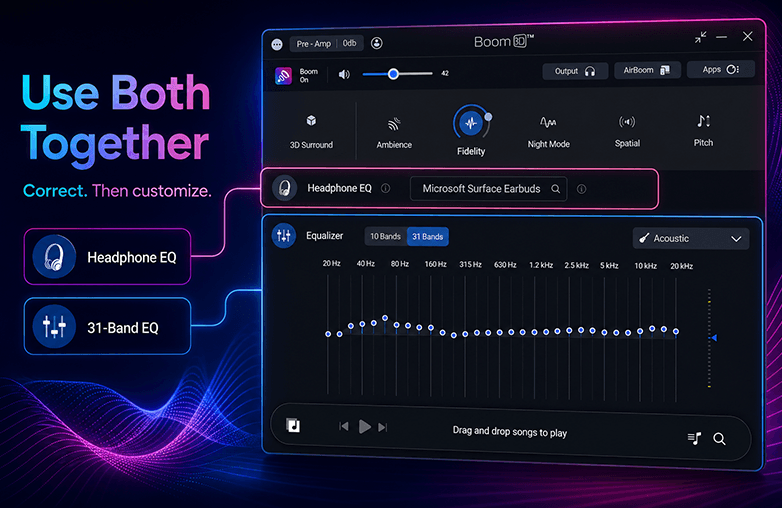
Boom 3D 31-band Graphic EQ and Headphone EQ interface
Bottom Line
Choosing between a Graphic EQ and a Headphone EQ isn’t really about picking one over the other. They solve different problems.
If you’re looking for software that offers both, Boom 3D is the best bet. Its 31-band Graphic EQ provides detailed frequency control, while its Headphone EQ feature helps optimize supported headphone models for a more natural and immersive sound. Download Boom 3D and level up your listening experience.
FAQs
What is the difference between Graphic EQ and Headphone EQ?
A Graphic EQ lets you manually adjust frequency bands to match your personal listening preferences, while Headphone EQ corrects the frequency response of a specific headphone model for more accurate sound.
Why should I use a 31-band Graphic EQ?
A 31-band Graphic EQ offers much finer control over the audio spectrum than a 5-band or 10-band EQ. It allows more precise adjustments for bass, mids, vocals, and treble without affecting nearby frequencies.
Does Boom 3D support both Graphic EQ and Headphone EQ?
Yes. Boom 3D supports a 31-band Graphic EQ for detailed sound customization and a Headphone EQ feature that optimizes supported headphone models for a more balanced and accurate listening experience.
Is Headphone EQ better than Graphic EQ?
It all comes down to your preference. Headphone EQ improves headphone accuracy, while Graphic EQ customizes the sound to your liking. You can use both to get the best results.
Can Graphic EQ improve any headphones?
Yes. A Graphic EQ can improve the sound of almost any headphones by adjusting frequency levels. However, it cannot completely fix hardware limitations or poor driver performance.








Pingback: Boom 3D vs FXSound: Which is the best? - Global Delight