



























Boom 3D is an app that truly understands the needs of both audiophiles and casual listeners alike. This audio enhancer software helps you enjoy the best sound on your Mac. Whether you’re listening to music, watching movies or shows, or playing games, it offers immersive sound and features to personalise it to your preferences.
The Boom 3D Mac 2.3.0 update includes exciting features and improvements that further enhance your listening experience. With new features and UI enhancements, everything is now easier to use. Boom 3D has just become better and more efficient. Learn more about its new features and improvements in this blog.
New Features and Improvements in Boom 3D Mac 2.3.0
Get Spatial Surround Audio on Mac
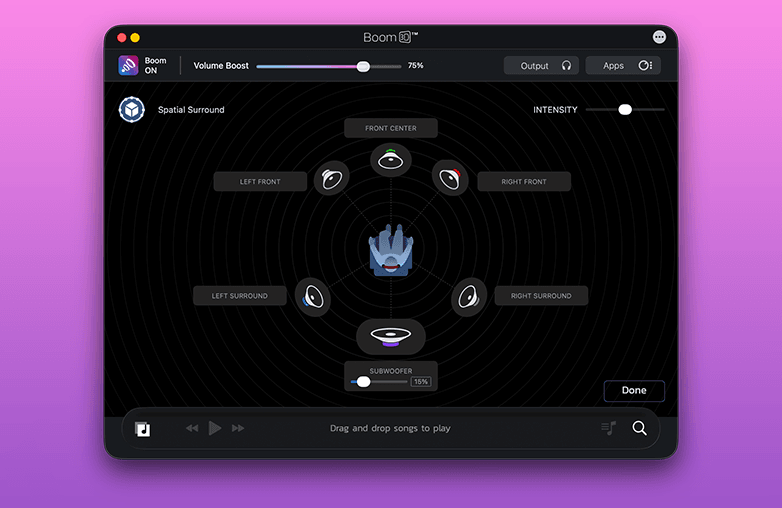
Boom 3D already had features like 3D surround sound, 5.1 multi-channel audio, and Spatial stereo, which creates a virtual surround sound experience on headphones. With version 2.3.0, Boom 3D introduces Spatial Surround audio, which will help you experience audio in a new way.
If you are looking for spatial audio for Mac, you should try Boom 3D. What makes Spatial Surround special is that it creates a natural sense of space by placing sound around you.
Instead of widening the soundstage, spatial audio adds a sense of depth and positioning. It makes headphone audio feel more lifelike. It takes movies, music, and games to a whole new level of immersion. Let’s have a look at the benefits of spatial audio.
Get Spatial Surround Audio on Mac
Sound Feels More Natural
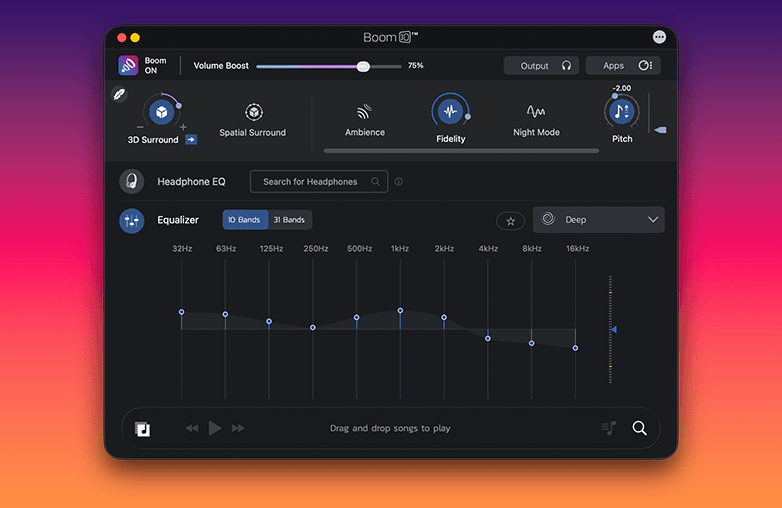
Boom 3D is a Mac audio enhancer that offers various features to enjoy a personalized audio experience. The new Spatial Surround feature of Boom 3D for Mac will make your entertainment more engaging. Spatial Audio will add depth to the sound; it is not just limited to the left and right sides of your headphones; it creates a wider soundstage, making your listening experience immersive and rich.
Sound Feels More Natural -Mac audio enhancer
Built for Headphone Users
Bom 3D’s spatial Surround is designed for headphone listening. You can enjoy life-like sound without additional speakers. It makes your listening experience realistic, preserving the detail, clarity, and balance of the original sound.
More Ways to Enjoy Audio Your Way
Boom 3D’s Spatial Surround is another exciting feature for a personalized audio experience. You can switch between 3D surround sound, 5.1 multichannel audio, or Spatial Surround to see what works best for you. Each option offers a different listening experience; the best one depends on your listening preference. You can choose the option that best suits your content and listening taste.
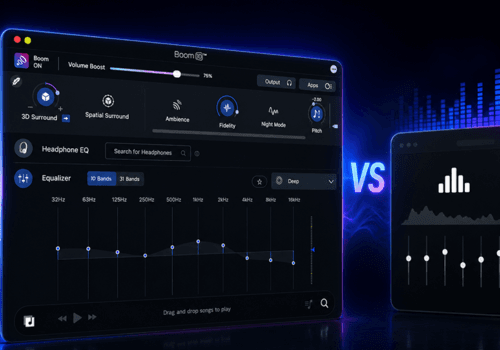
Along with multi-channel audio support, Boom 3D also offers various other features like an equalizer, presets, audio effects, bass boost, and more to personalize sound. Whether movies, games, or music, you can enjoy sound your way with Boom 3D.
Introducing the New Trap EQ Preset
Boom 3D already offers various presets to quickly match your listening style. With the new Trap EQ preset, it further offers options to personalize sound to your taste.
Why Should You Use the Trap Preset?
Trap music is popular. If you love personalized sound, you should apply the Trap preset while listening to Trap music. You can customize sound with a 31-band equalizer, but if you want to skip the manual efforts, the Trap EQ preset is the right choice. The Trap EQ preset offers deep bass frequencies, hard-hitting kicks, and clear vocals. It is particularly designed for Trap music, but it can also work great with Hip-Hop, EDM, Rap, Pop music, and Electronic music. With the Trap Preset, you can enjoy personalized sound without needing advanced EQ knowledge.
Expanded Headphone EQ Support
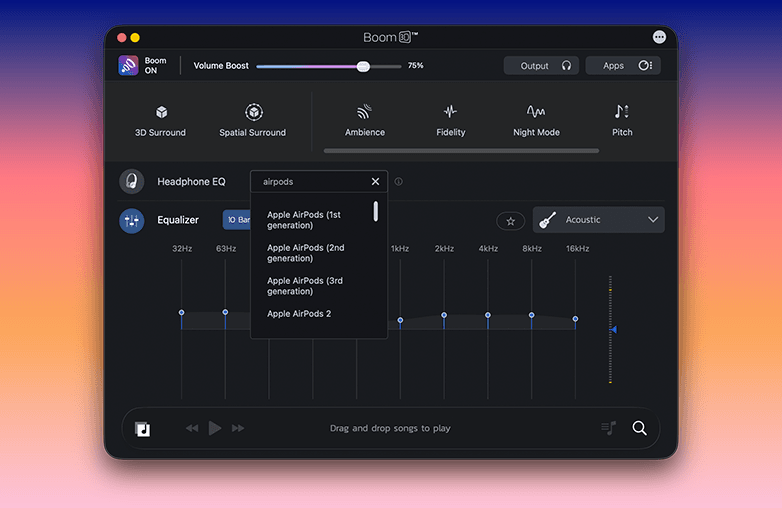
Another enhancement of Boom 3D Mac 2.3.0 is the expansion of Headphone EQ support. You can find your headphone model and enjoy a balanced sound. Headphone EQ is an important feature in audio enhancer software.
Every pair of headphones is different; this is the reason audio sounds different on every model. You may not always find a balanced sound. Headphone EQ balances sound; it corrects frequency differences by applying sound adjustments for a particular headphone model. The result you get is a balanced and natural sound on ANY headphones.
Headphone EQ aims to make your ordinary headphones sound their best. With the Headphone EQ feature, Boom 3D offers an accurate and engaging listening experience. It is one of the best features for music lovers, movie buffs, and gaming enthusiasts to enjoy balanced and accurate sound on their headphones.
Boom 3D Mac 2.3.0 is the expansion of Headphone EQ support
UI Enhancements
The new Boom 3D Mac 2.3.0 makes navigating the app easy. A great sound booster and equalizer app must have an easy-to-use interface along with great sound. Boom 3D fulfills both requirements.
The updated interface offers a cleaner and more organised UI, helping users to access features quickly. It also offers faster sound customization. You can easily adjust audio settings, which makes it easier to access EQ presets, adjust audio settings, enable Spatial Surround, and more.
Bottom Line
The Boom 3D Mac 2.3.0 update is perfect for anyone looking for an extraordinary volume booster and equalizer app. Download Boom 3D if you want to change the way your Mac sounds. It’s time to elevate your music, movie, and gaming experience with Boom 3D.
FAQs
What is new in Boom 3D Mac 2.3.0?
The update offers Spatial Surround, a new Trap EQ preset, Expanded Headphone EQ support, and UI improvements.
What is Spatial Surround in Boom 3D?
Spatial Surround offers virtual sound on headphones, making all your media content feel more immersive.
Can I use the Trap preset for other music genres?
Yes, you can use it for hip-hop, rap, EDM, and other heavy bass music genres.
What are the benefits of expanded Headphone EQ support?
It allows more headphone users to enjoy accurate and balanced sound.
Do I need expensive headphones to experience Spatial Surround?
Boom 3D’s Spatial Surround feature works with ANY normal headphones.
Which feature is better, 3D surround sound or Spatial Surround?
It all comes down to your preference. 3D surround sound is great for a wider and more powerful surround effect, while Spatial Surround is best for experiencing a natural sense of space and positioning.
Who should download Boom 3D?
Audiophiles and casual listeners who like personalizing sound must download Boom 3D.